
User Guide - AT&T
Phone device to operate properly, even when plugged into a power source. It may take five (5) hours to fully charge (battery will ... and the battery will stop charging when the ambient temperature is outside of the temperature range allowed for charging (32 °F – 131 °F). Turn on Your Device: Plug the power cord into an electrical wall ...
Download User Guide - AT&T

Information
Domain:
Source:
Link to this page:
Documents from same domain
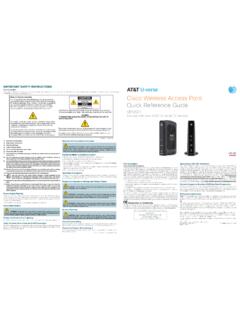
Note to System Installer Cisco Wireless Access …
www.att.comCisco Wireless Access Point Quick Reference Guide ... For use with your AT&T U-verse TV service. 1 Power Green = Power is on Off = Power is disconnected from its ...
FAMILY GUIDE TO Mobile Safety - AT&T® Official
www.att.comFAMILY GUIDE TO . Mobile Safety. SPONSORED BY: 2 | ... to mobile phone safety. Educating your child is the most important thing you can do. You can

PadFone X - AT&T® Official
www.att.comPadFone X. 2 May 2014 First Edition ... Quick Settings ... ASUS is not responsible for any loss or damage incurred to your micro-SIM card.
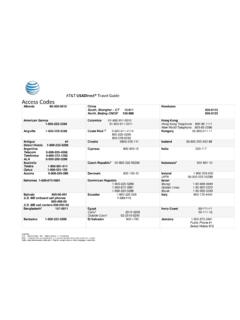
AT&T USADirect® Travel Guide Access Codes
www.att.comCalls using these access codes are in English, ... Cypress 800-900-10 India 000-117 Australia Telstra ... Axtel 01-800-112-2020

AT&T Compensation in a Competitive Marketplace
www.att.comAT&T Compensation in a Competitive Marketplace ... Continuing to lose access lines to cable and non- ... (Short & Long-Term Disability,
USER GUIDE LG-B471 - AT&T® Official
www.att.comMFL69393501 (1.0) www.lg.com ENGLISH USER GUIDE LG-B471. ... purchaser/end user. (3) ... numbers from anywhere in the continental United States:
USEr GUIdE - AT&T® Official
www.att.comWelcome! Thank you for choosing LG. Please carefully read this user guide before using the device for the first time to ensure safe and proper use.
Nokia Lumia 635 User Guide - AT&T® Official
www.att.comThere's a user guide in your phone – it's always with you, available when needed. ... These instructions may not apply to all phone models and manufacturers.
4G LTE SMARTPHONE User Manual - AT&T
www.att.comPlease read this manual before operating your phone, ... Choice of an e-mail, master data management, and virtual private network solution is at the sole
Pantech P2030 - AT&T® Official
www.att.com•5K Colors CSTN LCD with 1.38” 6 external display • lines for text in basic mode 7 with 16 point font ... Alarm clock..... 71 Pill Reminder ... Message templates..... 112 Message settings ...
Related documents

Electric Vehicle Charging
www.fveaa.orgCharging Placement • Charging Stations in prime locations tend to be “ICE”d, locate close to power but in less desirable parking locations • Charging speed should match time at location, less time spent = quicker chargers. Fast food –DCQC… Airport long term L1 • Place EVSE between spaces so 1

Emissions Associated with Electric Vehicle Charging ...
afdc.energy.govemissions. Tulpule (2013) concludes that day charging with solar-powered charging stations in Ohio could realize CO. 2. emissions reductions of up to 90% versus home charging during evening hours. Jochem et al. (2015) finds that total life-cycle external costs of PEVs are highly dependent on the electricity mix and the charging strategy employed.
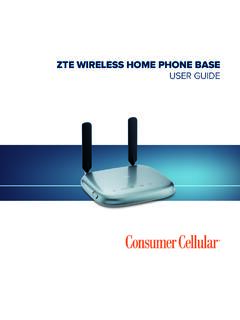
ZTE WIRELESS HOME PHONE BASE USER GUIDE
consumercellular.com1. Unplug your phone from the home phone wall jack. 2. Plug your phone into the PHONE 1 port on the device through a phone cable. NOTE: The PHONE 2 port can be used to connect an additional phone, or cordless base station. All telephones connected to the device will use the same telephone number. 10 11 GETTING STARTED

Owner’s Manual 2600mAh Mobile Power Bank
content.etilize.com• Charge your phone, tablet or other mobile device without the need for a power outlet • Pocket-size design is perfect for portable use • USB port provides up to 5V, 1A of power for charging your mobile devices • 2600mAh capacity charges devices at maximum power draw for hours

then follow step 11 to continue ink charging Start Here
files.support.epson.comlight starts flashing to begin charging the ink. Ink charging takes approximately 20 minutes. Ink charging is complete when the power light stops flashing. 3 seconds 20 minutes Note: The ink bottles included with the printer are designed for printer setup and not for resale. After some ink is used for charging, the rest is available for printing.

Sprint User Guide
www.sprint.comAfter charging, unplug the AC adapter from the outlet and remove the charger from the phone. Charge Using a PC Connection Before using a PC connection to charge your phone, ensure that the computer is turned on.

USER MANUAL - T-Mobile
www.t-mobile.comyour phone, instead store PIN in a location that is accessible without using phone. 2.2 Charging Insert the small end of the charging cable into the charge port, and connect the charger to a power outlet. 12 2.3 Battery To optimize your battery life, you may do the following:

User Guide - Verizon: Wireless, Internet, TV and Phone ...
www.verizonwireless.comdisplays a phone notification, charging status, or alert. Secondary microphone suppresses background noise improving audio quality for the other party during voice calls. In speakerphone mode, it is used as a main microphone. Headset jack allows you to plug in an optional headset for convenient, hands-free conversations or for listening to music.