
User guide - document.resmed.com
4. Open the humidifier tub and fill it with water. Note: The humidifier tub must be removed from the device before adding water. • If using the HumidAir 11 Standard water tub, use distilled water only • If using the HumidAir 11 Cleanable water tub, use drinking quality water (potable). See the mask user guide for detailed information.
Download User guide - document.resmed.com

Information
Domain:
Source:
Link to this page:
Documents from same domain

Indications for use System requirements Compatible ResMed ...
document.resmed.com• Android™ 5.0 and later. Compatible ResMed devices • AirSense 11 • AirSense 10 • AirCurve 10. Note: Bluetooth features are only available on AirSense 11. Security : Built-in security features, steps you take to protect your smart device against malware, and keeping
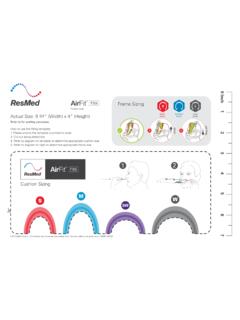
AirFit F30i - Fitting guide - ResMed
document.resmed.comTitle: AirFit F30i - Fitting guide Created Date: 8/13/2019 10:03:58 PM
Sleep Lab Titration Guide - ResMed
document.resmed.comFemale patients with mild to moderate OSA weighing more than weighing more than 66 lb (30 kg) 4–20 cm H 2O AutoSet/APAP (automatic positive airway pressure) Automatically adjusts pressure in response to flow limitation, snore and obstructive apneas OSA Patients weighing more than 66 lb (30 kg) 4–20 cm H 2O VAuto Automatically adjusts ...

Travel Compliance Letter for ResMed Therapy Devices
document.resmed.comPage 3 of 4 ResMed Corp 9001 Spectrum Center Blvd. San Diego, CA 92123 USA T 1 800 424 0737 F 1 858 836 5000 ResMed Pty Ltd 1 Elizabeth Macarthur Drive Bella Vista NSW 2153 Australia T +61 (2) 8884 1000 F +61 (2) 8884 2000 ResMed (UK) Ltd 8 Wimpole Street, London W1G 9SP, UK T +44 (1235) 862 997 F +44 (1235) 831 336 ResMed.com ...
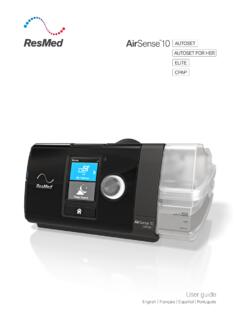
User guide - ResMed
document.resmed.comThe AirSense 10 CPAP device is indicated for the treatment of obstructive sleep apnea (OSA) in patients weighing more than 66 lb (30 kg). It is intended for home and hospital use. The humidifier is intended for single patient use in the home environment and re. use in a - hospital/institutional environment. Contraindications
Home Oxygen Qualifying Guidelines - ResMed
document.resmed.comThe qualifying blood gas study/oxygen saturation test was performed by a physician, qualified provider or supplier of laboratory services that is registered and able to bill for the test, and the necessity for such testing must be documented in the patient’s medical record. C. All three qualifying exercise tests should be performed during the ...

User guide - ResMed
document.resmed.com• The Astral device may be used in the vicinity of electronic article surveillance (EAS) systems during mobile situations when attached to th e patient or patient’s wheelchair. The Astral device may experience interference in the vicinity of EAS. Keep the Astral device at least 8” (20 cm) away from the EAS.

User guide - ResMed
document.resmed.comWhen Pressure Relief is enabled, you may find it easier to breathe out. This can help you get used to therapy. SmartStart* When SmartStart is enabled, therapy starts automatically when you breathe into your mask. When you remove your mask, it stops automatically after a

S9 Series AutoSet & Elite - ResMed
document.resmed.com• Do not wash the air tubing in a washing machine or dishwasher. Weekly: 1. Remove the air tubing from the S9 device and the mask. 2. Wash the air tubing in warm water using mild detergent. 3. Rinse thoroughly, hang, and allow to dry. 4. Before next use, reconnect the air tubing to the air outlet and mask. Monthly: 1.

User guide - ResMed
document.resmed.comUsing this guide Please read the entire guide before use. When following instructions, refer to the images at the front and back of the guide. Intended use The AirFit P10 channels airflow noninvasively to a patient from a positive airway pressure (PAP) device such as a continuous positive airway pressure (CPAP) or bilevel device. The AirFit P10 is:
Related documents

Platinum Series XL, 5, 10 - Invacare
www.invacare.comDealer: This manual MUST be given to the end user. User: Before using this product, read this manual and save for future reference. Operator’s Manual For more information regarding Invacare products, parts, and services, please visit www.invacare.com Platinum™Series XL, 5, 10 Oxygen Concentrators Standard, with SensO 2 ®and HomeFill™II

Luna CPAP and Auto-CPAP User Manual
5faacd0c97cf0d23c6dc-064f3cd61bcd6e809053bf2fe3432ece.ssl.cf1.rackcdn.comJan 01, 2000 · E-20 System User Manual V1.0 4 / 32 6. Specifications Device Size Dimensions: 170 mm × 196 mm × 118 mm, or 290 mm × 196 mm × 134 mm (with the humidifier) Weight: 1.5 kg, or 2.5 kg (with the humidifier) Product Use, Transport and Storage Operation Transport and …

Owner’s Guide Guide du propriétaire Guía del usuario
prod-help-content.care.irobotapi.comfan, space heater, or humidifier, remove the equipment before operation. There is a risk of injury, accident or malfunction if the robot comes in contact and pushes the equipment. • Clean cliff sensors for buildup. • This robot is intended for dry floor use only. Do …

Instructions for Use | Introduction Trilogy Evo Universal ...
reliablerespiratory.comParts of the User Interface ..... 14 Device Settings Monitoring Window ... you must read and understand this manual. x. When using the ActivePAP circuit, CO. 2. monitoring is required to measure exhaled carbon dioxide, in accordance with ISO ... x Be certain that any humidifier in use, including any heated breathing tube, complies with ISO 8185 ...

CPAP Clinical Guide
www.homecareproviderservices.orgThis label on the device points the user to the operator’s manual for complete information. In the operator’s manual, this ... Respiratory air humidifier is heated. Do not touch the element . iBreeze CPAP Clinical Guide 3 Therapy On/Off Button(Starts and stops the airflow for therapy)

DreamStation 2 Basic Setup & Return Instructions
www.philips.com• If applicable, please ensure the humidifier does not contain any water. • Remove SD card (if applicable) and save for later. Assemble the replacement sleep apnea therapy machine. •Unpackage your replacement DreamStation 2 device and clean the humidifier water tank per cleaning instructions in the user manual.
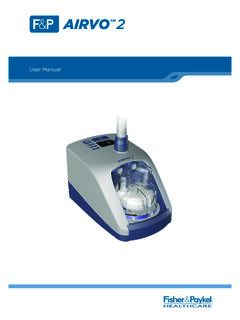
AIRVO - Royal Children's Hospital
www.rch.org.au• This User Manual applies to AIRVO 2 units with LOT numbers 130621 and above. ... The AIRVO 2 is a humidifier with integrated flow generator that delivers high flow warmed and humidified ... • the heated breathing tube has been damaged with holes, tears or kinks,