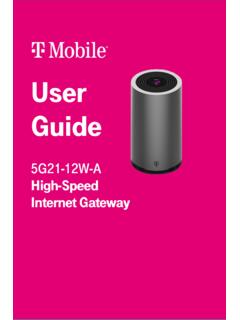
User Guide - T-Mobile
or call T-Mobile customer service at 1-844-275-9310 Configuring your network with the web GUI You can configure the gateway and any connected client devices via web GUI on a PC, laptop, smart phone, or tablet. This section describes: • How to establish a connection between the device on which you will access the web GUI and the gateway.
Download User Guide - T-Mobile

Information
Domain:
Source:
Link to this page:
Documents from same domain

Samsung Galaxy A11|A21 A115U|A215U User Manual
www.t-mobile.com3. Tap a picture or video to choose it. •If choosing a single picture, choose which screen or screens you want to apply the wallpaper to. •Videos and multiple pictures can only be applied to the Lock screen.

Samsung Galaxy A10e|A20 A102U|A205U User Manual
www.t-mobile.comAdd a Samsung account. Sign in to your Samsung account to access exclusive Samsung content and make full use of Samsung apps. 1. From Settings, tap Accounts and backup > Accounts. 2. Tap Add account > Samsung account. TIP To quickly access your Samsung account, from. Settings tap Samsung account. Add an email account

Enterprise Third-Party (Supplier) Information Security ...
www.t-mobile.comSupplier must have the capacity to immediately notify T-Mobile of any security breach and must assist T-Mobile in investigating the security breach in accordance with terms of an approved contract, work order, or master service agreement.
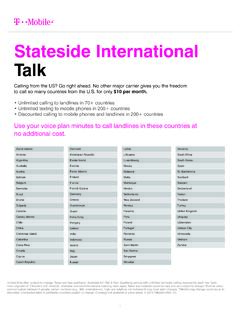
Stateside International Talk - T-Mobile
www.t-mobile.comSouth Africa South Korea Spain St. Barthélemy Svalbard Sweden Switzerland Taiwan Thailand Turkey United Kingdom Uruguay Uzbekistan Vatican City Venezuela Vietnam ... Cook Islands $4.54 $4.54 Costa Rica $0.00 $0.20 Croatia $0.00 $0.20 Cuba $1.68 $1.68 Curaçao $0.20 $0.20 Cyprus $0.00 $0.20 Czech Republic $0.00 $0.20

eligible by the National Verifier should complete this ...
www.t-mobile.comThis signed Lifeline Enrollment Form (“Enrollment Form”) is required to enroll you in T -Mobile’s Lifeline program. The National Verifier, not T -Mobile, determines your eligibility to receive Lifeline. Only persons who have been determined to be eligible by the National Verifier should complete this Enrollment Form.
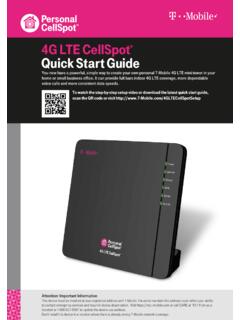
4G LTE CellSpot Quick Start Guide - T-Mobile
www.t-mobile.com4G LTE CellSpot ® Quick Start Guide You now have a powerful, simple way to create your own personal T-Mobile 4G LTE mini-tower in your home or small business office. It can provide full bars indoor 4G LTE coverage, more dependable voice calls and more consistent data speeds.

HERE’S WHAT’S - T-Mobile
www.t-mobile.comservices, and each medical plan has the same benefits whether you choose Aetna or UnitedHealthcare. T-Mobile’s medical benefits are very competitive, and offer the following differentiators: Autism coverage, including Applied Behavioral Analysis (ABA) services Gender-affirming services, including surgery coverage, for

BENEFITS GUIDE - T-Mobile
www.t-mobile.compretax money in an FSA to pay for health care and/or dependent care expenses. There are two types of FSAs: Health Care and Dependent Care. Health Care Spending Account (per plan year) Put aside up to $2,700 per year to cover out-of-pocket health care expenses Non-reimbursed health care expenses qualify (e.g. copays,

Mobile Hotspot User Manual
www.t-mobile.comYour Mobile Hotspot is equipped with a replaceable and rechargeable battery. It works from its charged battery alone, or when the device is plugged into a power source. Note: Please do not attempt to open or disassemble your hotspot and the battery pack. Doing so may cause damage that voids your warranty.

T-Mobile Code Of Conduct
www.t-mobile.com1 ABOUT THESE GUIDELINES T-Mobile USA, Inc., and its affiliated brands (“T-Mobile”), strives to protect its Customers and provide a supportive environment for messaging services. The Code of Conduct (the “ Guidelines”) are a supplement to the most recent CTIA Short Code Monitoring Handbook as well as the CTIA Messaging Principles and Best Practices (the “CTIA
Related documents
One Talk T41S IP ser guide desk phone user guide - VZW
ss7.vzw.comCall volume Press on the phone console to adjust the volume of the receiver when you are on a call (using the handset, speakerphone or headset). Ringer volume Press on the phone console to adjust the volume of the ringer when the phone is idle. Ringtones 1. From Sound settings, scroll to Ringtone and press to select 2. Highlight the desired line
Configuring Voice VLAN - Cisco
www.cisco.coman IP phone call can deteriorate if the data is unev enly sent, the switch supports quality of service (QoS) based on IEEE 802.1p CoS. QoS uses classification and scheduling to send network traffic from the switch in a predictable manner. For more information on QoS, see Chapter 28, “Configuring QoS.”
GARMIN DRIVESMART Owner’s Manual 55/65/71
www8.garmin.comGetting Started. Garmin DriveSmart 55/65/71 Device Overview. 1 ®

Configuring the ABAP Back-end for ABAP Development Tools
help.sap.comCall the transaction SICF in the relevant back-end system. 2. In the Virtual Host entry field, enter DEFAULT_HOST. Entry page of the SICF transaction 3. Press F8 or use the Execute icon from the toolbar to display the services tree. Configuring the ABAP Back-end …
ACCESS TO INTERNET-FACING APD SYSTEMS
idpass.apd.myflorida.comYou will receive an authentication Phone Call. When the voice prompts you, simply use the phone key pad to enter the phone call authentication PIN you previously chose, and then press the # key. (See Step 2: Set your Phone PIN under the Configuring MFA Access section.)
Intel® MEBx Settings
www.intel.comIntel® ME Configuration Opens the sub-menu for configuring the Intel® Management Engine. Intel® AMT Configuration Opens the sub-menu for configuring Intel® Active Management Technology. This option appears only on Intel® Desktop Boards that support Intel® AMT, when configured with a vPro-compatible processor.
Configuring Call Transfer and Forwarding - Cisco
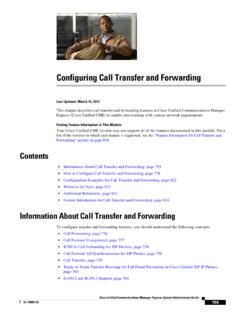
www.cisco.comMar 15, 2013 · “Configuring Call Forward Unregistered for SIP IP Phones: Example” section on page 831. Note In earlier versions of Cisco Unified CME, a busy tone was played for callers wh en the callers are unable to reach the SCCP phone nu mber. In Cisco Unified CME 8.6 and later versions, a fast busy tone is played
HP Array Configuration Utility User Guide
h10032.www1.hp.comIn North America, call the HP Technical Support Phone Center at 1-800-652-6672. This service is available 24 hours a day, 7 days a week. For continuous quality improvement, calls may be recorded or monitored. Outside North America, call the nearest HP Technical Support Phone Center. Telephone numbers for worldwide
Grandstream Networks, Inc.
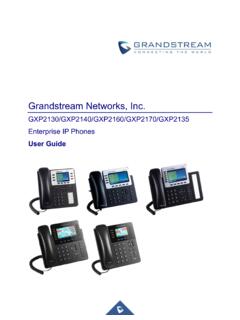
www.grandstream.comPredictive Dialing from Call History..... 60 Predictive Dialing Search including Broadsoft Directories ... Configuring Eventlist BLF ..... 95 CONNECTING TO DEVICES ...