
User Guide - TP-Link
Sep 30, 2020 · • To manage an existing profile If you want to change the wireless settings of an existing profile, select it and then you can edit its Security and Password. If you want to delete a profile, select it and click Remove. 4 4 Uninstall Driver and Utility. 1 Double click Uninstall.command in the downloaded folder.
Download User Guide - TP-Link

Information
Domain:
Source:
Link to this page:
Documents from same domain

Guía Rápida De Instalación - static.tp-link.com
static.tp-link.com11 E s p a ñ o l a M Extensor Universal de Cobertura WiFi Nota: El modelo que se toma como ejemplo en esta guía de usuario es el “TL-WA850RE”. Si desea obtener información adicional acerca de la instalación, consulte

TL-WR841N TL-WR841ND 300Mbps Wireless N Router - TP …
static.tp-link.comThe 300Mbps Wireless N Router delivers exceptional range and speed, which can fully meet the need of Small Office/Home Office (SOHO) networks and the users demanding higher networking performance.

TL-WR841N TL-WR841ND 300Mbps Wireless N Router
static.tp-link.comPowered by 2x2 MIMO technology, the 300Mbps Wireless N Router delivers exceptional range and speed, which can fully meet the need of Small Office/Home Office (SOHO) networks and the users demanding higher networking performance.

AC1200 Wireless Dual Band Router - TP-Link
static.tp-link.comAC1200 Wireless Dual Band Router Archer C50 300Mbps + 867Mbps Easy Setup Dual Band Wi-Fi 4 × 5dBi Antennas ... AC1200 (300Mbps on 2.4GHz + 867Mbps on 5GHz) Wi-Fi for reliable connections. 5GHz 867Mbps ... Cable or DSL Modem Subscription with an …

Quick Installation Guide - static.tp-link.com
static.tp-link.comEnglish 1 1 Power on Plug the extender into an electrical outlet near your router and press the power button if it has one. 2 Connect your computer to the extender

Installation Guide - TP-Link
static.tp-link.comThis guide is applicable to products including CPE210, CPE220, CPE510 and CPE520. • Package Contents Installation Guide Outdoor CPE CPE210 / CPE220 / CPE510 / C PE520 Pharos CPE Passive PoE Adapter Pole Mounting Straps Mounting Bracket Plastic Wall …

TL-WA901ND 300Mbps Wireless N Access Point - TP-Link
static.tp-link.comTL-WA901ND 300Mbps Wireless N Access Point User Guide 1 Package Contents The following items should be found in your package: One TL-WA901ND 300Mbps Wireless N Access Point

Quick Installation Guide - TP-Link
static.tp-link.comQuick Installation Guide AC1750 Wireless Dual Band Gigabit Router Connect the Hardware 7106505288 REV3.0.0 Verify that the following LEDs are

How to configure VPN function on TP-LINK Routers
static.tp-link.com3 2. How to configure LAN-to-LAN IPsec VPN on TP-LINK Router Suitable for: TL-ER6120, TL-ER6020, TL-ER604W, TL-R600VPN To setup an IPsec VPN tunnel …

How to configure VPN function on TP-LINK Routers
static.tp-link.com3 2. How to configure LAN-to-LAN IPsec VPN on TP-LINK Router Suitable for: TL-ER6120, TL-ER6020, TL-ER604W, TL-R600VPN To setup an IPsec VPN tunnel …
Related documents

2015 - Virginia
www.dhcd.virginia.govexisting buildings, including repair, alterations, additions and change of occupancy in existing buildings and structures, and is known as the Virginia Existing Building Code. Part III of the USBC contains the regulations for the maintenance of existing structures which is enforced at the option of the local governments.
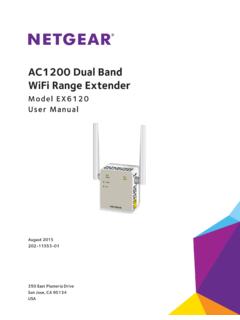
AC1200 Dual Band WiFi Range Extender
www.downloads.netgear.comThe AC1200 Dual Band WiFi Range Extender boosts your existing network range and speed, delivering dual-band WiFi. You can also use the extender in access point mode as a WiFi access point and create a new WiFi hotspot by using a wired Ethernet connection. This chapter covers the following topics: • Meet Your Extender • When to Use Your Extender

Universal Dual Band WiFi Range Extender WN2500RP ...
www.downloads.netgear.comUniversal Dual Band WiFi Range Extender WN2500RP Installation Guide. Extended Wireless Range Existing Router Range 5 GHz Wireless 2.4 GHz Wireless 2.4 AND 5 GHz WIRELESS EXTENSION EXISTING ROUTER CONNECT WIRED DEVICES WIRELESSLY

Indoor Selectable- Output Speaker Strobes and Dual Voltage ...
www.systemsensor.comThe speaker shall be aSp System Sensor L-Series model _____ dual-voltage transformer speaker capable of operating at 25.0 or 70.7 nominal Vrms. It should be listed to UL 1480 and shall be approved for fire protective service. The speaker shall have a frequency range of