
User Guide - TP-Link
Sep 30, 2020 · • Supports WEP, WPA/WPA2, WPA-PSK/ WPA2-PSK • Supports Windows and Mac. 1 2 LED Status. Note: Archer T3U Plus (European version) is used for demonstration in this guide. You can check the adapter’s working status by …
Download User Guide - TP-Link

Information
Domain:
Source:
Link to this page:
Documents from same domain

Guía Rápida De Instalación - static.tp-link.com
static.tp-link.com11 E s p a ñ o l a M Extensor Universal de Cobertura WiFi Nota: El modelo que se toma como ejemplo en esta guía de usuario es el “TL-WA850RE”. Si desea obtener información adicional acerca de la instalación, consulte

TL-WR841N TL-WR841ND 300Mbps Wireless N Router - TP …
static.tp-link.comThe 300Mbps Wireless N Router delivers exceptional range and speed, which can fully meet the need of Small Office/Home Office (SOHO) networks and the users demanding higher networking performance.

TL-WR841N TL-WR841ND 300Mbps Wireless N Router
static.tp-link.comPowered by 2x2 MIMO technology, the 300Mbps Wireless N Router delivers exceptional range and speed, which can fully meet the need of Small Office/Home Office (SOHO) networks and the users demanding higher networking performance.

AC1200 Wireless Dual Band Router - TP-Link
static.tp-link.comAC1200 Wireless Dual Band Router Archer C50 300Mbps + 867Mbps Easy Setup Dual Band Wi-Fi 4 × 5dBi Antennas ... AC1200 (300Mbps on 2.4GHz + 867Mbps on 5GHz) Wi-Fi for reliable connections. 5GHz 867Mbps ... Cable or DSL Modem Subscription with an …

Quick Installation Guide - static.tp-link.com
static.tp-link.comEnglish 1 1 Power on Plug the extender into an electrical outlet near your router and press the power button if it has one. 2 Connect your computer to the extender

Installation Guide - TP-Link
static.tp-link.comThis guide is applicable to products including CPE210, CPE220, CPE510 and CPE520. • Package Contents Installation Guide Outdoor CPE CPE210 / CPE220 / CPE510 / C PE520 Pharos CPE Passive PoE Adapter Pole Mounting Straps Mounting Bracket Plastic Wall …

TL-WA901ND 300Mbps Wireless N Access Point - TP-Link
static.tp-link.comTL-WA901ND 300Mbps Wireless N Access Point User Guide 1 Package Contents The following items should be found in your package: One TL-WA901ND 300Mbps Wireless N Access Point

Quick Installation Guide - TP-Link
static.tp-link.comQuick Installation Guide AC1750 Wireless Dual Band Gigabit Router Connect the Hardware 7106505288 REV3.0.0 Verify that the following LEDs are

How to configure VPN function on TP-LINK Routers
static.tp-link.com3 2. How to configure LAN-to-LAN IPsec VPN on TP-LINK Router Suitable for: TL-ER6120, TL-ER6020, TL-ER604W, TL-R600VPN To setup an IPsec VPN tunnel …

How to configure VPN function on TP-LINK Routers
static.tp-link.com3 2. How to configure LAN-to-LAN IPsec VPN on TP-LINK Router Suitable for: TL-ER6120, TL-ER6020, TL-ER604W, TL-R600VPN To setup an IPsec VPN tunnel …
Related documents
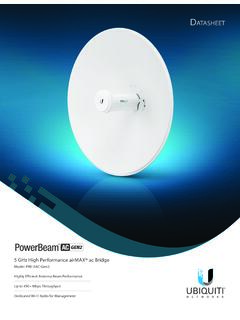
PowerBeam 5AC Gen 2 Datasheet - Ubiquiti
dl.ubnt.com• Strongest WPA2 Security Usability Enhancements • airMagic® Channel Selection Tool • Redesigned User Interface • Dynamic Configuration Changes • Instant Input Validation • HTML5 Technology • Optimization for Mobile Devices • Detailed Device Statistics • Comprehensive Array of Diagnostic Tools, including RF Diagnostics and

Linksys EA-Series Router User Guide
downloads.linksys.comKeep Wi-Fi freeloaders and Internet threats at bay with WPA2 encryption and . SPI firewall to help keep your network protected. Benefits of gigabit. Use the four Gigabit Ethernet (10/100/1000) ports for quick file sharing (up to 10× faster than standard …
Wireless LAN Security Threats & Vulnerabilities
thesai.orgAccess (WPA) and WPA2 [1]. However, many researchers have shown that the IEEE 802.11i standard cannot prevent eavesdropping, various denial of service attacks including de-authentication and disassociation attacks. Moreover, 802.11i’s pre-shared key mode of WEP for flexibility and backward

802.11r, 802.11k, 802.11v, 802.11w Fast Transition ... - Cisco
www.cisco.com† The 802.11r FT feature supports only on open and WPA2 configured WLANs. † Few legacy clients cannot associate with a WLAN that has 802.11r enabled, if the driver of the supplicant that is responsible for parsing the Ro bust Security Network Information Exchange (RSN IE) is old and not aware of the additional AKM suites in the IE.
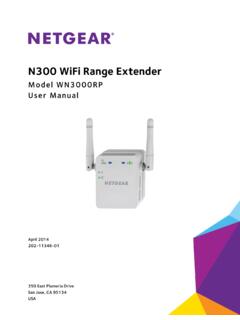
N300 WiFi Range Extender - Netgear
www.downloads.netgear.comWiFi security is enabled (WPA or WPA2). • Blinking green. A WPS connection is in progress. • Off. WiFi security is not enabled. Router Arrow and Client Arrow: If the Router Arrow or Client Arrow LED blinks, see : Find the Best Location : on : page 12. If no arrow LEDs are lit, the extender is in a good location.
Intel Centrino Wireless-N 2230
www.intel.comWi-Fi Alliance Wi-Fi CERTIFIED* for 802.11b, 802.11g, 802.11n, WMM*, WPA*, WPA2*, and WPS Wi-Fi Direct for peer to peer device connections Microsoft WHQL Yes IEEE WLAN Standard IEEE 802.11b/g/n, 802.11d, 802.11e, 802.11i, 802.11h Architecture Infrastructure and SoftAP Roaming6 Supports seamless roaming between respective access points

Fios Home Wi-Fi Extender USER GUIDE - Verizon
www.verizon.comname (SSID), Wi-Fi password (WPA2 key), local URL for accessing the Fios Home Wi-Fi Extender’s administrative pages, and administrator password. The label also contains a QR code that you can scan with your smartphone, tablet, or other camera-equipped Wi-Fi device to allow you to automatically connect your device to