
USER MANUAL - GoPro
and the camera status lights flash while the camera is recording. 5. To stop capturing, tap the Record button on the app, or press the Shutter/Select button [ ] on the remote or the camera. The camera status lights flash three times and the camera beeps multiple times. / Capturing Video / Capturing Video
Download USER MANUAL - GoPro

Information
Domain:
Source:
Link to this page:
Documents from same domain
MANUEL DE L'UTILISATEUR - gopro.com
gopro.com4 5 / Table des matières Utilisation des supports 91 Dépannage 95 Assistance clientèle 98 Marques déposées 98 Information réglementaire 98 L'essentiel 6

MANUEL DE L’UTILISATEUR 1 - GoPro Official …
gopro.comÀ partir de l’écran principal, appuyez sur l’icône dans le coin inférieur gauche. 2. Appuyez sur l’une des icônes de mode en haut de l’écran (Vidéo,

USER MANUAL - gopro.com
gopro.comTo download this user manual in a different language, visit ... PRO TIP: When the camera is off and QuikCapture is enabled, you can ... You can also select max video as the interval. With this option, the camera records until the memory card is full, then overwrites the content.
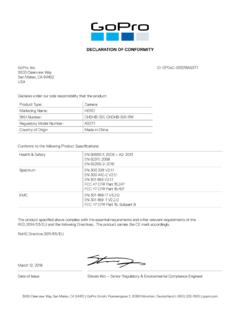
DECLARATION OF CONFORMITY - gopro.com
gopro.com3000 Clearview Way San Mateo, CA 94402 USA DECLARATION OF CONFORMITY The product specified above complies with the essential requirements and other relevant requirements of the RED 2014/53/EU and the following Directives. The product carries the CE mark accordingly.
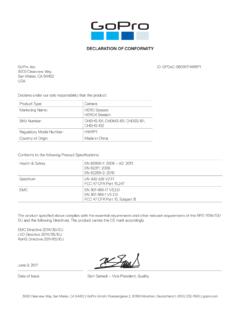
DECLARATION OF CONFORMITY - gopro.com
gopro.comGoPro, Inc. 3000 Clearview Way San Mateo, CA 94402 USA DECLARATION OF CONFORMITY The product specified above complies with the essential requirements and other relevant requirements of …

HERO 1080 INSTRUCTIONS - GoPro Official Website
gopro.comFree downloadable camera updates may be available at gopro.com. Be sure to insert an SD card into the camera or else you won’t be able to record photos or video. POWER/MODE BUTTON ˜ Front of Camera POWER/MODE button turns camera on and off and works as …
Download the User Manual at gopro.com/support
gopro.comrecording video or playing back footage on an LCD Touch BacPac. HiLight Tags help you quickly find the highlights later for easy playback, editing and sharing. *Playback only appears when the camera is connected to a TV or LCD Touch BacPac (sold separately). / Selecting Camera Modes 2. If necessary, select a different capture mode: a.

USER MANUAL - GoPro
gopro.com2 3 To download this user manual in a different language, visit gopro.com/support. Pour télécharger ce manuel de l’utilisateur dans une autre langue,

USER MANUAL 1 - GoPro
gopro.comUsing Your Camera with an HDTV 33 Connecting to the Capture App 35 Offloading Your Content 36 Video Mode: Capture Modes 39 Video Mode: Settings 41 Video Mode: Advanced Settings 48 Photo Mode: Capture Modes 50 Photo Mode: Settings 52 Photo Mode: Advanced Settings 54 Time Lapse Mode: Capture Modes 56 Time Lapse Mode: Settings 58 TABLE OF CONTENTS

Join the GoPro Movement
gopro.com3. Insert the battery. 4. Connect your camera to a USB charger or computer using the included USB-C cable. It takes about 2 hours for the battery to fully charge. The camera status light will turn off when it’s done. To learn more, see Battery Information (page 105). PRO TIP: For the fastest charging, use the GoPro Supercharger (sold separately).
Related documents

NAND vs. NOR Flash Memory Technology Overview
aturing.umcs.maine.eduApr 25, 2006 · drives), Flash memory requires a separate erasing step in order to turn all bits back to the “1” ... When a system, such as a camera phone, has a requirement both for code execution and high capacity data storage, designers may need to consider alternatives and tradeoffs, such as using
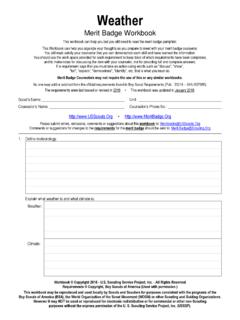
Weather
www.usscouts.orgof lightning, flash floods, and tornadoes. Before your talk, share your outline with your counselor for approval. 11. Find out about a weather-related career opportunity that interests you. _____ Discuss with and explain to your counselor what training and education are required for such a position, and the responsibilities required of such a ...

VMS50 1080p Full HD Action Camera User Manual - Valore
www.valore.sgThank you for purchasing Valore 1080p Full HD Action Camera. Capture your action-packed moments with rich colour in superior 1080p full HD image quality. ... recording icon on the top left will start to flash. Press OK button again to stop recording. b)When in photo shooting mode, press OK button to take photos.

Flash Player Local Settings Manager - Adobe Inc.
help.adobe.comAug 27, 2015 · Use this panel to set the camera and microphone settings in Flash Player. † Ask me when a site wants to use the camera or microphone (recommended) When you select this option (the default), any website that tries to use your camera or microphone must first ask your permission. This action applies both to websites you have already visited and ...

Samsung Galaxy A12 A125 User Manual - AT&T
www.att.com3. Tap a picture or video to choose it. •If choosing a single picture, choose which screen or screens you want to apply the wallpaper to. •Videos and multiple pictures can only be applied to the Lock screen.
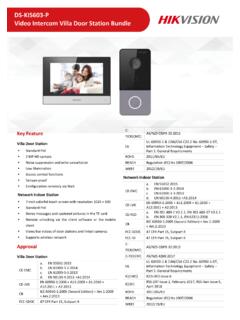
DS-KIS603-P Video Intercom Villa Door Station Bundle
www.hikvision.comOct 22, 2020 · Flash 32 M RAM 256 M Video Parameters Camera 2MP HD camera Night vision Embedded Linux operation systemLow illumination IR supplement mode:3 m BLC Support DNR Support WDR True WDR Field of view Horizontal: 129 °Vertical: 75 Video compression standard H.264 Stream Main stream: 1080p@30fps, 720p@25fps Sub stream: D1@25fps Resolution

Using ESP32-CAM with Arduino IDE Tutorial - Olimex
www.olimex.comCamera-CameraWebServer. In select camera model uncomment CAMERA_MODEL_AI_THINKER and comment all other: ... Speed 921600 Flash Frequency 80Mhz Flash Mode QIO Partition Scheme: Huge app Port: the port where your ESP-PROG USB Serial is connected it may be „ttyUSB0“ if you are running Linux or COMxx if you run Windows. …