USER MANUAL - GoPro
6 7 1. Camera Status Screen 2. Shutter Button [ ] 3. Microphone 4. Camera Status Light 5. USB-C Port 6. microSD Card Slot 7. Menu Button YOUR HERO5 SESSION GETTING STARTED
Download USER MANUAL - GoPro

Information
Domain:
Source:
Link to this page:
Documents from same domain
MANUEL DE L'UTILISATEUR - gopro.com
gopro.com4 5 / Table des matières Utilisation des supports 91 Dépannage 95 Assistance clientèle 98 Marques déposées 98 Information réglementaire 98 L'essentiel 6

MANUEL DE L’UTILISATEUR 1 - GoPro Official …
gopro.comÀ partir de l’écran principal, appuyez sur l’icône dans le coin inférieur gauche. 2. Appuyez sur l’une des icônes de mode en haut de l’écran (Vidéo,
USER MANUAL - gopro.com
gopro.comTo download this user manual in a different language, visit ... PRO TIP: When the camera is off and QuikCapture is enabled, you can ... You can also select max video as the interval. With this option, the camera records until the memory card is full, then overwrites the content.
DECLARATION OF CONFORMITY - gopro.com
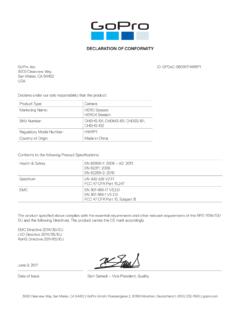
gopro.com3000 Clearview Way San Mateo, CA 94402 USA DECLARATION OF CONFORMITY The product specified above complies with the essential requirements and other relevant requirements of the RED 2014/53/EU and the following Directives. The product carries the CE mark accordingly.
DECLARATION OF CONFORMITY - gopro.com
gopro.comGoPro, Inc. 3000 Clearview Way San Mateo, CA 94402 USA DECLARATION OF CONFORMITY The product specified above complies with the essential requirements and other relevant requirements of …

HERO 1080 INSTRUCTIONS - GoPro Official Website
gopro.comFree downloadable camera updates may be available at gopro.com. Be sure to insert an SD card into the camera or else you won’t be able to record photos or video. POWER/MODE BUTTON ˜ Front of Camera POWER/MODE button turns camera on and off and works as …
Download the User Manual at gopro.com/support
gopro.comrecording video or playing back footage on an LCD Touch BacPac. HiLight Tags help you quickly find the highlights later for easy playback, editing and sharing. *Playback only appears when the camera is connected to a TV or LCD Touch BacPac (sold separately). / Selecting Camera Modes 2. If necessary, select a different capture mode: a.

USER MANUAL - GoPro
gopro.com2 3 To download this user manual in a different language, visit gopro.com/support. Pour télécharger ce manuel de l’utilisateur dans une autre langue,

USER MANUAL 1 - GoPro
gopro.comUsing Your Camera with an HDTV 33 Connecting to the Capture App 35 Offloading Your Content 36 Video Mode: Capture Modes 39 Video Mode: Settings 41 Video Mode: Advanced Settings 48 Photo Mode: Capture Modes 50 Photo Mode: Settings 52 Photo Mode: Advanced Settings 54 Time Lapse Mode: Capture Modes 56 Time Lapse Mode: Settings 58 TABLE OF CONTENTS

Join the GoPro Movement
gopro.com3. Insert the battery. 4. Connect your camera to a USB charger or computer using the included USB-C cable. It takes about 2 hours for the battery to fully charge. The camera status light will turn off when it’s done. To learn more, see Battery Information (page 105). PRO TIP: For the fastest charging, use the GoPro Supercharger (sold separately).
Related documents
UNDERSTANDING, SELECTING, AND INTEGRATING A …
files.eric.ed.govlens from which to support one’s thinking on the problem and analysis of data. The second type of blueprint is a floor plan, which details the interior details of the construction of a home. This drawing allows the viewer to see the floor plan as if you were looking down from above into the home itself. All homes

Family Engagement Toolkit
www.cde.ca.govequity lens in all aspects of the work. The types of diversity among students and families include different racial, ethnic, linguistic, cultural, and religious backgrounds, and different gender identities, sexual orientations, family structures, and abilities or special needs. All

Get even more from the Folger
shakespeare.folger.eduGet even more from the Folger You c a n ge t your ow n c opy of t hi s t e xt t o ke e p. P ur c ha s e a f ul l c opy t o ge t t he t e xt , pl us e xpl a na t or y not e s , i l l us t r a t i ons , a nd m or e .
uppbpb.gov.in
uppbpb.gov.inCreated Date: 1/6/2022 3:58:33 PM

Advertisement Technician Apprentice (Diploma Holders) or ...
portal.mhrdnats.gov.inFile No.PBCO-11/18(15)/1/2020 HR ADMIN Table-A: Proposed Engagement of Technician Apprentices (Diploma holders) or Sandwich course (students from degree institution) for apprenticeship training in BSNL Punjab Circle (2021-22)

Examine your LENS: A Tool for Interpreting Cultural ...
files.eric.ed.govLENS model appeals to students in its visual, accessible approach. Experiential Learning “For the things we have to learn before we can do them, we learn by doing them.” Aristotle Experiential learning is a “holistic, integrative perspective on learning that

デジタルカメラの総出荷(タイプ別) - CIPA
www.cipa.jpSingle Lens Reflex ミラーレス Mirrorless 光学ズーム6倍未満 optical zoom magnification “less than 6x” 一眼レフ Single Lens Reflex ミラーレス Mirrorless レンズ一体型① Cameras with Built-in Lens ミラーレス Mirrorless レンズ交換式② Camera with Interchangeable Lens デジタルカメ …

RICOH IMAGING
www.ricoh-imaging.co.jpCreated Date: 10/12/2021 6:45:17 PM