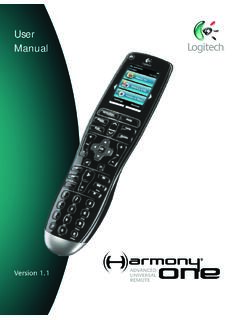
User Manual - Logitech
Getting to know your remote Activities are the basis for how the Harmony One works. Things like watching a DVD, listening to radio, playing a game are all examples of Activities you can set up for your remote using the Harmony Remote Software. When you select an Activity, your Harmony One sends a series of commands to your
Download User Manual - Logitech

Information
Domain:
Source:
Link to this page:
Documents from same domain

Activities Want to know more? - Logitech
www.logitech.comLogitech Gaming Software - Help Center file:///E|/Help/en_US/front_page.htm[4/28/2014 8:07:32 PM] Activities... Want to know more? Create a new profile Getting started

On - logitech.com
www.logitech.com1 2 Logitech® Wireless Mouse M217 Setup Guide Guide d’installation English Mac® OS X Users: When plugging in the Unifying receiver, the Keyboard Assistant

圧倒される 超・高解像度 - logitech.com
www.logitech.comLogicool BRIO Ultra HD 4K画像センサー 4K(Ultra HD)@ 30 fps、1080p(フルHD)@ 30/ 60 fps および 720p(HD)@ 30/60/90 fpsを含めた複 数の解像度をサポートし、お使いのアプリケーションや

SMALL GROUPS. BIG POTENTIAL. - Logitech
www.logitech.comSmall group video conferencing deserves more than huddling around PC webcams or begging for time on overbooked conference room systems. The ConferenceCam BCC950

Logicool ゲーム ソフトウェア - logitech.com
www.logitech.com快適な作業および安全性 file:///E¦/Help/ja_JP/comfort_and_safety.htm[4/26/2014 9:19:02 PM] 快適な作業および安全性 ここでは快適な作業 ...

Logitech® USB Headset H390
www.logitech.comEnglish Know your product 1. USB Headset H390 2. Microphone boom 3. Microphone 4. Volume controls (+/–) 5. Mute button 6. Mute light 7. USB connector

SUPER-WIDE FIELD OF VIEW FOR SMALL SPACES.
www.logitech.comMeetUp’s integrated audio is optimized for huddle room acoustics and delivers an exceptional sound experience. Three horizontally-aimed beamforming mics and

Introducing the Logitech MeetUp
www.logitech.com3 TalkingPointz July 21, 2017 What’s a MeetUp? Logitech currently offers three small room conferencing products in its ConferenceCam lineup .

Setup Guide Guide d’installation Logitech® HD …
www.logitech.com4 English English 5 Getting started with Logitech® HD Pro Webcam C920 Thank you for buying your c920! Use this guide to set up and begin using your Logitech webcam.

Logitech Addresses and Phone Numbers
www.logitech.comLogitech ® G 27 Racing Wheel © 2013 Logitech. All rights reserved. Logitech, the Logitech logo, and other Logitech marks are owned by Logitech …
Related documents

Fetch Remote 3
www.fetchtv.com.auWelcome to the Fetch remote setup guide. Follow the Simple Remote Set Up steps to program your Fetch remote to control your TV. If the Simple Remote Set Up doesn’t work, try the Direct Remote Set Up. 1 Simple Remote Set Up Hold down for 3 seconds. The remote will flash twice. Find your TV brand below and hold down the number key, until TV ...
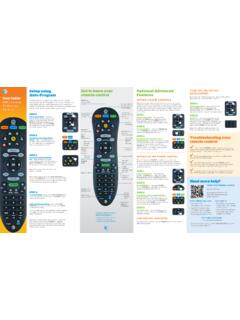
Get to know your Optional Advanced Auto-Program remote ...
www.att.comthe remote PoWer key will flash red once every three seconds when it sends a code, to give the device time to respond and for you to release the key. STEP 4: TV programming: Let go of the FASt ForWArD key as soon as the TV turns off. Press the PoWer button to turn the TV back on.
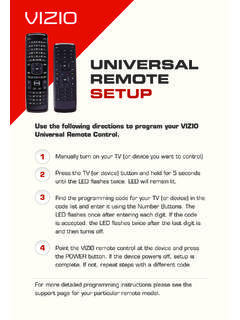
UNIVERSAL REMOTE SETUP - Vizio
cdn.vizio.comUniversal remote control. Manually turn on your TV (or device you want to control) Press the TV (or device) button and hold for 5 seconds until the LED flashes twice. LED will remain lit. Find the programming code for your TV (or device) in the code list and enter it using the Number Buttons. The
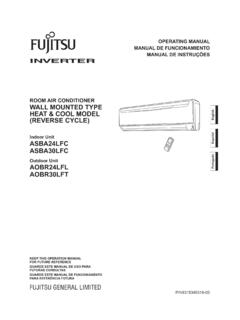
ROOM AIR CONDITIONER WALL MOUNTED TYPE
www.fujitsu-general.comTo Use the Remote Controller The Remote Controller must be pointed at signal receiver (Fig. 1 4) to operate cor-rectly. Operating Range: About 7 meters. When a signal is properly received by the air conditioner, a beeping sound will be heard. If no beep is heard, press the Remote Controller button again. Remote Controller Holder

Remote Control - DISH
www.dish.comyour remote control, simply pick it up, move it, or shake it gently in a dark room. It’s that easy! To conserve your remote control’s battery life, a light sensor detects the amount of light in the room. If the room is su˜ciently dark, backlighting will turn on, allowing you to see the remote’s buttons.

CLICKER - Lowe's
pdf.lowes.coma 3-button remote, DIP switch #1 must be set to “-” if the large button is to open the door. It may be necessary to reprogram original remote controls. ON STOP CHART B # of times to press button Brand Description Year 11 Chamberlain®* 9 Position '90-'92 12 Chamberlain®* 9 Position Canada '83-'89 13 Genie® 12 Position '85
UNIVERSAL REMOTE CONTROL GUIDE - FTC
www.farmerstel.com5 2. Point the remote at the device. 3. Press and while holding a selected mode key (TV or DVD), press the OK key.For example, to search for a TV code, press and hold TV and OK at the same time. 4. Release both keys and all the mode keys will blink twice.
Mighty Quick Start Guide - Fetch TV
www.fetchtv.com.au• The remote control works up to 6m away from the Fetch box in Infrared mode. The voice remote control works up to 10m away in Bluetooth mode. • Unplug the Fetch box from the power source before cleaning. • Clean using a dry cloth only - don’t use water or chemicals. • Don’t try to open the Fetch box - it’s dangerous and will void ...
Instruction Manual for Remote Control TV Code …
www.wowforbusiness.comRe-enter the correct code number again. The Remote control will exit the program mode if the code is not entered within 8~10 seconds, at this point the LED will turn off. 6. Point the Remote Control to the TV and press the “Power” button. If the TV turns off, the remote is now programmed to operate the TV. 7.