Example: air traffic controller
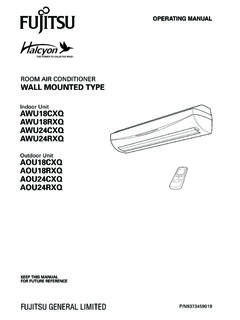
ROOM AIR CONDITIONER WALL MOUNTED TYPE
To Use the Remote Controller The Remote Controller must be pointed at signal receiver (Fig. 1 4) to operate cor-rectly. Operating Range: About 7 meters. When a signal is properly received by the air conditioner, a beeping sound will be heard. If no beep is heard, press the Remote Controller button again. Remote Controller Holder
Tags:
Information
Domain:
Source:
Link to this page:
Documents from same domain
ルームエアコン据付説明書 - fujitsu-general.com
www.fujitsu-general.com騒音や振動が増大しないように、しっかりした台(ブロックなど)の 上に据え付けてください。 地面に直接据え付けますと、故障の原因になりますのでおやめくだ

商品仕様書 ルームエアコン AS-C22G …
www.fujitsu-general.comTitle: 商品仕様書 ルームエアコン AS-C22G-Wတတတတတတတတ Author: 株式会社富士通ゼネラル Keywords: 富士通ゼネラル,ルームエアコン,商品仕様書,nocria,ノクリア,AS-C22G-W

ルームエアコン - fujitsu-general.com
www.fujitsu-general.com正しくお使いいただくために、 ご使用前にこの「取扱説明書」をよくお読みください。 ご使用中にわからないことや不具合が生じたときにお役に立ちます。
COOL MODEL ROOM AIR CONDITIONER WALL …
www.fujitsu-general.comFUJITSU GENERAL LIMITED ... This unit contains no user-serviceable parts. Always consult authorized service per-sonnel for repairs. ... English Español MANUAL DE INSTRUÇÕES Indoor Unit ASBA24JFC Outdoor Unit AOBR24JFC COOL MODEL. FUJITSU GENERAL 9315345332-03 ...
Mini-Split Air Conditioners and Heat Pumps
www.fujitsu-general.com7 Slim Duct Mounted in a ceiling or in a framed enclosure below a ceiling. They use minimal ductwork and remain very energy efficient. • Concealed and out of sight
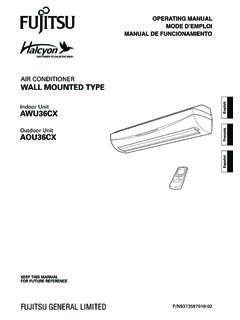
AIR CONDITIONER WALL MOUNTED TYPE - fujitsu-general.com
www.fujitsu-general.comair conditioner wall mounted type keep this manual for future reference fujitsu general limited operating manual mode d’emploi manual de funcionamiento p/n9373597018-02 indoor unit awu36cx outdoor unit aou36cx english français español. en-1 contents
ROOM AIR CONDITIONER WALL MOUNTED TYPE - fujitsu …
www.fujitsu-general.comroom air conditioner wall mounted type keep this manual for future reference fujitsu general limited operating manual p/n9373459019 indoor unit awu18cxq awu18rxq awu24cxq awu24rxq outdoor unit aou18cxq aou18rxq aou24cxq aou24rxq. 1 contents
2016/17 VRF Catalogue - FUJITSU GENERAL
www.fujitsu-general.com• Network convertor can be connected to single split 2 types of DC power supply type and AC power supply type are available • MODBUS® Convertor can be connected to MODBUS Network High Static Pressure Duct (Future Release) • 96 class high energy efficiency • Wide static pressure range of 50 to 300 Pa • 5 static pressure selection NEW VRF
AIR CONDITIONER OPERATING MANUAL Wall Mounted …
www.fujitsu-general.comAIR CONDITIONER Wall Mounted Type OPERATING MANUAL Before using this product, read these instructions thoroughly and keep this manual for future reference. Safety Precautions To prevent personal injury to others, or property damage, read this section carefully before you use this product, and be sure to comply following safety precautions.
PART No. 9387848007 - FUJITSU GENERAL
www.fujitsu-general.comair conditioner. • Install the product by following local codes and regulations in force at the place of installation, and the instructions provided by the manufacturer. • This product is part of a set constituting an air conditioner. The product must not be installed alone or be installed with a device not authorized by the manufacturer.
Related documents
Mighty Quick Start Guide - Fetch TV
www.fetchtv.com.au• The remote control works up to 6m away from the Fetch box in Infrared mode. The voice remote control works up to 10m away in Bluetooth mode. • Unplug the Fetch box from the power source before cleaning. • Clean using a dry cloth only - don’t use water or chemicals. • Don’t try to open the Fetch box - it’s dangerous and will void ...

Fetch Remote 3
www.fetchtv.com.auWelcome to the Fetch remote setup guide. Follow the Simple Remote Set Up steps to program your Fetch remote to control your TV. If the Simple Remote Set Up doesn’t work, try the Direct Remote Set Up. 1 Simple Remote Set Up Hold down for 3 seconds. The remote will flash twice. Find your TV brand below and hold down the number key, until TV ...
Instruction Manual for Remote Control TV Code …
www.wowforbusiness.comRe-enter the correct code number again. The Remote control will exit the program mode if the code is not entered within 8~10 seconds, at this point the LED will turn off. 6. Point the Remote Control to the TV and press the “Power” button. If the TV turns off, the remote is now programmed to operate the TV. 7.
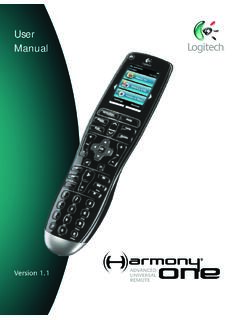
User Manual - Logitech
www.logitech.comGetting to know your remote Activities are the basis for how the Harmony One works. Things like watching a DVD, listening to radio, playing a game are all examples of Activities you can set up for your remote using the Harmony Remote Software. When you select an Activity, your Harmony One sends a series of commands to your
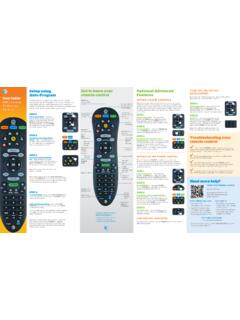
Get to know your Optional Advanced Auto-Program remote ...
www.att.comthe remote PoWer key will flash red once every three seconds when it sends a code, to give the device time to respond and for you to release the key. STEP 4: TV programming: Let go of the FASt ForWArD key as soon as the TV turns off. Press the PoWer button to turn the TV back on.

UNIVERSAL REMOTE SETUP - Vizio
cdn.vizio.comUniversal remote control. Manually turn on your TV (or device you want to control) Press the TV (or device) button and hold for 5 seconds until the LED flashes twice. LED will remain lit. Find the programming code for your TV (or device) in the code list and enter it using the Number Buttons. The

CLICKER - Lowe's
pdf.lowes.coma 3-button remote, DIP switch #1 must be set to “-” if the large button is to open the door. It may be necessary to reprogram original remote controls. ON STOP CHART B # of times to press button Brand Description Year 11 Chamberlain®* 9 Position '90-'92 12 Chamberlain®* 9 Position Canada '83-'89 13 Genie® 12 Position '85
UNIVERSAL REMOTE CONTROL GUIDE - FTC
www.farmerstel.com5 2. Point the remote at the device. 3. Press and while holding a selected mode key (TV or DVD), press the OK key.For example, to search for a TV code, press and hold TV and OK at the same time. 4. Release both keys and all the mode keys will blink twice.

Remote Control - DISH
www.dish.comyour remote control, simply pick it up, move it, or shake it gently in a dark room. It’s that easy! To conserve your remote control’s battery life, a light sensor detects the amount of light in the room. If the room is su˜ciently dark, backlighting will turn on, allowing you to see the remote’s buttons.