
User Manual - Logitech
The Harmony 650 is an Activity-based infrared (IR) universal remote control. Using Harmony software, you can set up the Harmony 650 to control up to 5 devices. The Harmony 650 delivers powerful Activity-based control using Smart State
Download User Manual - Logitech

Information
Domain:
Source:
Link to this page:
Documents from same domain

Activities Want to know more? - Logitech
www.logitech.comLogitech Gaming Software - Help Center file:///E|/Help/en_US/front_page.htm[4/28/2014 8:07:32 PM] Activities... Want to know more? Create a new profile Getting started

On - logitech.com
www.logitech.com1 2 Logitech® Wireless Mouse M217 Setup Guide Guide d’installation English Mac® OS X Users: When plugging in the Unifying receiver, the Keyboard Assistant

圧倒される 超・高解像度 - logitech.com
www.logitech.comLogicool BRIO Ultra HD 4K画像センサー 4K(Ultra HD)@ 30 fps、1080p(フルHD)@ 30/ 60 fps および 720p(HD)@ 30/60/90 fpsを含めた複 数の解像度をサポートし、お使いのアプリケーションや

SMALL GROUPS. BIG POTENTIAL. - Logitech
www.logitech.comSmall group video conferencing deserves more than huddling around PC webcams or begging for time on overbooked conference room systems. The ConferenceCam BCC950

Logicool ゲーム ソフトウェア - logitech.com
www.logitech.com快適な作業および安全性 file:///E¦/Help/ja_JP/comfort_and_safety.htm[4/26/2014 9:19:02 PM] 快適な作業および安全性 ここでは快適な作業 ...

Logitech® USB Headset H390
www.logitech.comEnglish Know your product 1. USB Headset H390 2. Microphone boom 3. Microphone 4. Volume controls (+/–) 5. Mute button 6. Mute light 7. USB connector

SUPER-WIDE FIELD OF VIEW FOR SMALL SPACES.
www.logitech.comMeetUp’s integrated audio is optimized for huddle room acoustics and delivers an exceptional sound experience. Three horizontally-aimed beamforming mics and

Introducing the Logitech MeetUp
www.logitech.com3 TalkingPointz July 21, 2017 What’s a MeetUp? Logitech currently offers three small room conferencing products in its ConferenceCam lineup .

Setup Guide Guide d’installation Logitech® HD …
www.logitech.com4 English English 5 Getting started with Logitech® HD Pro Webcam C920 Thank you for buying your c920! Use this guide to set up and begin using your Logitech webcam.

Logitech Addresses and Phone Numbers
www.logitech.comLogitech ® G 27 Racing Wheel © 2013 Logitech. All rights reserved. Logitech, the Logitech logo, and other Logitech marks are owned by Logitech …
Related documents
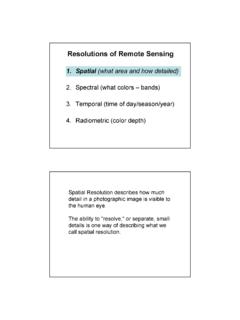
Resolutions of Remote Sensing
www.edc.uri.edu1 Resolutions of Remote Sensing 1. Spatial (what area and how detailed) 2. Spectral (what colors – bands) 3. Temporal (time of day/season/year) 4. Radiometric (color depth) Spatial Resolution describes how …
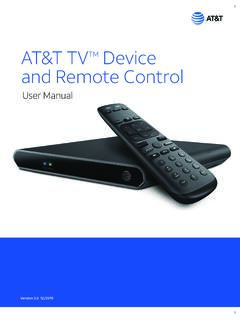
AT&T TVTM Device and Remote Control
www.att.com• The RC82V Remote Control works in IR and RF mode. • Basic remote operations can be performed in the IR mode. • The remote uses two-way communication to the AT&T TV. • RF mode eliminates the need for the remote and the paired devices to be in line of sight to each other. • The RC82V Remote Control has a directional pad.
UNIVERSAL REMOTE CONTROL GUIDE - FTC
www.farmerstel.com5 2. Point the remote at the device. 3. Press and while holding a selected mode key (TV or DVD), press the OK key.For example, to search for a TV code, press and hold TV and OK at the same time. 4. Release both keys and all the mode keys will blink twice.

Section Five Courses - catalog.caltech.edu
www.catalog.caltech.edu9 units (3-0-6); third term. Prerequisites: Ph 2, EE/Ae 157, or equivalent; APh 23 desirable. This class covers both the fundamentals of optical engineering and the development of space optical systems. Emphasis is on the design and engineering of optical, UV and IR systems for scientific remote sensing and imaging applica-tions.
Control4 EA-5 V2 Data Sheet
www.control4.comIR out 8 IR out—5V 27mA max output, 1 IR blaster—front IR capture 1 IR receiver—front; 20-60 kHz ... 3.5 mm to DB9 Serial Cable C4-CBL3.5-DB9B SR-260 System Remote Control C4-SR260-B 4Sight Subscription (1 Year) C4-4Sight-E For more information

Inteset 4-in-1 A B C D Learning Considerations IR Remote ...
downloads.inteset.com5. Aim the remote at the device (ie: TV) and press the remote’s POWER 2.button (top right corner). The device should turn off. If it does not, you should repeat steps 3-5, trying each code for your device’s brand until you find the one that works. …