Using the Command Line Interface (CLI) - ftp.hp.com
4-6 Using the Command Line Interface (CLI) Using the CLI Changing Interfaces. If you change from the CLI to the menu interface, or the reverse, you will remain at the same privilege level.
Download Using the Command Line Interface (CLI) - ftp.hp.com

Information
Domain:
Source:
Link to this page:
Documents from same domain

Integration Kit - HP
ftp.hp.comHP MIK is optimized to work with Microsoft® System Center Configuration Manager, ... and screenshots only of the HP Manageability Integration Kit plugin within ...

HP Image Assistant User Guide - ftp.hp.com
ftp.hp.comHP Image Assistant (HPIA) is a Windows® image comparison tool that captures metadata configuration files from images, compares image configuration files, and provides recommendations to help you develop,

HP System Software Manager
ftp.hp.comHP System Software Manager (SSM) is a free ut ility that enables you to do the following: Deploy software update packages and system ROM updates from a single File Store to multiple desktop, workstation, and notebook computers simultaneously

HP LaserJet Firmware Readme
ftp.hp.comTechnical Assistance Customer Support Internet Additional Information Legal Statements ... Ability for Printer to self-register with DNS via RFC 2136. ... Authentication/Security: The Printer Job Language (PJL) Device Access Command Enable/ Disable setting determines if the device accepts PJL device management commands.

Technical white paper HP BIOS Configuration Utility
ftp.hp.comTechnical white paper . HP BIOS Configuration Utility . FAQ . Table of contents Feature updates .....2

ProCurve Series 2510 Switch - ftp.hp.com
ftp.hp.com4 Switch Overview Installing the Switch Installing the Switch Included Parts The following components ship with a ProCurve Series 2510 switch: ProCurve Series 2510 Quick Installation Guide (5991-4745), this manual Console cable (Part number 5188-3836) Customer Support/Warranty booklet Accessory kit (5064-2085) Power cord, one of the following: ...

installation and getting started guide - ftp.hp.com
ftp.hp.comHP ProCurve Series 2300 and 2500 Switches Installation and Getting Started Guide 2353-ed2.book Page i Friday, February 9, 2001 6:00 PM

Management and Configuration Guide - ftp.hp.com
ftp.hp.comManagement and Configuration Guide ProCurve Switches Software Release F.01.xx (Refer to Release Notes for F.02.xx and greater) Series 2500 Switches
HP BIOS Configuration Utility (BCU)
ftp.hp.com3 BIOS configuration BCU is a Windows-based tool that lets you create standard configuration settings and deploy them across the enterprise. By creating a configuration text file with only the setting you want to change, you can deploy it to
Related documents
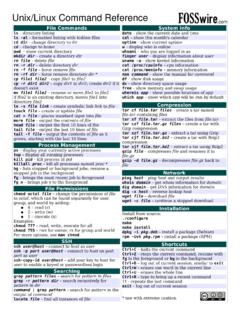
Unix/Linux Command Reference
files.fosswire.comCtrl+C – halts the current command Ctrl+Z – stops the current command, resume with fg in the foreground or bg in the background Ctrl+D – log out of current session, similar to exit Ctrl+W – erases one word in the current line Ctrl+U – erases the whole line Ctrl+R – type to bring up a recent command!! - repeats the last command
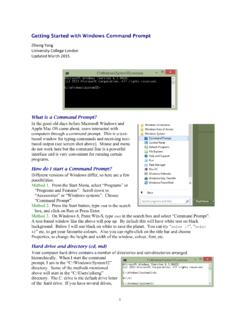
Getting Started with Windows Command Prompt
abacus.gene.ucl.ac.ukthe command line rather than typing the name and whole path. d) You can use F7 to see a list of past commands and then , and Enter to select one. e) Surround in quotes a file or directory name with spaces. For example, dir "My Documents". However, this may not always work. You will make your life easier if you use English letters,

Learning MS-DOS Basics - A Tutorial
people.uncw.eduThe "Bad command or file name" message appears when you type something that MS-DOS does not recognize. Because nul is not a valid MS-DOS command, MS-DOS displays the "Bad command or file name" message. 3. Now, type the following command at the command prompt: ver The following message appears on your screen: MS-DOS version 6.22
The Linux Command Line
linuxclass.heinz.cmu.eduThe Linux Command Line Fifth Internet Edition William Shotts A LinuxCommand.org Book

RACADM Command Line Reference Guide
downloads.dell.comThe RACADM command-line utility provides a scriptable interface that allows you to remotely configure your Remote Access Controller (RAC). The utility runs on the management station and the managed system. It is available on the Dell OpenManage Systems Management and Documentation DVD or at support.dell.com.