VAT201
eFiling user guide for Value-Added Tax 3 Step 2 Once logged into eFiling, select “Organisation Tax Types” from the side menu options under ORGANISATION. Step 3 Tick the “VAT201” box to register for VAT, and fill in your VAT Reference Number and the Tax Office in the space provided. Note: Please note that once the vendor has registered for VAT on eFiling, no debit order …
Download VAT201

Information
Domain:
Source:
Link to this page:
Documents from same domain
REVIEW OF CURTAIN WALLS, FOCUSING ON …
cdn.ymaws.compresent a challenge for building designers, ... blast resistant, etc. • By mullion materials: wood, steel, aluminum, composite, ... architecture. Their oblivionis ...

ACKNOWLEDGMENTS - cdn.ymaws.com
cdn.ymaws.com1 2009 Institute of Directors in Southern Africa. All rights reserved ACKNOWLEDGMENTS The Institute of Directors in Southern Africa and the King Committee on governance acknowledge with appreciation the
Foundation Analysis and Design - cdn.ymaws.com
cdn.ymaws.comGood foundation design for seismic resistance requires familiarity with ... The thickness of footings is selected for ease of construction and to provide adequate ...

Annual Meeting - cdn.ymaws.com
cdn.ymaws.com3 ACIL 76th Annual Meeting www.independenttesting.net Each member of the association agrees that it is their policy to abide by the following code of ethics: 1. To cooperate in elevating and maintaining the professional status of

POPULATION-FOCUSED NURSE PRACTITIONER …
cdn.ymaws.comnurse practitioner (NP) ... integration of previous Master’s-level core competencies with the practice doctorate NP competencies released by NONPF in 2006.
The Doctorate of Nursing Practice NP Preparation: …
cdn.ymaws.com2 Considerations for the Doctorate of Nursing Practice and Nurse Practitioner Preparation 1. Multiple pathways can lead to a nursing practice doctorate.
Project Management Professional (PMP)® Exam …
cdn.ymaws.com• Project manager and project team’s responsibility to analyze the impacts of changes against the project constraints. Organizational Project Management Maturity Model
Project Management Professional (PMP ... - …
cdn.ymaws.comProject Management Professional (PMP)® Exam Prep Course 10 - Project Communications Management
Photography in Wound Documentation: Fact Sheet
cdn.ymaws.comWOCN ® National Office 15000 Commerce Parkway, Suite C Mount Laurel, NJ 08054 www.wocn.org 1 Photography in Wound Documentation: Fact Sheet Originated By : WOCN ® Wound Committee Date Completed : January 2, 2012 Background : Photography is a commonly used means of communication among health care …
Environmental Regulations - cdn.ymaws.com
cdn.ymaws.comMinnesota Milk Producers Association(MMPA) commissioned this report in order to develop a greater understanding of the experiences and perspectives dairy farmers have toward environmental regulations in
Related documents
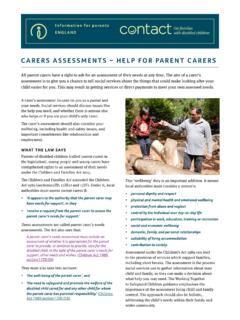
CARERS ASSESSMENTS – HELP FOR PARENT CARERS - …
contact.org.ukFurther advice from Carers UK. The guide also lists examples of some of the services which may be offered following the assessment. Examples include help with driving lessons, housework and gardening. Carers Assessment factsheet Suport from your local authority The Contact guide Services and support from your local

Participant Register User's Guide - European Commission
ec.europa.euThis user guide is designed to assist the users of the Participant Register application for funding opportunities. ... address and national registration number 2. copy of the VAT registration document (required only if the organisation is VAT registered ... The registration process finishes on completion of six steps which follow a logical ...

EXPORT CONTRACT TEMPLATE - Globalnegotiator
globalnegotiator.comof them that are described in this User Guide. DATE . The date when the contract comes into force is the one that appears in its header, as mentioned in the final paragraphs of the contract, before signatures (This Contract comes into force on the date written above).
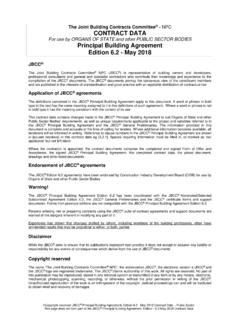
The Joint Building Contracts Committee CONTRACT DATA ...
www.sansa.org.zaor Works with practical completion in sections [10.2] (contract sum or amount) Contract Sum or Works with alterations and additions [10.3] (reinstatement value of existing structures with or including new works) N/A Direct contractors [10.1.1; 10.2] where applicable, to be included in the contract works insurance N/A

VAT-REG-02-G01 - Guide for Completion of VAT …
www.sars.gov.zaEXTERNAL GUIDE GUIDE FOR COMPLETION OF VAT REGISTRATION APPLICATION FORMS VAT-REG-02-G01 Revision: 5 Page 4 of 19 Use BLOCK LETTERS and print one character in each block. Example: M A G S N A I D O O Where a container in the Application requires an election to be made, place an X in the relevant block of that container.
AT-REG-02-G02 - Foreign Suppliers of Electronic Services ...
www.sars.gov.zaa. This guide is applicable to Foreign Suppliers of Electronic Services (Foreign Electronic Service Entity) and explains how to : i. Complete the VAT101 - Application for Registration for Value Added Tax - External Form (VAT Application Form) ii. Complete the VAT 201 - VAT Vendor Declaration (VAT201) iii. File the VAT201 and make payment of VAT ...

Interactive Guideline E-Services
zatca.gov.saVAT Registration 15 This service enables you to register as a VAT-compliant Company, and upon registration, you will be assigned a VAT number. Service Steps Registration for VAT Enter service via the ZATCA website Go to the “General Services” tab. Go …