VirtualDJ 8 - User’s Guide 1
In this area a virtual Jog wheel is available to provide bend or scratch controls of the track. Use the control buttons PLAY, STOP and CUE*, to play, pause and stop the track or set a temporary Cue point*. Use the Pitch slider to adjust the tempo (BPM) of the track. The buttons will temporary
Download VirtualDJ 8 - User’s Guide 1

Information
Domain:
Source:
Link to this page:
Documents from same domain
VirtualDJ 8 -QuickSetupGuide
www.virtualdj.comVirtualDJ 8 – Quick Setup Guide 3 Welcome to VirtualDJ 8! Overview VirtualDJ 8 is the new, highly anticipated flagship product that will take your audio and video mixing to
VirtualDJ 8 - User’s Guide 1 - VIRTUAL DJ SOFTWARE
www.virtualdj.comVirtualDJ 8 - User’s Guide 4 A. BASIC FEATURES Before beginning to use VirtualDJ, it is important to familiarize yourself with the controls and the available sections of the default GUI (Graphical User Interface) or Skin.

VirtualDJ
www.virtualdj.com- 3 - Si vous installez VirtualDJ v5, sans aucune référence à des versions antérieures de VirtualDJ sur votre ordinateur, veuillez noter ces informations:

VirtualDJ 8 – Guide d’installation rapide
www.virtualdj.comVirtualDJ 8 – Guide d’installation rapide!! Bienvenue sur VirtualDJ 8! Vue d’ensemble : VirtualDJ 8 est le nouveau produit phare, très attendu qui donnera un tout autre niveau de créativité à vos mixes audio et vidéo. La version 8, offre à l'utilisateur, un logiciel DJ vraiment puissant.

VirtualDJ 8 Benutzerhandbuch 1
www.virtualdj.comVirtualDJ 8 – Benutzerhandbuch 4 A. GRUNDFUNKTIONEN Bevor wir damit beginnen VirtualDJ zu verwenden, ist es notwendig sich mit den wichtigsten Steuerelementen der Software und der graphischen Benutzeroberfläche, dem Skin vertraut
Related documents
USER’S MANUAL - Next Wave CNC
cncshark.comReady2Control and Virtual Zero Unlimited software can be used on any PC computer that is running Windows 10 and has a USB output port. The software can be used with any CNCShark or CNC Piranha that has a control box equipped to use a …

XR550 Control Panel - DMP
buy.dmp.comZ-WAVE SUPPORT Add up to 140 Z-Wave devices with the 738Zplus module for mobile control of lights, locks and thermostats. Up to 20 devices to respond to a single command or panel events like arming and disarming. Z-Wave devices can be controlled with the 7800/9800 Series™ Graphic Touchscreen Keypad and Virtual Keypad. CUSTOM ACTIONS
XR150 Control Panel - DMP.com
buy.dmp.comAdd up to 140 Z-Wave devices with the 738Zplus module for mobile control of lights, locks and thermostats. Up to 20 Favorites allow users to program multiple devices to respond to a single command or panel event like arming and disarming. Z-Wave devices can be controlled with the 7800/9800 Series™ Graphic Touchscreen Keypad and Virtual Keypad.

RUCKUS Product Guide - CommScope
www.commscope.com802.11ac Wave 2 dual-concurrent wall switch with five GbE ports and BeamFlex+ 802.11ac Wave 2 dual-concurrent wall switch with two 10/100MbE ports and BeamFlex+ 802.11ac Wave2 dual-concurrent wall plate with built-in DOCSIS 3.0 cable modem Mobile Indoor 802.11ac Wave 2 2x2:2 Wi-Fi AP with LTE Backhaul Maximum PHY rate 1200 Mbps (5GHz)

ControlWave™ Designer Programmer’s Handbook
www.emerson.comConfiguring the Control and Status Arrays 132 Defining the Virtual Nodes 141 Defining the EBSAP Slave Nodes 142 Example 1 – OpenBSI Workstation is EBSAP Master to 1000 ControlWave controllers 143 Example 2 – ControlWave Controller is EBSAP Master to 300 ControlWave EBSAP Slav es 146

Data Sheet EX2300 ETHERNET SWITCH Description
www.juniper.netswitches in a Virtual Chassis configuration are treated as a single device, simplifying overall system maintenance and management. Multigigabit Switches IEEE 802.11ac Wave 2 access points require switch ports capable of handling up to 2.5 Gbps in order to support the growing number of wireless devices and the amount of traffic they produce. To
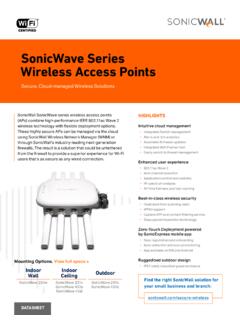
SonicWave Series Wireless Access Points
www.sonicwall.comprevention, virtual AP segmentation, wireless guest services, RF monitoring and wireless packet capture. Simplified firewall management Deployment and setup of APs are greatly simplified, reducing total cost of ownership. Optionally, SonicWave APs can be managed by SonicWall next-gen firewalls. Integrated