
Windows 7 Quick Reference - SharePoint Training
Aero Jump Lists To See Through Windows with Aero Peek: Point to the Show Desktop button on the right edge of the taskbar or press + Space. To View Open Windows with Aero Peek: Point to the program icon on the taskbar that contains the file or window you want to view. Click the thumbnail preview to view the window.
Download Windows 7 Quick Reference - SharePoint Training

Information
Domain:
Source:
Link to this page:
Documents from same domain

Microsoft PowerPoint 2013 - CustomGuide
www.customguide.comMicrosoft® PowerPoint 2013 Quick Reference Card The PowerPoint 2013 Screen Keyboard Shortcuts The Fundamentals To Create a New Presentation: Click the File tab, click New.

Word 2013 Quick Reference - SharePoint Training
www.customguide.comMicrosoftWord 2013 ® Quick Reference Card The Word 2013 Screen Keyboard Shortcuts General Open a Document Ctrl + O Create New Ctrl + N …

Quick Reference Card Visit: qr.customguide
www.customguide.comMicrosoftWord 2016 ® Quick Reference Card The Word 2016 Screen Keyboard Shortcuts General Open a Document Ctrl + O Create New Ctrl + N …

Windows 10 Quick Reference - CustomGuide
www.customguide.comMicrosoft® Windows 10 Quick Reference Card Start Menu Keyboard shortcuts Basic Commands Start Menu Copy a Folder/File Ctrl + C Cut a Folder/File Ctrl + X

Your Organization’s Name Here - SharePoint Training
www.customguide.com©CustomGuide 2015 3 Table of Contents Table of Contents ..... 3

Project 2013 Quick Reference - CustomGuide
www.customguide.comMicrosoft® Project 2013 Quick Reference Card Project 2013 Screen Common Views To Display a View: Select the View tab and choose from the Task Views available.

Windows 8 Quick Reference - CustomGuide
www.customguide.comicrosof inos uic eference Car For Personal Use Only ustomuide Contact Us at info@customguide.com for organizational use. Free Quick References! Visit: qr.customguide.com The Start Screen

Word 2007 Quick Reference - SharePoint Training
www.customguide.comMicrosoft® Word 2007 Quick Reference Card Word 2007 Screen [Grab your reader’s attention with a great quote from the Shortcuts The Fundamentals Open a Document …

uic eference Car Free Quick References! - …
www.customguide.comicrosof nc uic eference Car For Personal Use Only ustomuide Contact Us at info@customguide.com for organizational use. Free Quick References! Visit: qr.customguide.com The Lync 2013 Window

Excel 2013 Quick Reference - CustomGuide
www.customguide.comMicrosoftExcel 2013 ® Quick Reference Card The Excel 2013 Screen Keyboard Shortcuts Close button General Open a Workbook Ctrl + O Create New Ctrl + N
Related documents
Windows 7 - Yale University
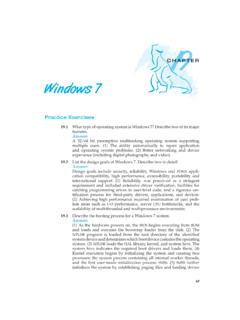
codex.cs.yale.edu70 Chapter 19 Windows 7 drivers. (6) SMSS creates two processes: WINLOGON,whichbringsup the rest of the system, and CSRSS (the Win32 subsystem process). 19.4 Describe the three main architectural layers of the Windows 7 kernel. Answer: a. The HAL (Hardware Abstraction Layer) creates operating system portability by hiding hardware differences from the upper layers

Upgrading from Windows XP to Windows 7
download.microsoft.comOverview of the process for upgrading from Windows XP to Windows 7 32-bit or 64-bit: Which version of Windows 7 to install? Both 32-bit and 64-bit installation discs are included in the Windows 7 package. 64-bit operating systems can handle large amounts of memory—typically 4 gigabytes (GB) of random access memory ...

Windows 7 Embedded Standard Setup Guide
faq.10zigsupport.comWindows 7 Embedded Standard Setup Guide. 2 Upon first boot, the Windows 7 embedded thin client will boot to the screen as seen below: Enter a computer name for the thin client. The “computer name” is the same as if you were to name your PC in My Computer -> …
Enabling BitLocker Drive Encryption on Windows 7
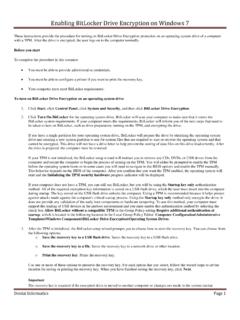
louisville.eduEnabling BitLocker Drive Encryption on Windows 7 Dental Informatics Page 2 information. This recovery key is so important that it is recommended that you make additional copies of …
Features of Microsoft Windows 7 - Softchoice
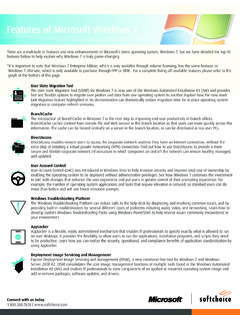
m.softchoice.comFeatures of Microsoft Windows 7 There are a multitude of features and new enhancements in Microsoft’s latest operating system, Windows 7, but we have detailed the top-10 features below to help explain why Windows 7 is truly game-changing.

How to share a folder in Windows 7 - OKI Support
my.okidata.comHow to share a folder in Windows 7 How to create a shared folder In Windows 7, sharing a folder can be accomplished two ways. Microsoft has implemented a new sharing interface which uses a simplified menu. To share a folder using the Windows 7 sharing interface, perform the following steps.

Bose (QuietComfort 35) Workaround for Windows 7 - Plugable
plugable.comBose (QuietComfort 35) Workaround for Windows 7 Due to native limitations of the Windows 7 Bluetooth stack, and the reliance of Broadcom software on the built-in Bluetooth stack, there are problems connecting to newer Bose Bluetooth audio devices in Windows 7.

Configuring Windows 7 for MASON - George Mason University
tsd.gmu.eduConfiguring Windows 7 for MASON-SECURE In order to connect to the MASON-SECURE network on a Windows machine, the network must first be setup from within the control panel.

How To Manually Clean Out The Temp Folder In Windows 7
www.auxiliary.comHow To Manually Clean Out The Temp Folder In Windows 7 1. Click on Start, type the following command in the search box, and then hit the Enter

Windows 7 and File Management - Cengage
www.cengage.comWindows 7 and File Management OVERVIEW Windows 7 is the newest operating system software released by Microsoft. The operating system software controls the operations of the computer and works with the application software.
Related search queries
Windows 7, Upgrading from Windows XP to Windows 7, Windows 7 Embedded Standard Setup Guide, Enabling BitLocker Drive Encryption on Windows 7, Features of Microsoft Windows 7, Share a folder in Windows 7, Bose (QuietComfort 35) Workaround for Windows 7, Configuring Windows 7 for MASON, Windows, Manually Clean Out The Temp Folder, Windows 7 and File Management