Windows Drivers Application Note - U-blox
Figure 12: Selection to delete all the driver files for the device • Click "Uninstall". • A System Settings Change pop-up window will appear to ask if you want to restart. Click "Yes" to restart and remove the device driver. Figure 13: Restart the computer to remove the device driver
Download Windows Drivers Application Note - U-blox

Information
Domain:
Source:
Link to this page:
Documents from same domain

SARA-S200 - U-blox
www.u-blox.comSARA-S200 - System Integration Manual UBX-17048649 - R01 Preface Page 3 of 61 Preface u-blox Technical Documentation As part of our commitment to customer support, u-blox maintains an extensive volume of technical

SARA-R4 series AT commands manual
www.u-blox.com- Profile: the command setting can be saved in a personal profile as specified in Chapter 1.4 - NVM: the command setting is saved in the non-volatile memory as specified in Chapter 1.4 - <command_name>: the parameter values set with the command are volatile, but the whole profile can be stored in NVM with <command_name> AT command.

NEO-M8U - U-blox
www.u-blox.comNEO-M8U - Data sheet . UBX-15015679 - R11 Functional description Page 7 of 27 C1-Public . 1.4 Block diagram . Figure 1: NEO-M8U block diagram. 1.5 Supported GNSS constellations . The NEOM8U GNSS module is a concurrent GNSS receiver which can receive and track multiple - GNSS systems: GPS, Galileo, GLONASS and BeiDou.
Product summary ZED-F9P module - U-blox
www.u-blox.comZED-F9P module Features Receiver type 184-channel u-blox F9 engine GPS L1C/A L2C, GLO L1OF L2OF, GAL E1B/C E5b, BDS B1I B2I, QZSS L1C/A L1S L2C, SBAS L1C/A Nav. update rate RTK up to 20 Hz1 Position accuracy2 RTK 0.01 m + 1 ppm CEP Convergence time2 RTK Storage temp.< 10 sec Acquisition Cold starts 24 s Aided starts 2 s Reacquisition 2 s

u-blox GNSS product overview
www.u-blox.comu-blox products come in various integration levels catering to all kinds of needs, from low volume, ease of use scenarios to scalable solutions for customized applications. The product offering includes modules, SiPs, smart antenna modules, and chips.

NEO-6 series - U-blox
www.u-blox.com• Based on GPS chips qualified according to AEC-Q100 • Manufactured in ISO/TS 16949 certified production sites • Qualified according to ISO 16750 NEO-6: 12.2 x 16.0 x 2.4 mm Product selector Model Type Supply Interfaces Features Standalone GPS Standalone GLONASS Timing & Raw Data Dead Reckoning 1.75 V – 2.0 V 2.7 V – 3.6 V UART USB ...
u-blox M8 concurrent GNSS modules
www.u-blox.comproviding reception of three GNSS systems. By default the M8 receivers are configured for concurrent GPS and GLONASS, including SBAS and QZSS reception. If power consumption is a key factor, the receiver should be conf igured for a single GNSS operation using GPS, Galileo, GLONASS or BeiDou and disabling QZSS and SBAS.

u-blox M8 concurrent GNSS modules
www.u-blox.comand GLONASS reception. If power consumption is a key factor, then the receiver should be configured for single GNSS operation using either GPS or GLONASS or BeiDou and disabling QZSS and SBAS. Galileo, QZSS and SBAS share the same frequency band as GPS and can always be processed in conjunction with GPS. 1.5.1 GPS
u-blox GNSS Sensor and VCP Device Driver
www.u-blox.comu-blox GNSS Sensor and VCP Device Driver - User Guide UBX-15022397 - R06 Production Information 1 Introduction Page 5 of 24 1.3 Sensor API The Sensor API enables developers to create sensor-based programs by using a set of COM interfaces.
ZED-F9P Integration manual
www.u-blox.comDec 20, 2018 · 2.1.1 Correction services u-blox ZED-F9P can use different types of correction services which broadly fall into two categories, based either on an Observation State Representation (OSR) or a State Space Representation
Related documents
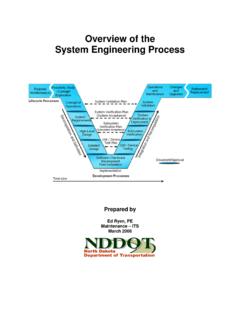
Overview of the System Engineering Process
www.dot.nd.govof field equipment – controllers, environmental sensors, signals, etc. Larger ITS projects support integration of multiple systems and development of custom software – for example, transportation management centers (TMC’s) and 511 traveler information systems. These …

STD800 SmartLine Differential Pressure
www.honeywellprocess.comthe highest level of compatibility assurance and integration capabilities. SmartLine easily meets the most demanding application needs for pressure measurement applications. Best in Class Features: Accuracies up to 0.035% of span standard & 0.025% of span optional Stability up to 0.01% of URL per year for 15 years

The all-in-one proximity sensor and limit switch.
www.emerson.comGO Switch Quick Selection Guide Using a unique technology, GO Switch outperforms conventional limit switches and proximity sensors in the toughest applications. Extended Sensing Precision Sensing Model 71 3/8" diameter Model 72 3/8" diameter Model 73 5/8" diameter Model 74 5/8" diameter Model 75 Long Threads Model 76 Long Threads Model 7G DPDT ...

871TM Long Range Inductive Proximity Sensors product profile
literature.rockwellautomation.com871TM Inductive Long Range Proximity Sensors family to include embedded IO-Link functionality on select 8 mm, 12 mm, 18 mm and 30 mm models. IO-Link allows sensors to easily integrate with The Connected Enterprise, delivering data from the sensor directly into a control system in a very cost-efficient and easy-to-use manner via an

Intro to Mechatronics
engineering.nyu.edujudicious selection and integration of sensors, actuators, signal conditioning, power electronics, decision and control algorithms, and computer hardware and software. Mechatronics Revolution: Example Masterless Cam Grinder. Elements of Mechatronics—Mechanical • Mechanical elements …

ArmorBlock I/O Module - Rockwell Automation
literature.rockwellautomation.com• IO-Link Technology: IO-Link master provides diagnostics and machine health status of connected IO-Link enabled sensors in order to help improve uptime and increase productivity. IO-Link hub connects additional I/O to the system through an IO-Link master, with enhanced integration when connected to the POINT I/O™ or ArmorBlock IO-Link master.
Manual - Victron Energy
www.victronenergy.com3.9.3 Custom integration (programming required) 3.10 Additional functionality of the BMV-702 and BMV-712 Smart 3.10.1 Auxiliary battery monitoring 3.10.2 Battery temperature monitoring 3.10.3 Midpoint voltage monitoring 3.11 Additional functionality of the BMV-712 Smart 3.11.1 Automatic cycling through status -items 3.11.2 Turning Bluetooth On/Off

FLEX 5000 I/O Product Profile - Rockwell Automation
literature.rockwellautomation.comrequiring speed, frequency measurement, temperature sensors, pressure, and flow sensor monitoring. The modules are TÜV certified up to SIL 3, PLe, Cat. 4 and can be conveniently mounted in the same rack with standard modules, reducing hardware cost. FLEX 5000 I/O enhances communication with 1 Gb EtherNet/IP™ connectivity, offering

Ultraviolet Disinfection Guidance Manual for the Final ...
engineering.purdue.eduultraviolet disinfection guidance manual for the final long term 2 enhanced surface water treatment rule office of water (4601) epa 815-r-06-007

MAX32664 - Ultra-Low Power Biometric Sensor Hub
datasheets.maximintegrated.comSPI interface for communication with sensors is provided. The MAX32664 Version C supports the MAX86140/ MAX86141 for wrist-based applications and MAXM86161 . for ear-based applications. The device provides either a . master mode SPI or an I. 2. C interface for communication with sensors. The MAX32664 Version D supports the MAX30101/