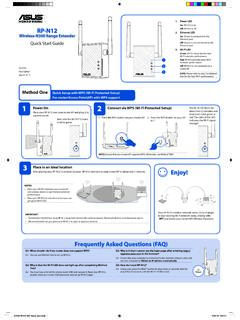
Wireless-N300 Range Extender On Quick Start Guide
Connect your wireless devices to the new Extender network. Enjoy! Your RP-N12’s wireless network name (SSID) changes to your existing Wi-Fi network name, ending with _RPT and shares your router/AP’s Wireless Password. Media Bridge (Ethernet Adapter)
Download Wireless-N300 Range Extender On Quick Start Guide

Information
Domain:
Source:
Link to this page:
Documents from same domain

RT-AC66U - Asus
dlcdnet.asus.comRT-AC66U Dual Band 3x3 802.11AC Gigabit Router User Guide

Cerberus - Asus
dlcdnet.asus.comCable type/ cable length 2m braided cable Key cap material ABS Media keys Media keys for volume control, play/pause, previous track, and next track Macro keys 12 Macro keys (F1~F12) with macro enable/ disable mode Special feature 1 Windows key lock Dimension 471 x 186 x 41 mm ( LxWxH) Weight 1100 g Operating system Microsoft® Windows® 10/8.1/7/XP
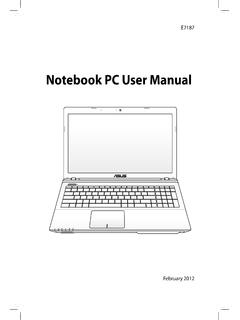
Notebook PC User Manual - Asus
dlcdnet.asus.comCharge Your Batteries If you intend to use battery power, be sure to fully charge your battery pack and any optional battery packs before going on long trips. Remember that the power adapter charges the battery pack as long as it is plugged into the computer and an AC power source. Be

Z170 PRO GAMING - Asus
dlcdnet.asus.com- 1 x SATA Express port (gray, compatible with 2 x SATA 6.0 Gb/s ports) - 1 x M.2 Socket 3 with M Key, type 2242/2260/2280/22110 storage devices support (both SATA & PCIE 3.0 x4 mode)* - 4 x SATA 6.0 Gb/s ports (gray) - Supports Intel® Smart Response Technology** * When the M.2 Socket 3 is operating in SATA mode, SATA port 1 will be disabled.
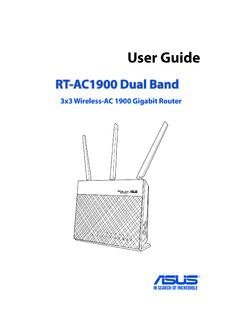
RT-AC1900 Dual Band
dlcdnet.asus.comcordless phones, transformers, heavy-duty motors, fluorescent lights, microwave ovens, refrigerators, and other industrial equipment to prevent signal interference or loss. • Always update to the latest firmware. Visit the ASUS website at
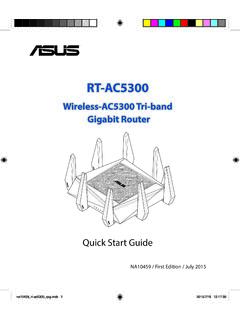
Wireless-AC5300 Tri-band Gigabit Router - Asus
dlcdnet.asus.comRT-AC5300 has a WPS (Wi-Fi Protected Setup) button for you to connect your wireless client to RT-AC5300’s network without entering password. To connect to the wireless network through WPS: 1. Press the WPS button at the left side of RT-AC5300. Refer to the section A quick look for the location of the WPS button). 2.
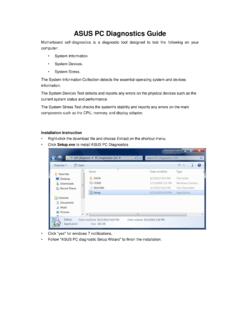
ASUS PC Diagnostics Guide
dlcdnet.asus.comresources, Driver version, TCP/IP settings, and Current network status. Motherboard information This information includes such as Manufacturer, Model, BIOS version, BIOS release date, Onboard ports, and Onboard slots. Display Adapter information This information includes such as Manufacturer, Model, Video memory size, VBIOS
P8Z77-M - Asus
dlcdnet.asus.comYou may obtain the complete corresponding source code (as defined in the GPL) for the GPL Software, and/or the complete corresponding source code of the LGPL Software (with the complete machine-readable “work that uses the Library”) for a period of three years after our last shipment of the product

Z170-A - Asus
dlcdnet.asus.comvi このマニュアルの表記について 本書には、製品を安全にお使いいただき、お客様や他の人々への危害や財産への損害を ...

RT-N12 Series - Asus
dlcdnet.asus.com3 Network configuration using the web GUI 22 ... • Place the wireless router at the center of your network for maximum wireless coverage. ... • Web browser such as Microsoft Internet Explorer, Mozilla Firefox, Apple Safari, or Google Chrome NOTE:
Related documents
4G LTE Network Extender User Guide - VZW
scache.vzw.comNetwork Extender 2 for Enterprise User Guide 3.4 Network Systems Samsung Electronics America . Document Version 1.0 March 2019 . Intellectual Property All Intellectual Property, as defined below, owned by or which is otherwise the property of Samsung or its respective suppliers relating to the SAMSUNG device,
LTE Network Extender User Guide - VZW
ss7.vzw.com• The 4G LTE Network Extender must be connected to an available LAN port on a router or modem with always-on Internet access with minimum download speed of 10 Mbps and an upload speed of 5 Mbps. Speeds of 20 Mbps download and 10 Mbps upload or higher are recommended.

TL-WPA4220 AV600 Powerline Wi-Fi Extender
static.tp-link.comExtender into an ordinary AC power outlet, and then your Cable/xDSL broadband connection or existing Ethernet (LAN) network can be easily extended to any other electrical outlet on the same electrical circuit of a house. With powerline data rates of 600Mbps, full multimedia application can easily be supported throughout the whole house.
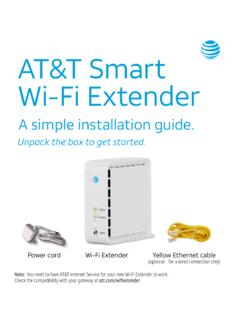
AT&T Smart Wi-Fi Extender
www.att.comwon’t appear as a new network. To check if it’s working: 1. Your Extender is paired and functioning when both the 5GHz and 2.4GHz lights are solid green. (The 5GHz light will blink every 5 seconds. This is normal.) OR 2. Use the AT&T Smart Home Manager app to check if the Extender is on your network.

N300 WiF Range Extender - Netgear
www.downloads.netgear.comThe extender broadcasts its own WiFi network that WiFi devices can join. In its role as an access point, the extender performs tasks that WiFi routers do, such as broadcasting its network name (SSID). The extender must do each of these jobs so …

Nighthawk X6S AC3000 Tri-Band WiFi Range Extender
www.downloads.netgear.com• The extender connects to a working WiFi network. When the extender connects over WiFi to an existing network, it functions as a network client, similar to how a WiFi device connects to a network. • The extender acts as an access point for WiFi devices. The extender broadcasts its o wn WiFi network that WiFi devices can join.

Fios Home Wi-Fi Extender USER GUIDE - Verizon
www.verizon.comWi-Fi network name and password as your Fios Home Router. 2.0b/ WI-FI INSTALLATION 1. Place the Fios Home Wi-Fi Extender directly next to the Fios Home Router. 2. Connect the power cord from the extender to an electrical outlet. 3. When the light on the extender is solid yellow, press and hold the front buttons on both the router and extender ...
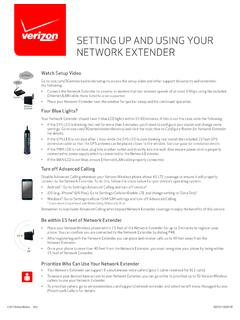
SETTING UP AND USING YOUR NETWORK EXTENDER
www.verizonwireless.comNetwork Extender. • Once your phone is more than 40 feet from the Network Extender, you must reregister your phone by being within 15 feet of Network Extender. Prioritize Who Can Use Your Network Extender • Your Network Extender can support 6 simultaneous voice callers (plus 1 caller reserved for 911 calls).