
Xerox Multifunction Devices Customer Tips
dc03cc0314 Page 2 Customer Support 1. From a Windows NT 4, 2000 or XP workstation or server, open an MS-DOS prompt window. (Select [Start, Run], …
Download Xerox Multifunction Devices Customer Tips

Information
Domain:
Source:
Link to this page:
Documents from same domain

January 20, 2014 - Xerox
www.office.xerox.comJanuary 20, 2014 Helpful Hints for Printing in Citrix® Using Xerox® Print Drivers Customer Tip

Phaser 3610 Printer and WorkCentre 3615 …
www.office.xerox.comXerox ® Phaser ® 3610 Printer and Xerox ® WorkCentre ® 3615 Multifunction Printer. More speed. More expandability. Professional quality results. Xerox

Xerox WorkCentre 7800 Series Multifunction Printer
www.office.xerox.comEnabling More Time for the Work that Matters Most Experience a simplified, and intuitive user interface that can be tailored for your individual

Driver Support for Terminal Services and Citrix ...
www.office.xerox.comTitle: Driver Support for Terminal Services and Citrix Environments - Customer Tip Author: Xerox Corporation Created Date: 20110602084218Z

Xerox Color C60/C70 Printer
www.office.xerox.comXerox ® Color C60/C70 Printer Amazing flexibility and the power to do more. Xerox® Color C60/C70 Printer Brochure

WorkCentre 7425/7428/7435 System …
www.office.xerox.comWorkCentre® 7400 Series Multifunction Printer WorkCentre® 7425/7428/7435 System Administrator Guide English Français Guide de l’administrateur système Español Guía del administrador del sistema

Xerox Standard Accounting: Tracking Usage by …
www.office.xerox.comPrerequisites To enable the feature as described in this document, the supported device needs to be at the following minimum system software version.

Compatibility with Xerox Equipment
www.office.xerox.comMicrosoft® Windows® 8.x and 10 | Compatibility with Xerox® Equipment i Contents Xerox® Product Compatibility with Microsoft® Windows® 8.x and 10 ..... 2

Xerox Network Scanning – TWAIN Configuration …
www.office.xerox.comXerox Multifunction Devices Customer Tips dc07cc0432 … for the user October 19, 2007 Xerox Network Scanning – TWAIN Configuration for the WorkCentre 7328/7335/7345

Xerox WorkCentre 6515 Detailed Specifications
www.office.xerox.comXerox® ®WorkCentre 6515 Color Multifunction Printer Page Description Languages ®Adobe® PostScript 3™ PCL® 5e, 6 PDF TIFF Maximum Print Area 4 mm edge of paper Print Features Banner Sheets
Related documents
Workstation Minimum System Requirements (For …
apdcares.orgPage 1 of 3 Workstation Minimum System Requirements (For Non-Agency Workstations) and VPN Process Workstation Minimum System Requirements (For Non-Agency Workstations)
How to reduce paper consumption in your office
awsassets.panda.orgInterested to feature your paper reduction success on WWFs website? Please write to savepaper@wwfdcp.org with a description of your paper …

Steps for Adjusting Your Workstation: Office …
www.barbre-ergonomics.comOffice Ergonomics Tips Ó2015 Barbre Ergonomics 817-927-4990 barbergo@aol.com www.barbre-ergonomics.com Tips and Techniques Workstation Adjustment Comfort
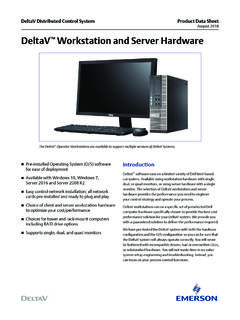
DeltaV Workstation Hardware - Emerson
www.emerson.comDeltaV Workstation and Server Hardware www.emerson.com/deltav 4 August 2018 Specifications Common to all Computers (applies to all computers with exceptions noted under computer specifications)
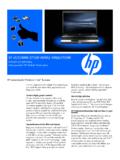
HP EliteBook 8730w Mobile Workstation
www.hp.comHP EliteBook 8730w Mobile Workstation POWER TO PERFORM. Most powerful HP Mobile Workstation. HP recommends Windows Vista® Business The HP EliteBook 8730w Mobile Workstation helps
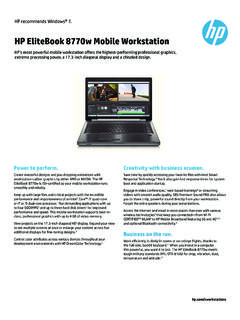
HP EliteBook 8770w Mobile Workstation
www.hp.comHP recommends Windows® 7. HP EliteBook 8770w Mobile Workstation HP’s most powerful mobile workstation offers the highest-performing professional graphics,
Working with display screen equipment (DSE)
www.hse.gov.ukHealth and Safety Working with display screen equipment (DSE) Page 2 of 6 Consulting your employees on DSE Workplaces where employees are involved in …

STANDARD OPERATING PROCEDURES (SOP) FOR …
www.workingatmcmaster.caSTANDARD OPERATING PROCEDURES (SOP) FOR COMPUTER WORK, DESK TOP General Guidelines-Best Practices: The following guidelines are applicable to office workers who sit at a desk and/or work on computers.