
Zoom Quick Reference Guide - CustomGuide
Zoom Quick Reference Guide The Zoom Meeting Screen Getting Started Download the Zoom app: Visit the Zoom website at zoom.us, click the Resources link at the top of the Zoom page, select Download Zoom Client, then click the Download Participants pane, where button next to the version of the app you want. who is in the meeting and who is in
Download Zoom Quick Reference Guide - CustomGuide

Information
Domain:
Source:
Link to this page:
Documents from same domain

Microsoft PowerPoint 2013 - CustomGuide
www.customguide.comMicrosoft® PowerPoint 2013 Quick Reference Card The PowerPoint 2013 Screen Keyboard Shortcuts The Fundamentals To Create a New Presentation: Click the File tab, click New.

Word 2013 Quick Reference - SharePoint Training
www.customguide.comMicrosoftWord 2013 ® Quick Reference Card The Word 2013 Screen Keyboard Shortcuts General Open a Document Ctrl + O Create New Ctrl + N …

Quick Reference Card Visit: qr.customguide
www.customguide.comMicrosoftWord 2016 ® Quick Reference Card The Word 2016 Screen Keyboard Shortcuts General Open a Document Ctrl + O Create New Ctrl + N …

Windows 10 Quick Reference - CustomGuide
www.customguide.comMicrosoft® Windows 10 Quick Reference Card Start Menu Keyboard shortcuts Basic Commands Start Menu Copy a Folder/File Ctrl + C Cut a Folder/File Ctrl + X

Your Organization’s Name Here - SharePoint Training
www.customguide.com©CustomGuide 2015 3 Table of Contents Table of Contents ..... 3

Project 2013 Quick Reference - CustomGuide
www.customguide.comMicrosoft® Project 2013 Quick Reference Card Project 2013 Screen Common Views To Display a View: Select the View tab and choose from the Task Views available.

Windows 8 Quick Reference - CustomGuide
www.customguide.comicrosof inos uic eference Car For Personal Use Only ustomuide Contact Us at info@customguide.com for organizational use. Free Quick References! Visit: qr.customguide.com The Start Screen

Word 2007 Quick Reference - SharePoint Training
www.customguide.comMicrosoft® Word 2007 Quick Reference Card Word 2007 Screen [Grab your reader’s attention with a great quote from the Shortcuts The Fundamentals Open a Document …

uic eference Car Free Quick References! - …
www.customguide.comicrosof nc uic eference Car For Personal Use Only ustomuide Contact Us at info@customguide.com for organizational use. Free Quick References! Visit: qr.customguide.com The Lync 2013 Window

Excel 2013 Quick Reference - CustomGuide
www.customguide.comMicrosoftExcel 2013 ® Quick Reference Card The Excel 2013 Screen Keyboard Shortcuts Close button General Open a Workbook Ctrl + O Create New Ctrl + N
Related documents

ZOOM VIDEO CONFERENCING: STEP-BY-STEP INSTRUCTIONS
cc23d2e448b98eee8279-6eae8057ea872508283f79adef13175c.ssl.cf2.rackcdn.comthe Zoom meeting. o You can send a text message to people, which has a link to join the Zoom meeting. o You can copy the URL and then send that in an email or text message to your group members. • Once people receive your message to join your meeting, then

Zoom Basics: Audio & Video + Other Icons
irp-cdn.multiscreensite.comZoom Basics: Viewing There are a few ways to view the people on your Zoom call. 1. Speaker View a. The person who is speaking will be the prominent image. You can see others in the meeting on the right hand side. b. Depending on the size of the group, you may not see everyone displayed on the right side of the screen.

How to Change Your Name in Zoom - Stockton University
stockton.edu1.) To change your name after entering a Zoom meeting, click on the “Participants” button at the top of the Zoom window. 2.) Next, hover your mouse over your name in the “Participants” list on the right side of the Zoom window. Click on “Rename”. 3.) Enter the name you’d like to appear in the Zoom meeting and click on “OK”.

Zoom Instructions for Students
students.wlu.caZoom allows class meetings to continue virtually in real time. Your instructor may ... Chat: This will open and close the chat window where you can text chat with all participants or specific people. 7. Leave Meeting: Clicking this will prompt a message asking if …

Zoom Hearing Account Setup Instructions - txcourts.gov
txcourts.govZoom Scheduled Hearings Instructions (Recommended) 1. To use Zoom for scheduled hearings: a. Click the “Meetings” button on the left panel. (This may or may not be necessary – you may just need to skip to step 2). b. Click the “Schedule a New Meeting” button near the top. c. Fill in the information on the Schedule a Meeting page, as ...
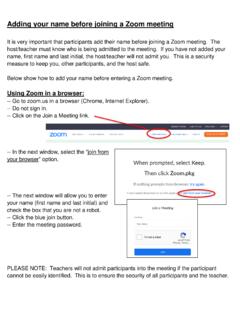
Adding your name before joining a Zoom meeting
www.npsk12.comUsing the Zoom app on a Chromebook-- Find the Zoom app on the Chromebook and open. -- Do not sign in. Click “Join a Meeting” on the top. -- Add the Meeting ID number in the next section. -- Add your first name and last initial in the last section. To clear the section, click in the box to update the text as needed.

Zoom Frequently Asked Questions - UCOP
www.ucop.eduin Zoom with a specific schedule; that meeting is actually available for use at any time –the only purpose to specifying a meeting schedule in Zoom is so Zoom can include those schedule details in the invitation text it creates for you to include in your Outlook invitation. Since your Outlook invitation already includes the date and

Downloading an Audio Transcript from Zoom
www.wilmu.edu10. To view and download your recording, go to wilmu.zoom.us. Click on the ‘Recordings’ tab. 11. Search for the recording that you need to download. 12. Click on the title of the Zoom meeting recording (highlighted in blue). Here you will find 3 different files to download: Shared screen with speaker view, Audio only, and Audio transcript. 13.