Example: biology

DSC View from Etoken - DIGITAL SIGNATURE

How to view or verify your DSC from Etoken ? 1) After you install the Epass1000 Driver from the CD or email. 2) Insert your Etoken to USB drive. 3) Go to START and select the Fetian > Epass1000 SDK > USE PKI > Manager Click Manager 4) Select Certificate View and enter USER PIN as 123456 or provided. 5) Click Login and OK 6) Select VIEW 7) You may view your DSC details. [ AN ISO 9001:2008 Certified Company ] Manual No. DSC/04/2009
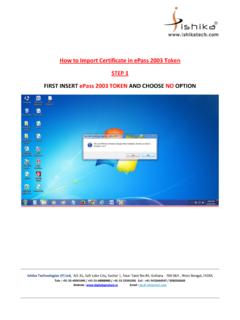
How to view or verify your DSC from Etoken? 1) After you install the Epass1000 Driver” from the CD or email. 2) Insert your Etoken to USB drive. 3) Go to START and select the Fetian > Epass1000SDK v4.2> USE PKI > Manager Click “Manager”

Tags:

  Ketone

Information

Domain:

Source:

Link to this page:

Please notify us if you found a problem with this document:

Other abuse

Advertisement

Transcription of DSC View from Etoken - DIGITAL SIGNATURE

1 How to view or verify your DSC from Etoken ? 1) After you install the Epass1000 Driver from the CD or email. 2) Insert your Etoken to USB drive. 3) Go to START and select the Fetian > Epass1000 SDK > USE PKI > Manager Click Manager 4) Select Certificate View and enter USER PIN as 123456 or provided. 5) Click Login and OK 6) Select VIEW 7) You may view your DSC details. [ AN ISO 9001:2008 Certified Company ] Manual No. DSC/04/2009



Related search queries