Example: barber
1 Configuring SATA Controllers - GIGABYTE
A recovery volume and a RAID array cannot co-exist in the system at the same time, that is, if you have already created a recovery volume, you are unable to create a RAID array. • By default, only the master drive can be viewed in the operating system; the recovery drive is hidden.
Tags:
Information
Domain:
Source:
Link to this page:
Documents from same domain

Updating the BIOS with the Q-Flash Utility - …
www.gigabyte.comB. Updating the BIOS When updating the BIOS, choose the location where the BIOS file is saved. The follow procedure assumes that you save the BIOS file to a floppy disk.

Flash BIOS in DOS2 - GIGABYTE Global
www.gigabyte.comSection One: Making a Boot Disk. To update BIOS in DOS, you must prepare a boot disk. The following steps guide you how to make a boot disk in Windows 98.

Updating the BIOS with the Q-Flash Utility - …
www.gigabyte.comWhat is Q-Flash™. With Q-Flash you can update the system BIOS without having to enter operating . systems like MS-DOS or Window first. Embedded in the BIOS…

Chapter 1: Intro - GIGABYTE
www.gigabyte.comChapter 1: Intro Intel i9-9900K Overclocks to 5GHz on Z390 AORUS Boards The core counts keep going up and this time Intel has come up with an 8 core, 16 thread processor.

Updating the BIOS with the Q-Flash Utility - GIGABYTE
www.gigabyte.comB. Updating the BIOS. When updating the BIOS, choose the location where the BIOS file is saved. The following procedure as-sumes that you save the BIOS file to a USB flash drive.

High Definition Audio Driver User’s Manual
www.gigabyte.comone more step to go to enjoy the intended sound. We provide “Speaker Calibration” to help you check if the speakers are located in the correct position. Step1 Select the channel output (headphone / 2 / 4/ 6 / 8 channel) Step2 Click “play” icon Step3 Look at the scene; while the speaker appears flushing, you should be able to

Updating the BIOS with the Q-Flash Utility
www.gigabyte.comWhen updating the BIOS, choose the location where the BIOS file is saved. The follow procedure assumes that you save the BIOS file to a floppy disk. Step 1: 1. Insert the floppy disk containing the BIOS file into the floppy disk drive. In the main menu of Q-Flash, use the up or down arrow key to select Update BIOS from Drive and press <Enter>.

Flash BIOS in DOS2 - GIGABYTE
www.gigabyte.comFlash BIOS with the Flash Utility in DOS When you download BIOS file from Gigabyte website, you may find a BIOS flash utility attached with the BIOS file. This is the utility for performing BIOS updating procedure in DOS. For your convenience, Gigabyte also provides you with an auto-execution file in the BIOS file downloaded.

Updating the BIOS with the Q-Flash Utility
www.gigabyte.comB. Updating the BIOS. In the main menu of Q-Flash, use the keyboard or mouse to select an item to execute. When updating the . BIOS, choose the location where the BIOS file is saved. The following procedure assumes that you save the BIOS file to a USB flash drive. Step 1: 1. Insert the USB flash drive containing the BIOS file into the computer.
Related documents
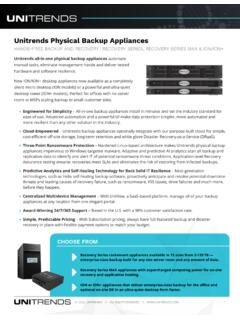
Unitrends Recovery Series and Recovery Series MAX
www.unitrends.com» Cloud-Empowered – Recovery Series appliances optionally integrate with our purpose-built cloud for simple, ... N/A RAID 1 RAID 1 RAID 1 RAID 1 RAID 1 RAID 10 RAID 10 RAID 10 RAID 6 RAID 6 RAID 6 RAID 6 RAID 6 RAID 6 Included * Optional Not Available Usable Capacity is the appliance’s raw backup capacity after RAID.

Configuring a RAID Set - GIGABYTE
download.gigabyte.comA recovery volume and a RAID array cannot co-exist in the system at the same time, that is, if you have already created a recovery volume, you are unable to create a RAID array. • By default, only the master drive can be viewed in the operating system; the recovery drive is hidden. ...

Intel® Rapid Storage Technology
www.intel.comRAID volumes as well as a user interface for configuring and managing RAID volumes. Master Drive The hard drive that is the designated source drive in a recovery volume. Matrix RAID Two independent RAID volumes within a single RAID array. Member A …
Intel® Virtual RAID on CPU (VROC) for Windows
www.intel.comRedundant Array of Independent Disks: allows data to be distributed across multiple drives to provide data redundancy or to enhance data storage performance. RAID 0 (striping) ... The drive that is the designated target drive in aRAID Volume recovery. The Spare drive is a global setting (not designated to a specific RAID volume). Spare drives on

Building Clearing / Tactical Raid - Think Like a Horse
thinklikeahorse.orgtactical raid search typically used in narcotic raids. Explorers should be able to use tactical thinking during ... If personnel or equipment recovery was the purpose of the clearing operation, these assets should be evacuated immediately. Account for all organic personnel and equipment.
Dell PowerEdge RAID Controller H330
i.dell.comNon-RAID: up to 128 RAID 0: 32 per volume RAID 1: 2 per volume plus hot spare RAID 5: 32 per volume RAID 10: 32 per volume RAID 50: 32 per volume Host bus type 8-lane, PCI Express 3.0 compliant Data transfer rates Up to 12Gb/s per port SAS controller LSI SAS3008 Key RAID and data protection features RAID levels 0, 1, 51 RAID spans 10, 501
UEFI BIOS Recovery 1.0a - Supermicro
www.supermicro.comMay 26, 2011 · memory detection and recovery codes for the user to fl ash a new BIOS image if the original BIOS image is corrupted. When the system power is on, the boot sector codes execute fi rst. Once it is completed, the main BIOS code will continue with system initialization and bootup. Note: Follow the BIOS Recovery instructions below for BIOS recovery
DELL EMC SC SERIES SC5020 STORAGE ARRAY
i.dell.commultiple drive tiers and manages RAID levels for performance and cost savings. By default, all new data is written to fastest Tier 1 drives at RAID 10 performance levels, then converted to economical RAID 5/6 (on the same drives) for subsequent reads. As data ages, it’s moved to less expensive storage until it becomes more active again.