Example: quiz answers
To set up an electronic (Digital) signature for PDF documents
To set up an electronic (Digital) signature for PDF documents: 1. open Adobe Reader 2. click ‘Edit’ 3. click ‘Preferences’ 4. click ‘Signatures’ 5. click ‘More’ behind Identities & Trusted Certificates 6. click ‘Add ID’ 7. click ‘A new digital ID I want to create now.’ 8. click ‘New PKCS#12 digital ID’ 9.
Tags:
Information
Domain:
Source:
Link to this page:
Related documents

How to Create a Digital Signature in Adobe Acrobat
www.dfa.cornell.eduDec 01, 2015 · How to Create a Digital Signature in Adobe Note: This example is Adobe Acrobat Pro DC. If you find these instructions do not work for your version of Adobe, please contact your IT support person. 1) Open Acrobat Reader and navigate to the Preferences menu, as show below:

How to Create a Digital Signature for PDF
grad.ncsu.eduHow to Create a Digital Signature for PDF (For Adobe Acrobat DC) This is the process approved by the Graduate School for digitally signing any of the official forms either existing as fillable PDFs or existing in another format and then printed to PDF.
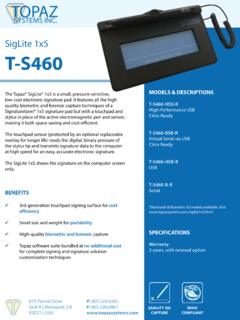
SigLite 1x5 Data Sheet - Topaz Systems
topazsystems.comCreate applications using ActiveX or view electronically signed documents. Available as a native Java bean. Create applications in C. Native assembly for the .NET environment. Create applications to capture/embed eSignatures in digital signature fields in PDF documents. pDoc Signer® SigTool Imager Plus™ SignMeIn™ Microsoft Office Adobe Acrobat
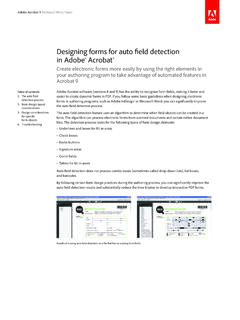
Designing forms for auto field detection in Adobe® Acrobat®
acrobatusers.comin Adobe® Acrobat® Create electronic forms more easily by using the right elements in your authoring program to take advantage of automated features in Acrobat 9. 2 ... word signature is interpreted as a digital signature field. When creating specific form objects during the

Army Records Management Directorate
www.rmda.army.milCreating an Adobe digital signature, continued The date of digital signature is the official date of the document. Create a larger depiction of the same date in Arial 12 pt font in a text box placed at the top of the document, across from the office symbol on the same line. From Tools, then the Prepare Form ribbon, select the text box icon and
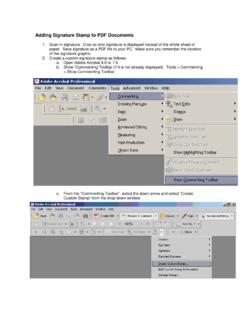
Adding Signature Stamp to PDF Documents
www.lamd.uscourts.govAdding Signature Stamp to PDF Documents 1. Scan in signature. Crop so only signature is displayed instead of the whole sheet of paper. Save signature as a PDF file to your PC. Make sure you remember the location of the signature graphic. 2. Create a custom signature stamp as follows: a. Open Adobe Acrobat 6.0 or 7.0. b.
Digital Signing of PDF using Adobe Acrobat Reader DC - DICT
dict.gov.ph9. Your digital signature should now appear on the document like this: Adding a Graphic Signature For most people, the standard appearance is not their preference and would like to see an image of their actual signature. So here are the steps to do so. 1. Follow the same steps 1-6 above 2. At the Sign As window, click on the Create button.

Plug-In How-To Guide - Topaz Systems
topazsystems.comAdobe Plug-Ins (DC) Pre-Placing Digital Signature Fields in Acrobat Pro Click “Tools” “Prepare Form”, and select the document you wish to sign. Near the top of the window, click the “Add a digital signature” button. Click and drag a signature box to the desired size and position with your mouse. After doing so,

TMS Self Enroll • Application Digital Signature Health ...
www.va.gov• Draw a text box in the area where the signature goes, then approve. 1. Click on the signature block and this window will appear. Click on “new digital ID…” and then “Next” 2. Click on “windows Certificate Store” then “Next” Save the Trainee Application file on your computer. Open the file with Adobe Reader.
Related search queries
To Create a Digital Signature in Adobe Acrobat, To Create a Digital Signature in Adobe, Adobe, To Create a Digital Signature for PDF, SigLite 1x5 Data Sheet, Create, Digital Signature, In Adobe, Acrobat, Signature, A digital signature, Army Records Management Directorate, Adobe digital signature, Digital, Adobe Acrobat Reader DC, Topaz