Transcription of Instructions for Employee Direct Deposit Form
1 Instructions for Employee Direct Deposit Form Allow at least fourteen (14) business days for a new Direct Deposit set up. If you are signing up for the US Bank Focus Card DO NOT USE THIS F ORM. Use the Pay Card Authorization form. Fill out this form completely and return to your Agency Payroll Office. Attach a void check for each checking account. If depositing to a savings account or pre loaded bank card ask your bank to give you the Routing/Transit number for your account, this number isn t always the same as shown on the Deposit slip. It is your responsibility to provide complete and accurate account information. Employee Oregon ID # This is your 9 digit Employee number as assigned in the personnel system.
2 This OR# can befound on your pay statement or personnel action documents. Contact your agency payroll or human resource office for assistance. DO NOT USE YOUR SOCIAL SECURITY NUMBER. Email Address the email address that you will use for your ePayroll account, a work or personal email address isacceptable. New Select to add a brand new account for a fixed or net pay Deposit . Cancel * Select to cancel an existing Deposit . Please be sure to include the routing and account numbers on the form. Replace* Select to replace an existing or net pay account or to replace a fixed Deposit account and/or amount. Bank Name/City/State The name of the financial institution you are depositing to and location of the branch whereyou have your account (if known).
3 Routing/Transit # The 9 digit ABA number found on your check (see example below). Contact your bank forassistance. Account # The account number where you wish to have the funds deposited. Travel Reimbursements Indicate this box only if you expect to travel for your agency and be reimbursed throughthe accounting system (SFMA) (choose only ONE account). Dep. Amount or Net amount Fixed dollar amount or remainder of check (net amount selection requiredfor participation in ePaystub program).Once a net pay Deposit is established, you will receive your paystub electronically. (OAR. 125 015 0200 or applicable policy). Paystubs can be accessed at: *If you are canceling your net pay Direct Deposit , you may receive a paper check and paper stub on your next scheduledpayday.
4 Electronic Deposit /ePaystub (OAR. 125 015 0200) Employees choosing to use one of the exception criteria to receive Direct Deposit but not participate in ePaystub, will be automatically enrolled in Direct Deposit and ePaystub until verification by payroll/human resources of the exception criteria is completed. Employees are responsible for getting the proper verification for meeting the exception criteria from their agency payroll or human resources staff. DO NOT SUBMIT TO OSPS Instructions TO PAYROLL OFFICES The completed form is Information Asset Classification Level 3 as defined by the Enterprise Security Office. Refer to the Secretary of State, Archives Division Administrative Rules for retention guidelines.
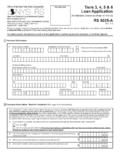
5 State of Oregon Employee Direct Deposit Form Employee ID # Agency # Name Email Address Work Phone # Account information: New Cancel Replace Net Pay Account Replace Fixed Account and/or Amount 1. Bank Name/City/State:Routing/Transit #Account # Checking Savings Non AccelaPay Card Travel Reimbursements Dep. Amt.: $ or Net amount Account information: New Cancel Replace Net Pay Account Replace Fixed Account and/or Amount 2. Bank Name/City/State:Routing/Transit #Account # Checking Savings Non AccelaPay Card Travel Reimbursements Dep. Amt.: $ or Net amount Employee Authorization Important! Read and sign before submitting I authorize the State of Oregon to Deposit payments and make overpayment adjusting debits to my account.
6 I have read and understand the information contained in this form. I understand that Direct Deposit transactions must comply with and Oregon laws. I authorize the State of Oregon to suspend Direct Deposit participation when overpayments may occur or recur (Ref. OAM ). International transaction certification I certify that the entire amount of my Direct Deposit is NOT ultimately deposited in a financial institution outside the United States. Electronic Deposit /ePaystub (OAR. 125 015 0200): I have elected net pay Direct Deposit of my wages and agree to access my paystub electronically. I elect not to participate in net pay Direct Deposit of my wages and will receive a paper check and paper stub.
7 I meet one of the exception criteria listed in Oregon Administrative Rule 125 015 0200 and am choosing to receive my pay through Direct Deposit and not participate in ePaystub (this option requires payroll and/or *human resources authorization). *HR verification:Print Name Signature Exception Code: _____ Date: _____ Employee Signature: Date: FOR AGENCY USE: Entry Date (P070) X XDNN (plan code) Date Pre note P Date Verified V Initials ePaystub Enroll: Date: Initials: SFMS Approval: Date.