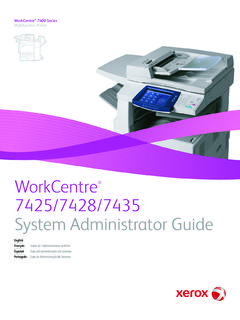
Transcription of WorkCentre 7120/7125 Color Multifunction Printer
1 WorkCentre 7120/7125 Color Multifunction PrinterWorkCentre 7120/7125shown with two trays and StandWorkCentre 7120/7125shown with four trays, Office Finisher LX with Booklet Maker, Work Surface and Convenience StaplerWorkCentre 7120/7125 WorkCentre 7125 Output Speed Printing and Copying Black and whiteUp to 20 ppm (pages per minute) x 11 in. (A4/210 x 297 mm) LEF Up to 13 ppm x 14 in. (216 x 356 mm) Up to 11 ppm 11 x 17 in. (A3/297 x 420 mm)Up to 25 ppm (pages per minute) x 11 in. (A4/210 x 297 mm) LEF Up to 16 ppm x 14 in. (216 x 356 mm) Up to 14 ppm 11 x 17 in. (A3/297 x 420 mm)ColorUp to 20 ppm x 11 in. (A4/210 x 297 mm) Up to 13 ppm x 14 in. (216 x 356 mm) Up to 11 ppm 11 x 17 in. (A3/297 x 420 mm)Up to 25 ppm x 11 in. (A4/210 x 297 mm) Up to 16 ppm x 14 in.
2 (216 x 356 mm) Up to 14 ppm 11 x 17 in. (A3/297 x 420 mm)First-Page-Out TimeCopy Black and whiteAs fast as secondsCopy ColorAs fast as secondsPaper HandlingPaper Handling Duplex Automatic Document FeederCapacity110 sheets (based on 20 lb Bond/75 gsm paper)Speed55 images per minute Color / Black and white (Letter/A4 long edge feed (LEF))Detailed Specifications x in. (A5) to 11 x 17 in. (A3) SEFC ustom sizes: x in. (85 x 125 mm) to x 17 in. (297 x 432 mm)Weights13 to 32 lb Bond / 38 to 128 gsmPaper Handling Bypass TrayCapacity*50 sheetsSizesCustom sizes: x in. (89 x 98 mm) to x 17 in. (297 x 432 mm)Weights16 lb Bond to 80 lb Cover / 60 to 216 gsmTypesSame as front-loading trays plus envelopes, postcards, glossy media and labelsPaper Handling Trays 1 & 2 (with Stand) or Trays 1 - 4 Capacity*520 sheets eachSizesUser adjustable from x in.
3 (A5) to 11 x 17 in. (A3), Custom sizes: x in. (140 x 182 mm) to x 17 in. (297 x 432 mm)Weights16 lb Bond to 140 lb Index / 60 to 256 gsmTypesPlain Paper Recycled Bond Custom Type 1 through 5 Heavyweight Extra Heavyweight Punched Letterhead Pre-printedTotal Capacity2 Trays with Stand: 1,090 sheets4 Trays: 2,130 sheetsEnvelope Tray (Optional replaces Tray 1)Capacity*Up to 60 envelopesSizes#10 Commercial ( x in.), Monarch, DL, C5, Custom sizes: x in. (98 x 148 mm) to x in. (162 x 241 mm)Weights20 lb Bond to 24 lb Bond / 75 to 90 gsmOutput StandardStacking Trays*Dual Catch Tray up to 250 sheets each, lower tray x in. (89 x 98 mm) to 11 x 17 in. (A3/297 x 420 mm)Weights16 lb Bond to 140 lb Index / 60 to 256 gsmOutput Integrated Office Finisher OptionStacking Tray500 sheets of 20 lb Bond (75 gsm) x 11 or 250 sheets of 20 lb Bond (75 gsm) 11 x 17 x in.
4 (89 x 98 mm) to 11 x 17 in. (A3/297 x 420 mm)Weights16 lb Bond to 80 lb Cover / 60 to 220 gsmStaplingSingle Auto stapling: 50 sheets maximum: Letter/A4/B5-size sheets (less than 90 gsm or two sheets of 220 gsm covers)30 sheets maximum: Legal/Tabloid/A3/B4-size sheets (less than 90 gsm or two sheets of 220 gsm covers) WorkCentre 7120/7125 Detailed Specifications 2* Paper capacities are based on 20 lb/75 gsm stock; capacities will vary with different weight 7120/7125 Detailed Specifications 3 Output Office Finisher LX OptionStacking Tray2,000 sheets unstapled or 1,000 sheets single staple or 750 sheets dual staple (24 lb Bond / 90 gsm Letter/A4) x in. (182 x 210 mm) to 11 x 17 in. / A3 Weights16 lb Bond to 80 lb Cover / 60 to 220 gsmStaplingSingle and dual Auto stapling (50 sheets maximum less than 90 gsm) Letter, Legal, Tabloid, A3, A4, B4 and B5 sizes supportedOutput Optional Hole Punch for Office Finisher LXNorth America3-hole punch 2-hole Legal punchEurope2-hole punch 4-hole punchOutput Optional Booklet Maker (Score/Crease, Saddle-stitch Staple) for Office Finisher LXCapacity40 booklets (1-15 sheets per booklet 80 gsm or less; 2-10 sheets per booklet over 80 gsm)SizesLetter x 11 in.
5 (A4/210 x 297 mm) Legal x 14 in. (216 x 356 mm) Ledger 11 x 17 in. (A3/297 x 420 mm)Saddle-stitch Stapling2-15 sheets / 8 60 page booklet 16 lb Bond to 24 lb Bond / 55 to 90 gsmScore/Crease1-15 sheets / unstapledCopy SpecificationsDocument ScannerDuplex Automatic Document Feeder with 110-sheet capacity (based on 20 lb / 75 gsm paper)Sides (input:output)1:1, 1:2, 2:2 and 2:1 Quantity1 to 999 Resolution600 x 600 dpi ConcurrencyConcurrent scan, print, faxDigital ImagingAuto Color Auto rotation Image shift Edge erase Auto centering Original type selection (photo and text, photo, text, map) with subtypes Lighter/darker Background suppression Auto and manual contrast Sharpness Color balance, Color shift and saturationReduction/EnlargementVariable zoom from 25% to 400% in 1% increments Anamorphic zoom Six user-programmable percentagesWorkCentre 7120/7125 Detailed Specifications 4 Special FeaturesAuto paper select Auto reduction/enlargement to fit selected paper size Auto tray switching Automatic job recovery Auto Color selection Area Designation Poster mode Watermark Annotation Single/Dual Color Booklet creation Multi-up 2, 4 or 8 up Repeat ImageNegative image Mirror image Covers insertion (front only, front and back, back only, blank or printed)
6 Build Job (enables special programming for different pages in one document can be used for inserts, different paper sources and mixing input from the document glass and the document feeder) Job interrupt Book copying Sample job Mixed-size originals Hole Punch (requires Office Finisher LX)Saddle-stitch booklets (requires Office Finisher LX)Single position stapling (requires Integrated Office Finisher or Office Finisher LX)Multi-position stapling (requires Office Finisher LX)ID Card CopyForeign Device InterfaceInterface to third-party access control devices, coin machines and card readers Supports a variety of vending stations available through the Xerox Custom Application ServicePrint SpecificationsFirst-Page-Out TimePrint Black and whiteAs fast as 11 secondsPrint ColorAs fast as 13 secondsSystemMemory2 GBSystem DiskMinimum 80 GBNetwork Printing Network ControllerProcessor667 MHzPrinter LanguagesAdobe Postscript 3 (optional)TIFF PS-PDF: PCL 6 XPS HP-GL2 via direct submissionNetwork Printing ResolutionPrint Engine.
7 600 x 600 x 4 dpiWorkCentre 7120/7125 Detailed Specifications 5 Network Printing Printing FeaturesFeaturesSecure PrintDelay Print (specific time)Sample SetBooklet creationCover selectionInserts and exception pagesStore File in FolderPaper selection by attributeN-upSaddle-stitch booklet making (requires Office Finisher LX)Hole Punch (requires Office Finisher LX)WatermarkFit to new paper sizeBanner Sheet enable/disableOutput tray selectionImage QualityDraft ModeReduce/enlargeMirror imageMarginsBi-directional statusTwo sided printingScalingLAN Fax (requires optional Fax Kit)ConnectivityEthernet 10/100 BaseTX High speed USB Printer port Wireless Ethernet (IEEE ) via third-party adaptersOperating SystemsMicrosoft Windows XP SP3 and above (32- and 64-bit), Windows Server 2003 (32- and 64-bit), Windows Vista (32- and 64-bit), Windows Server 2008 (32- and 64-bit), Windows 7 (32- and 64-bit)Mac OS and above AIX 5 HP UX , 11i v2 Solaris 8, 9, 10 Linux FedoraCore 1, 5 RedHat Enterprise Linux 4 SUSE 10/11 Network Protocols TCP/IP: HTTP/HTTPS, Internet Printing Protocol, LPR/LPD, Raw Socket Printing/Port 9100, IPv4/IPv6 Netware: Bindery and NDS IPX/SPX, NDPS /NEPS (with Server Gateway) AppleTalk.
8 EtherTalk Microsoft Windows Networking over IP and NetBEUI (All protocols not in use can be disabled)Administrative ProtocolsDHCP, BOOTP, SNMP, WINS, DDNS, SLP v2, HTTP, RARP, DHCP Autonet, SSL FontsPostscript 3: 136 Type 1 fonts, 2 Multiple Master fonts PCL: 82 scalable fonts, line Printer bitmap fontWorkCentre 7120/7125 Detailed Specifications 6 Printer DriversEnvironmentPCL 6 PostScriptPrint DriversWindows 2003/XP SP3 and above (32- and 64-bit) Windows Vista 32- and 64-bit)Windows Server 2008 (32- and 64-bit)Windows 7 (32- and 64-bit) (Microsoft certified)Bidirectional with user-selectable interface (standard** and enhanced*)Bi-directional with user-selectable interface (standard** and enhanced*) Macintosh OS N/AGeneric PPD fileMacintosh OS and aboveN/ABi-directional with user-selectable interfaceUNIXN/ABi-directional with Xerox Custom Graphical User InterfaceXerox Mobile Express Driver (X-MED)
9 Makes it easy for mobile users to find, use and manage Xerox and non-Xerox devices in every new location. Plug into a new network, and X-MED automatically discovers available printers and provides status and capability infor-mation. Save a list of favorite printers for each location, store application print settings for use on any Printer in any network, and greatly reduce mobile support calls to IT. Printers are automatically discovered Printer list can be managed based on location Gives Bi-directional feedback device status, supplies, queue managementXerox Global Print Driver (X-GPD)A truly universal print driver that lets IT administrators install, upgrade and manage Xerox and non-Xerox devices from a single driver. It provides a consistent, easy-to-use interface for end-users, reducing the number of support calls, and simplifying print services management.
10 Printers are automatically discovered Printer list can be managed based on location Gives Bi-directional feedback device status, supplies, queue managementPrint Submission Tools Command prompt LPR/UNIX tool for print submission Contents Bridge tool supports TIFF/PDF/XPS and Office 2007 direct printDevice ManagementManagement SupportSNMP Version 1, SNMP Version 2c and Version 3 trap over TCP/IP and IP MIB access (IETF-MIB II RFC 1213), Host Resources MIB RFC 2790, Printer MIB RFC 1759 v. 2 Xerox CentreWare Web A Web-based server application for network administrators that permits Web browser-based device manage-ment from any workstation, whether running Windows or UNIX or any other operating system Works with any SNMP-managed Printer from any manufacturer Provides help with device discovery and installations, health checks and troubleshooting, and device upgrades, as well as basic accounting and asset managementIP FilterAllows administrator to control print access to device via IP address.