Transcription of Xerox VersaLink B405 Multifunction Printer
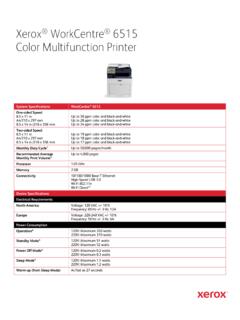
1 Page 1 of 10 Xerox VersaLink b405 Multifunction Printer VersaLink b405 Multifunction Printers are built on Xerox ConnectKey Technology. For more information, go to SYSTEM SPECIFICATIONS VersaLink b405 One-sided Speed1 x 11 in. A4 / 210 x 297 mm x 14 in. / 216 x 356 mm Up to 47 ppm black-and-white Up to 45 ppm black-and-white Up to 38 ppm black-and-white Two-sided Speed1 x 11 in. A4 / 210 x 297 mm x 14 in. / 216 x 356 mm Up to 29 ppm black-and-white Up to 28 ppm black-and-white Up to 25 ppm black-and-white Monthly Duty Cycle2 Up to 150,000 pages / month Recommended Average Monthly Print Volume3 Up to 15,000 pages Processor GHz Dual Core Memory 2 GB Connectivity Ethernet 10/100/1000 Base-T, High-speed USB , Wi-Fi and Wi-Fi Direct with optional Wi-Fi Kit (concurrent wired and wireless connections supported)
2 , NFC Tap-to-Pair Controller Features Unified Address Book, Configuration Cloning, Scan Preview, Xerox Extensible Interface Platform , Xerox App Gallery App, Xerox Standard Accounting Tool, Network Accounting Enabled, Role Based Permissions, Convenience Authentication Enabled, Online Support User Interface Languages English, French, Italian, German, Spanish, Brazilian Portuguese, Russian, Dutch, Swedish, Danish, Finnish, Norwegian, Greek, Turkish, Polish, Czech, Hungarian, Romanian, Catalan, Ukrainian, Croatian Xerox VersaLink b405 Multifunction Printer Page 2 of 10 DEVICE SPECIFICATIONS ELECTRICAL REQUIREMENTS North America Voltage: 110-127 VAC Frequency: 50/60 Hz 11 A Europe and Other Geographies Voltage: 220-240 VAC Frequency: 50/60 Hz 6 A POWER CONSUMPTION Continuous Printing4 620 watts or less Ready (Standby) Mode4 60 watts or less Energy Saver (Sleep Mode)4 4 watts or less OPERATING ENVIRONMENT Required Temperature Range (Storage) 32 to 95 F / 0 to 35 C Required Temperature Range (Operating) 50 to 90 F / 10 to 32 C Required Relative Humidity 10%to 85% Sound Power Levels Running Standby B(A) or less B(A) or less Sound Pressure Levels Running Standby 56 dB(A) or less 30 dB(A) or less Boot Time (from Off to UI Ready) As fast as 60 seconds Warm-up Time (from Sleep to UI Ready) As fast as 5 seconds DIMENSIONS AND WEIGHT (UNPACKAGED) WIDTH DEPTH HEIGHT WEIGHT VersaLink b405 in.
3 / 495 mm in. / 495 mm in. / 551 mm 48 lb. / 22 kg 550-sheet Paper Tray 17 in. / 432 mm in. / 465 mm in. / 94 mm lb. / kg DIMENSIONS AND WEIGHT (PACKAGED) WIDTH DEPTH HEIGHT WEIGHT VersaLink b405 in. / 618 mm in. / 626 mm in. / 713 mm lb. / kg 550-sheet Paper Tray in. / 535 mm in. / 754 mm in. / 234 mm lb. / 5 kg SYSTEM CERTIFICATION / REGULATORY COMPLIANCE Certifications To view the latest list of certifications, go to Xerox VersaLink b405 Multifunction Printer Page 3 of 10 PRINT First-Print-Out Time As fast as seconds Print Resolution Up to 1200 x 1200 dpi (enhanced) Page Description Languages PCL 5e, 6 PDF XPS TIFF JPEG HP-GL Adobe PostScript 3 Maximum Print Area 4 mm from edge of paper Print Features Application Defaults Banner Pages Enable / Disable Bi-directional Real-time Status Booklet Layout Draft Mode Fit to New Paper Size Job Identification (Print ID or Banner, Print ID in margins on first page only or all pages) Job Monitoring (Client or Local User Interface) LAN Fax (requires Fax Kit) N-up Page Layout (up to 16 pages per sheet)
4 Paper Selection by Attribute Personal Print Print Around Enable / Disable Print from USB Sample Set Saved Job Scaling Secure Print Skip Blank Pages Special Pages (exception page programming: covers, inserts, exceptions pages) Store and Recall Driver Settings Stored Jobs Deletion Two-sided Printing (as default) Watermark (predefined and custom) Earth Smart Driver Settings Print from USB Allows walk-up printing from Type A USB port Supports direct printing from computer via Type B USB port Supported file formats: PDF, JPEG, TIFF, XPS, PDF/A Operating Systems Windows 7, 8, , 10 Windows Server 2008 SP2, Server 2008 R2 SP1, Server 2012, Server 2012 R2, Server 2016 macOS , , Citrix Redhat Enterprise Linux Fedora Core IBM AIX HP-UX Oracle Solaris SUSE SAP Note: For information about supported versions for the above operating systems, please visit our Drivers & Downloads page and specify your device at Fonts PostScript fonts: 136 PCL fonts: 83 Xerox VersaLink b405 Multifunction Printer Page 4 of 10 Xerox Global Print Driver A truly universal print driver that lets IT administrators install, upgrade and manage Xerox and non- Xerox devices from a single driver.
5 It provides a consistent, easy-to-use interface for end-users, reducing the number of support calls, and simplifying print services management. Xerox Pull Print Driver Makes it easy for IT managers to qualify, deploy and manage all print devices using a single driver in a Pull Print environment. Uses a single queue and single driver. The Xerox Pull Print Driver extends convenience across a broad range of printing assets. IT administrators no longer need to manage and configure multiple drivers. Used in conjunction with Equitrac Office , Ysoft SafeQ , Pharos and others. COPY Document Scanner 60-sheet Reversing Automatic Document Feeder (RADF) Maximum Scan Area Platen: Up to x 14 in. / 216 mm x 356 mm RADF: Up to x 14 in. / 216 mm x 356 mm Simplex Speed Up to 47 cpm (copies per minute) x 11 in. Up to 45 cpm A4 / 210 x 297 mm Duplex Speed Up to 29 cpm (copies per minute) x 11 in.
6 Up to 28 cpm A4 / 210 x 297 mm First-Copy-Out Time As fast as seconds from the platen Sides (input: output) 1:1, 1:2, 2:2 and 2:1 Quantity 1 to 999 Resolution (max.) Up to 600 x 600 dpi Reduction / Enlargement Variable zoom from 25% to 400% in 1% increments Concurrency Concurrent scanning and printing COPY FEATURES Annotation (Page Numbers, Comments, Date Stamp, Bates Stamping) including font format and style options* Automatic Background Suppression Book Copying with Center Erase Booklet Copying* Collation Darkness Control Edge Erase Front Cover ID Card Copy Image Enhancement Image Shift Lighten/Darken N-up Original Orientation Original Size Original Type Page Layout Reduce / Enlarge 25% to 400% Sample Copy Saturation Sharpness *Requires SSD/Productivity Kit Xerox VersaLink b405 Multifunction Printer Page 5 of 10 SCAN Capability Black-and-white and color scanning Concurrency Scan while the system is printing copy or network print jobs, or while it is transferring scan to network or fax jobs Simplex Input Speed Black-and-white: Scan up to 55 ipm x 11 in.
7 / 53 ipm A4 / 210 x 297 mm Color: Scan up to 29 ipm x 11 in. / 28 ipm A4 / 210 x 297 mm Duplex Input Speed Black-and-white: Scan up to 26 ipm x 11 in. / 25 ipm A4 / 210 x 297 mm Color: Scan up to 14 ipm x 11 in. / 14 ipm A4 / 210 x 297 mm Resolution Optical 600 x 600 dpi, up to 9600 dpi interpolated Bit Depth 24-bit color / 8-bit grayscale Maximum Scan Area Platen: Up to x 14 in. / 216 x 356 mm Document Feeder: Up to x 14 in. / 216 x 356 mm Network Filing Protocols FTP SMTP SMB sFTP File Formats JPG TIFF (single and multi-page) XPS (single and multi-page) PDF (single and multi-page) Searchable PDF via Optical Character Recognition (OCR) Password-protected PDF Linearized PDF (set via embedded web server) and PDF/A Scan Driver Compatibility WIA TWAIN Supported Scan Destinations Scan to Home Scan to USB Scan to Email Scan to Network (FTP or Browse SMB) NETWORK SCANNING SOFTWARE SOLUTIONS Xerox ConnectKey Apps (Found at the Xerox App Gallery) Increase user productivity by simplifying and shortening everyday tasks.
8 Unlike traditional software, ConnectKey Apps do not require a dedicated server, PC or IT resource. Instead, simply download these lightweight, serverless ConnectKey Apps to the ConnectKey Technology-enabled device. FAX5 Fax Speed Kbps Memory 4 MB Resolution Standard 200x100 dpi, Fine 200x200 dpi, Super Fine 300x300, 400x400, 600x600 dpi Compression MH/MR/MMR/JBIG Fax Features Walk-up Fax, LAN Fax, Direct Fax, Server Fax Enablement, Fax Forward to Email Fax dialing via Unified Address Book (up to 2,000 contacts) MOBILE SOLUTIONS AND MOBILE DEVICE APPS Xerox Global Print Driver A truly universal print driver that lets IT administrators install, upgrade and manage Xerox and non- Xerox devices from a single driver. It provides a consistent, easy-to-use interface for end-users, reducing the number of support calls, and simplifying print services management.
9 Apple AirPrint Print email, photos and important office documents directly from an Apple iPhone or iPad with no drivers to install and no cables to connect. With AirPrint, an iPhone or iPad automatically locates and connects to the AirPrint-enabled device over the office Wi-Fi network. Xerox VersaLink b405 Multifunction Printer Page 6 of 10 Google Cloud Print Google Cloud Print connects print devices to the web, enabling users to print the applications they use every day from smartphones, tablets, Chromebook notebook computers and any other web-connected device. Mopria Certified ConnectKey Technology-enabled print devices are Mopria certified. Mopria certification ensures you can print wirelessly from your Mopria supported (Android) smart phone, tablet and other mobile devices instantly and easily.
10 Xerox @printbyXerox App @printbyXerox App is a free service that allows secure printing from any email-enabled device (computer, phone, tablet, iOS, Android , Google Chromebook and more) to a Xerox Printer or MFP using a single email address with no IT intervention. No training is needed. End-users simply send attachments to the email address, and release them at the MFP panel. Xerox Print Services plug-in for Android The Xerox Print Services plug-in for Android KitKat ( or greater) devices streamlines mobile printing without third-party apps or additional print drivers. You can easily print photos, web pages and documents when your mobile device is connected to Multifunction printers using a wireless network. A robust print option set includes two-sided printing, stapling and secure code release. A free download is available from the Google Play store.