Transcription of Member’s - Employees' Provident Fund Organisation
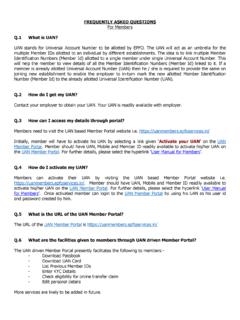
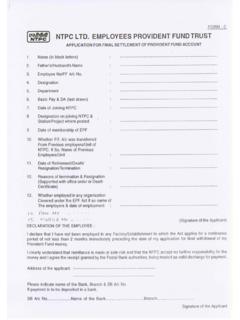
1 FAQs regarding ONLINE CLAIM SETTELMENT 1) What are the Claim Forms that can be filed from the UAN-Member Interface directly by the employee ? A) Member can apply for a. PF Final Settlement (Form19), b. Pension Withdrawal Benefit (Form10-C) and c. PF Part Withdrawal (Form31) from the Member Interface directly 2) What are the requirements from the member to be for filing Online Claims? A) Member should fulfil following conditions: a. The member should have activated his/her Universal Account Number and the mobile number used for activating UAN should be in the working condition. b. Member s AADHAAR details should be seeded in EPFO database and he should avail OTP based facility for verifying eKYC from UIDAI while submitting the claim. c.
2 Member s Bank Account along with IFSC code should be seeded in EPFO database. d. Permanent Account Number (PAN) should be seeded in EPFO database for PF Final Settlement Claims in case his/her service is less than 5 years. 3) What are the service requirements for online filing of PF Final Settlement Claims (Form-19)? A) Member should fulfil following service conditions: a. Date of Joining and Date of Exit of Member should be available in the EPFO Database. b. Member should not be working presently under any establishment coverable under PF Act. c. The Claim should be submitted not before two months after leaving Establishment. 4) What are the additional service requirements for online filing of Pension Withdrawal Benefit Claim (Form-10C)? A) Member s Total Service should be more than 6 months and less than years in addition to the conditions mentioned under 3) above for filing Pension Withdrawal Benefit Claim.
3 5) What are the service requirements for online filing of PF Part Withdrawal Claim (Form-31) (popularly known as Advance cases)? A) Member s Date of Joining should be available in the EPFO database. 6) What are the different types of Advances and service eligibilities against each? A) The service eligiblilty against different types of advances for which member can apply are as under: Type of Advance Service Eligibility 1 Housing Loan / Purchase of Site / House / Flat or for construction / addition (Para 68B (b)/(c) ) 60 2 Lockout or closure of factory (Para 68H) 0 3 Illness of member / family (Para 68J) 0 4 Marriage of self/son/daughter /brother/sister (Para 68K) 84 5 Post matriculation education of children (Para 68K) 84 6 Natural Calamity (Para 68L) 0 7 Cut in electricity in establishment (Para 68M) 0 8 Purchasing equipment by physically handicapped (Para 68N) 0 9 One year before retirement (Para 68NN) Age above 54 years 10 Investment in Varistha Pension Bima Yojana (Para 68 NNN) Age above 55 years 7) Is member required to give any document for preferring PF Part Withdrawal claim (Form-31)?
4 A) Member is not required to give any supporting document while preferring online PF Part Withdrawal case. Member s act of preferring the advance claim online will be taken as his self- declaration for having applied for the same. 8) Can member divert the payment to some other Bank Account of his other than one registered with EPFO for preferring online claims? A) No. Member can get the payment only into the Bank Account registered with EPFO and being shown to him under his UAN member interface. If the shown Bank Account is closed or if the member wants to use some other Bank Account, member should not prefer the online claim and first get the Bank Account changed through his current employer. 9) Can member apply online for advances where sanctioned amount has to be credited to Agency s Bank Account directly? A) No. 10) Is member required to submit the claim PDF generated on portal to employer / EPFO office?
5 A) No. 11) How is the member required to authenticate online claim submission? A) members applying online are required to authenticate their claim submission using OTP sent to their UIDAI registered Mobile number giving consent to UIDAI to share their e-KYC (Aadhaar) credentials to EPFO. 12) What is the process for online claim submission? A) Steps in Brief would be as follows: a. Login to the member interface using UAN credentials. b. Satisfy oneself that KYC and service eligibility conditions as mentioned against his UAN are correct and complete. c. Select the relevant claim. d. Authenticate using OTP received against the mobile registered with UIDAI to complete the online claim submission. INPUT TYPE:UAN,CLAIM TYPE,CAPTCHAUAN ACTIVATED?
6 IS MULTIPLE MEMBER ID ?YESKYC SEEDED IN EPFO?MESSAGEYESNOMSG1: ACTIVIATED UAN NECESSARY TO USE MEMBER SEEDED2. BANK A/C NO. AND IFSC SEEDEDCLAIM TYPE=19,10C1. DOE ,DOJ AVAILABLE2. CD - DOE>=2 MONTHS3. DOE- DOJ>=6 MONTHS && <= YEARS [ IN CASE 10C]4. PAN AVAILABLE ONLY WHEN SERVICE IS < 5 YEARS [ FORM 19]CLAIM TYPE=311. DOE NOT AVAILABLE2. CD-DOJ TO BE AS PER RESPECTIVE CLAIM PARAS SERVICE ELIGIBLITYYESFORM -19,10 CFORM -31 NOMSG3: SEEDED KYC DETAILS AADHAR NO, BANK A/C NO, IFSC, PAN NECESSARY TO APPLY FOR ONLINE CLAIMMSG2: ALL ACCOUNTS TO BE MERGED INTO SINGLE ACCOUNT BEFORE PROCEEDINGONLINE CLAIM CHECK ELIGIBLITY AND SUBMISSION FLOW DIAGRAMABBREVATIONSDOJ- DATE OF JOININGDOE- DATE OF EXITDOB -DATE OF BIRTHCD CURRENT DATEOTP BASED e-KYC FROM UIDAIYESYESELIGIBLEONLINE CLAIM SUBMITTEDMESSAGE AS PER FAILD CONDITION WILL BE SHOWNNONO