Transcription of Solaris Administrator’s Quick Reference - cheat …
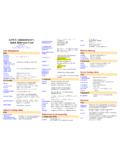
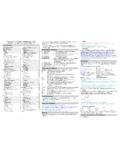
1 Solaris administrator s Quick Reference Author: Jialong He Email: ~jialong_he User Initialization /etc/profile ($HOME/.profile) sh, bash, ksh system wide (per user) init (system wide init has no effect in CDE environment). /etc/.login ($HOME/.login) csh, tcsh system wide (per user) init (system wide init has no effect in CDE environment). $HOME/.cshrc per user csh, tcsh init (order: /etc/.login $HOME/.cshrc $HOME/.login). /usr/dt/ system wide init for CDE environment (a script in ). $HOME/.dtprofile per user init for CDE environment. /etc/skel/* Templete files ( , , ) copied to new user s home directory. Network Configuration /etc/defaultdomain NIS/NIS+ domain name. /etc/defaultrouter IP address of the default router. / Internet domain name, name server and search order. An example of domain nameserver search / specifying information source from files, NIS, NIS+, or DNS. /etc/hostname.{hme0|le0} Ipv4 hostname. /etc/nodename IPv6 hostname.
2 /etc/inet/hosts Host name file (/etc/hosts is a link to this file). /etc/inet/netmasks TCP/IP subnet masks. /etc/inet/protocols Network protocols. /etc/inet/services Network service name and port number. /etc/notrouter create this file prevent or from starting at boot time. /etc/ Internet super daemon configuration file. Change hostname/IP address /etc/hostname.{hme0|le0} /etc/nodename; /etc/inet/hosts; /etc/net/*/hosts; /etc/defautrouter; / Setup Printer Local printer lpadmin p prt_name v /dev/ecpp0 -D description T PS -I postscript parallel port: {/dev/ecpp0 | /dev/bpp0} serial port: {/dev/term/a | /dev/term/b} Printer connected to a computer lpadmin p prt_name s host_name T unknow I any Network capable printer lpadmin p prt_name m netstandard v /dev/null -D description -o protocol={bsd | tcp} -o dest=prtIP:9100 port needed for tcp protocol -o banner={never | optional | always} -o timeout=300 Misc printing commands lpadmin d prt_name set prt_name as the default printer.
3 Lpstat d show current default printer. lpstat p prt_name l show prt_name configuration. lpstat t show all printer status. Environment variables LPDEST or PRINTER User default printer. _default in / system default printer. Disable banner edit file /etc/lp/interfaces/prt_name nobanner=yes Common setting stored in file /etc/lp/printers/prt_name/configuration /usr/lib/lp/model File Sharing /etc/vfstab File mount table (local or NFS). /etc/dfs/dfstab File sharing table (NFS server). /etc/auto_master Automounter master map, sample as follow #### Master map for automounter #### /home auto_home -nobrowse /- auto_direct -ro /etc/auto_home Automount home (indirect) map, sample as follow #### mount home directory ##### jialong bluebear:/export/home/jialong /etc/auto_direct Automount direct map, sample as follow #### mount /usr/local from a server #### /usr/local bluebear:/usr/local / Volume manager configuration. share [options] pathname export NFS file systems to other computers.
4 Mount [options] filesrv:/pathname /mnt Mount remote file system. For security, when possible, mount system as readonly and nosuid. / Removable disk configuration. Sendmail Configuration /etc/ sendmail configuration file. /etc/mail/aliases aliases file. Must run newaliases after modifying aliases file. Configure a mail server Generate new configuration file cd /usr/lib/mail/cf cp /usr/ccs/bin/make Test new mail configuration file /usr/lib/sendmail C v email_address </de/null Install configuration file cd /etc/mail cp cp /usr/ pkill HUP sendmail Anti-spam make sure FEATURE(access_db) is in create /etc/mail/access with something like REJECT RELAY 550 Spammers shan't see sunlight here makemap hash /etc/mail/access < /etc/mail/access CDE configuration $HOME/.dtprofile per user CDE init file, gemerated from /{usr|etc}/dt/ $HOME/.dt/dtwmrc desktop manager configuration file (pop-up menu when right click mouse).
5 From /{usr|etc}/dt/config/ /usr/dt/appconfig/types/ copy to $HOME/.dt/ and modify it. $HOME/.dt/sessionetc per user CDE session start file (script with execute perm). $HOME/.dt/sessionexit per user CDE exit file (script with execute permission). /{usr | etc}/dt/config/C/Xresources control attribute of login screen, for example, to disable session menu, uncomment following line Dtlogin*session_menus*sensitive: False /{usr | etc}/dt/config/ session resource, for example, to disable automatic screen lock, set timout to 0 dtsession*lockTimeout: 0 $HOME/.dt/sessions/{current | home} current (home) session files. /{usr | etc}/dt/config/Xconfig configuration file for login screen (dtconfig), after change use dtconfig reset /usr/dt/config/Xstartup this script run after user login but before user session. /usr/dt/config/Xaccess Control access to Xserver. /usr/dt/bin/Xsession start CDE session /usr/dt/ * Scripts auto executed by Xsession. usr/dt/ start OpenWindow session.
6 /usr/dt/config/Xreset Command executed after the session end. /usr/dt/bin/dtconfig e|-d|-kill -e|-d: enable (disable) autostart login server. -kill: kill dtlogin and all its child process. $HOME/.dt/icons $/{usr|etc}/dt/appconfig/icons/C default icons search path. System Configuration /etc/passwd, /etc/shadow, /etc/group user account information. /etc/ftpusers users NOT allowed to use FTP. /etc/system Kernel parameters Example: disable execution in stack set noexec_user_stack=1 set noexec_user_stack_log=1 set maxuprc = 128 # maximum no. of user process set sys:coredumpsize = 0 # prevent core dump / , ($HOME/.rhosts) system wide (per user) trust hosts. /etc/motd, (/etc/issue) message after (before) login. /etc/shells allowed shell program. /etc/initab run level configuration. /etc/rc{S, | 1 | 2 | 3 | 5 | 6}.d scripts for different run levels. /etc/bootparams configuration file. / pluggable authentication configuration file. / power configuration.
7 / BSD printer configuration. /etc/magic used by file command to determine file type. /etc/security/* security audit related files. / system log daemon configuration file. /etc/notrouter specify this host is not a router. Default info for various programs /etc/default/power power management parameters. /etc/default/Solregis put DISABLE=1 to disable Solaris registration screen. /etc/default/su settings for su command. /etc/default/sys-suspend users permitted to put system in suspend mode. /etc/default/passwd minimum password length. /etc/default/login login related settings, put CONSOLE=/dev/console disable root login by telnet (rlogin). /etc/default/init time zone, CMASK (default 022) /etc/default/kbd KEYBOARD_ABORT=disable Application Configuration /etc/ssh2/ssh2_configure ($HOME/.ssh2/ssh2_config) SSH client system wide (per user) configuration file. /etc/ssh2/sshd2_config ($HOME/.ssh2/sshd2_config) SSH server system wide (per user) configuration file.
8 Setup SSH2 to accept hostbased authtication (1) Server side In sshd2_config, includes hostbased, like this AllowedAuthentications hostbased, publickey, password In /etc/hosts, use client s full qualified domain name (FQDN). In .rhosts (.shosts), also use FQDN, make user these files are owned by that user and not writeble by other users. Copy client s to server s /etc/ssh2/knownhosts and name it as ( , ). (2) Client side In ssh2_config, includes hostbased authentication, like this AllowedAuthentications hostbased, publickey, password Also need to set DefaultDomain keyword, like DefaultDomain /usr/local/ system wide PINE configuration, overwrite by $HOME/.pinerc /usr/local/ system wide PINE configuration, NOT overwrite by ~/.pinerc ( ) Apache web server configuration file. ( ) Samba (window server) configuration file. ( ) Miscellaneous Commands SUN patch files and freeware Forget root password boot s cdrom find out root partition with format command mount /dev/dsk/c0t0d0s0 /mnt (suppose c0t0d0s0 is root part.)
9 Edit /mnt/etc/shadow Disable auto-logout feature for tcsh Put following line in .cshrc or .tcshrc unset autologout edit /etc/inittab remove sc:234:respawn:/usr/lib/saf/sac t 300 disable serial device (modem) login. showmount e host_name show export file systems on host_name. rpcinfo p host_name check RPC services on host_name. ldd program show what dynamic libraries needed by program. LD_LIBRARY_PATH is the search path for dynamic libraries. useradd d homedir u UID g GID c comment s shell add new user account. man foo | col b > save manual page for command foo in pure text. pkgadd d pkgfile add Solaris package file. boot r Reconfiguration system after adding new hardware. who r show current run level. volcheck v check if new floppy/cdrom is inserted. fuser u [-k] /cdrom Show which program is using the cdrom (or floppy). /usr/sbin/eeprom show settings in eeprom. /usr/sbin/prtconf vb show system information. find / -type f perm -4000 user root print find set UID to root program.
10 M64config res 1024x768x75 depth 24 set screen resolution, color depth for M64 frame buffer. (ffbconfig on Ultra -60) fsck F ufs y /dev/rdsk/c0t0d0s0 file system check, answer y to all questions. xv root quit set CDE screen background. / {start | stop} run a script in / directory. newfs v /dev/rdsk/c0t0d0s6 construct new file system after format. /usr/sbin/sys-unconfig reconfiguring the system. patchadd [options] patch apply patch to system. ufsdump 0uf /dev/rmt/0 / backup of all files. ufsrestore xf /dev/rmt/0 restore file from backup install_cluster q -nosave install recommended patch cluster. ndd set TCP/IP parameters eeprom change settings in eeprom, like eeprom security-mode=full Shell Programming if-then-else sh, bash, ksh if condition; then action_1; else action_2; fi csh, tcsh if (condition) then action_1; else action_2; endif foreach sh, bash, ksh for key in ; do actions; done csh, tcsh foreach key (list) actions end Rename files foreach i (*) mv $i $ end do-while sh, bash, ksh while condition; do actions; done csh, tcsh while (condition) actions end