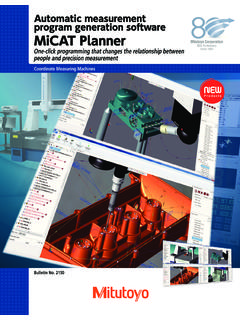
Transcription of Mitutoyo America Corporation MiCAT Planner Features
1 965 Corporate Blvd. Aurora, IL 60502 Phone: (888) Mitutoyo Fax: (630) 978-5388 CMM Mitutoyo America Corporation MiCAT Planner Features MiCAT Planner is Mitutoyo s latest software development for fast and efficient CMM part programming. Mitutoyo MiCAT Planner was developed to make the generation of measurement programs easier and faster. MiCAT Planner does this by fully automating generation of measurement programs based on CAD models containing PMI (primary GD&T) information, a DME configuration (Dimensional Measuring Equipment CMM), and a pre-defined measurement strategy. The automatic generation can be controlled by defaults or with User defined rules. If no GD&T information is available, this can be added quickly and easily. The handling of MiCAT Planner is very easy and intuitive.
2 Programs are made with just a few mouse clicks in just a few minutes instead of hours our days. 1. Import your Design Model (CAD Model) 2. Select your DME (CMM) configuration 3. Utilizing the built in intelligence, User defined Rules, and User Parameter Settings, generate the CMM Measurement Program Key Features : DME (CMM) selection Automatic part placement Automatic selection of characteristic types for evaluation feature -dependent measurement strategies GD&T Wizard for Design Models without PMI data Program generation Features : Design model import o Siemens PLM NX/Unigraphix o PTC ProE/Creo o Dassault Systems CATIA v5 o ACIS (*.sat) Verification and editing of the automatically created measurement plan Characteristic based sensor selection chooses the best probe orientation Tool path minimized automatically for measuring sequence and probe changes Measurement program generation Translation of a measurement program to a GEOPAK part program Benefits: Up to 90% time reduction for making CMM part programs, increased production & work flow Error free creation of part programs with easy checking and refinement, less rework & inspection cycle time Defined measurement strategies applied automatically, consistent measurement practices Design model support with or without PMI data, increased electronic data flexibility 1 2 3 12 of 36 965 Corporate Blvd.
3 Aurora, IL 60502 Phone: (888) Mitutoyo Fax: (630) 978-5388 CMM Mitutoyo America Corporation Design Model Support ProE: 16 Wildfire 5 | Creo Parametric: 1 to w/PMI UG: 11 to 18 | NX: 1 to 8 w/PMI CATIA v5: R6 to 23 w/PMI ACIS In order to generate a measurement program, the design model must have PMI (product manufacturing information). This can be defined in the original CAD file, or added manually in MiCAT Planner using the GD&T View. DME (CMM) Gallery The DME selection gallery enables you to load CMM configurations which have been created with MCOSMOS CMM SystemManager. CMM SystemManager in MCOSMOS is used to create CMM configurations, MiCAT Planner populates the DME gallery automatically with the list of configurations contained in the Configurations directory of MCOSMOS.
4 Since each CMM configuration has its own measuring range and probe system, MiCAT Planner generates the measurement program using the selected configuration. As an example, if a CMM with a touch trigger probe is selected, then MiCAT Planner will only generate a measurement program using the sampling method of touch trigger measuring. If the CMM configuration selected includes a contact scanning probe, then MiCAT Planner allows the User to select either touch trigger or contact scanning to measure the part. The sampling method can be set globally or based on feature type. The columns in the above table are mutually exclusive of one another. MiCAT Planner Supported Equipment CMM s Probe Heads Sensors BHN PH9 & 9A TP2, 20, & 6 Bright-Strato PH10M TP200 Crysta-Apex 10MQ TP7 KN PH10T SP25M LEGEX PH6M SP600 & 600Q MACH-V & 3A PH6A SP80 STRATO-Apex PH1 MPP100 & 300 13 of 36 965 Corporate Blvd.
5 Aurora, IL 60502 Phone: (888) Mitutoyo Fax: (630) 978-5388 CMM Mitutoyo America Corporation With MiCAT Planners Program Generation Options lets the user streamline the decision making for the settings to be used for each or all project plans for Generations Settings, Collision Avoidance Settings and CNC Parameters. The Program Generation Options settings with the Users input directly influences how the measurement program is created. Generation Settings enables you to change settings for Tool selection, Evaluation order of characteristics, Placement uncertainty & Reduce runtime. Tool Selection sets the minimum percentage of feature area coverage and the maximum angle difference between the selected tool and for cylinders, circles, cones and spheres.
6 Evaluation Order of Characteristics changes the evaluation order of characteristics for the generated measurement program. Placement Uncertainty changes the allowable deviations between the physical alignment of the part and the placement of the design model in MiCAT Planner . Reduce Runtime Turn On or Off the Reduce runtime automatically process. The Reduce runtime automatically process may reduce program execution time by changing feature order and by minimizing tool changes. The Reduce runtime group also enables you to set the maximum percentage of feature area coverage reduction. Collision Avoidance Settings allows you to enable DME components and to specify various clearance distances. Enable DME components enable DME components to be included in collision avoidance clearance settings.
7 Clearance distances for move types sets the clearance distance between DME and design model between measurements, to and from a measurement, or when measuring a point. Clearance distance between DME & other non-moving objects sets the clearance distance between DME and non-moving objects such as change racks or master balls. CNC Parameters enables you to set the CNC parameters for speed and length. Speed settings controls the movement speed between the measurement approach points and the measurement speed at which the point(s) will be measured. Length settings sets the length for the Approach distance, Retraction length, and Measurement length. 14 of 36 965 Corporate Blvd. Aurora, IL 60502 Phone: (888) Mitutoyo Fax: (630) 978-5388 CMM Mitutoyo America Corporation Rules Editor The Rules Editor is used to create, change and run rules that are applied to design model Features and characteristics listed in the Plan View.
8 Rules contain pre-defined parameter settings for measuring Features or evaluating characteristics in the measurement program. The affected Features or characteristics are defined in the Criteria pane, and the parameters for those Features or characteristics are set in the Actions pane. When a new project is created, all parameters have default settings. Rules are used to change the settings to user-desired values. Since a design model can contain a large amount of Features and characteristics, setting the parameters individually for these items would be time-consuming. The Rules Editor allows you to conveniently define the criteria and quickly apply actions to that criteria. Default rules are provided for both default project templates, Touch Trigger Template and Contact Scanning Template.
9 15 of 36 965 Corporate Blvd. Aurora, IL 60502 Phone: (888) Mitutoyo Fax: (630) 978-5388 CMM Mitutoyo America Corporation Plan View The MiCAT Plan View is multi-functional with User control over information displayed and with checkboxes for selecting the Features and characteristics to be included in the Measurement Plan. Included capability allows the User to specify the desired View option for Features or Characteristics. The Features are displayed in the Plan View when the Features button is selected and when a design model is imported. In the Features pane all Features of the imported design model are displayed. You can select the Features to be included in the measurement by clicking the corresponding check boxes. Additional information about each feature can be displayed, such as measurement point sets and characteristics.
10 The characteristics are displayed in the Plan View when the Characteristics button is selected and when a design model is imported. In the Characteristics pane all characteristics of the imported design model are displayed. Characteristics correspond to the GD&T annotations which are defined in the design model file. You can select which characteristics should be evaluated by clicking the corresponding check boxes. 16 of 36 965 Corporate Blvd. Aurora, IL 60502 Phone: (888) Mitutoyo Fax: (630) 978-5388 CMM Mitutoyo America Corporation Properties View Displays the information and settings for the selected feature , characteristic (1) measurement point set (2), and measurement strategy (3) in the Plan View. Settings available in the Properties View are: feature settings and information when a feature is selected Measurement settings when a measurement point set is selected: o General settings o Measurement tool settings o Measurement strategy This shows the sampling method using Touch Trigger measuring using a Measurement Strategy of 2 circles with 5 points per circle.