Transcription of HP LaserJet Pro M203 Printer series
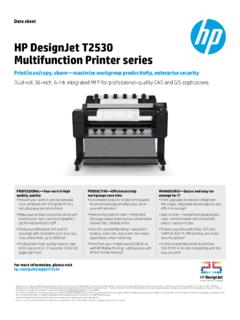
1 Data sheet HP LaserJet Pro M203 Printer series Stay a step ahead. Get more pages, performance, and protection1 from an HP LaserJet Pro powered by JetIntelligence Toner cartridges. Set a faster pace for your business: Print two-sided documents right away, and easily manage to help maximize efficiency. Fast printing, low energy use Print at the pace of business this Printer is equipped with fast two-sided printing. Grab the documents you need and go. Print first pages in as fast as Help save energy with HP Auto-On/Auto-Off Mobile printing made simple Print from iPhone and iPad with AirPrint , which automatically scales jobs to the correct paper ,13. HP LaserJet Pro M203dn Printer Easily print from a variety of smartphones and Print with the ease of sending an email, right from a smartphone, tablet, or notebook, using HP ,13.
2 Send jobs from your smartphone, tablet, or PC to any company Printer , using Google Cloud Print ,13. Manage company-wide printing with confidence Centralize control of your printing environment with HP Web Jetadmin and help build business Identify new devices and gain insight into printing with HP Web Jetadmin remote discovery and Employ policy-based, fleet-wide protection features, using optional HP JetAdvantage HP LaserJet Pro M203dw Printer Security HP quality print after print Produce sharp text, bold blacks, and crisp graphics with precision black toner. Don't be fooled by alternatives that mimic Original HP. Innovative anti-fraud technology can help ensure you're getting the quality you paid for.
3 Print over 2x more pages than standard cartridges, using optional Original HP high-yield toner Get more pages than ever before with page maximizer technology,1 and track remaining pages to help ensure you get what you paid for using print gauge Data sheet | HP LaserJet Pro M203 Printer series Product walkaround HP LaserJet Pro M203dw Printer 1. LED control panel 2. 150-sheet output bin 3. Automatic two-sided printing 4. Hi-Speed USB port, Fast Ethernet network port, access port for optional lock 1. 5. Wi-Fi Direct printing 6. Top cover access to toner cartridges 7. Built-in wireless networking ( )2. 8. 10-sheet priority input tray 9. 250-sheet multipurpose tray (shown open). series at a glance Model HP LaserJet Pro M203dn Printer HP LaserJet Pro M203dw Printer Product number G3Q46A G3Q47A.
4 Wireless capability Not available Yes Network capability 10/100 Ethernet Data sheet | HP LaserJet Pro M203 Printer series HP Services Top features Downtime can have serious consequences, so HP Help save energy without slowing down. This quiet, efficient HP LaserJet Pro Printer delivers two-sided provides support beyond the standard warranty. You documents quickly while helping to keep energy use low, so you save time and resources. benefit from reduced risk, maximized uptime, predictable service delivery and no unbudgeted Mobile printing is easier than ever with HP. Print with minimal steps from a broad range of mobile devices . repair costs. smartphones, tablets, and Choose from: Easily manage devices and settings to help make printing more efficient and secure.
5 Gain visibility into office printing and monitor supplies status and other settings with HP Web Optimized Care (optimum performance and stability): Count on consistent results Original HP Toner cartridges with JetIntelligence are designed to work flawlessly 4 hour Onsite Support, Maintenance Kit Replacement with this HP LaserJet Pro. Anti-fraud authentication helps protect your business from frustrating quality issues Service, Installation with Network Configuration and costly reprints. Service Product Standard Care (high level of uptime): G3Q46A HP LaserJet Pro M203dn Printer Next Business Day Onsite Support, Maintenance Kit G3Q47A HP LaserJet Pro M203dw Printer Replacement Service, Installation with Network Configuration Service Supplies Basic Care (minimum recommended support): CF230A HP 30A Black Original LaserJet Toner Cartridge (1,600 pages).
6 Next Business Day Onsite Support CF230X HP 30X High Yield Black Original LaserJet Toner Cartridge (3,500 pages). CF232A HP 32A Original LaserJet Imaging Drum (23,000 pages). 4 hour Onsite Support: Onsite support within four hours after a service call HP Care Packs received within the coverage window UG086E HP 3 year Care Pack w/Next Day Exchange for LaserJet Printers UG481E HP 3 year Care Pack w/Onsite Exchange for LaserJet Printers Next Business Day Onsite Support: UG361E HP 3 year Care Pack w/Pickup and Return Support for LaserJet Printers Onsite service the next business day after the UG289E HP 3 year Care Pack w/Return to Depot Support for LaserJet Printers service call is received Protect your investment with HP Care Pack.
7 Let HP certified engineers resolve your technical issues. For more details on HP. Maintenance Kit Replacement Service: Care Pack, go to Onsite replacement of your Printer 's maintenance kit including parts, materials, and labor Paper Contact HP via phone: Asia: 65 6253 8500. Installation with Network Configuration Service: Assembly, network configuration, and basic Solutions administrator familiarization. For more information about HP Care Pack, HP Contractual, or HP Managed HP Web Jetadmin: Print Services, visit HP Universal Print Driver: HP Imaging and Printing Security Center: Data sheet | HP LaserJet Pro M203 Printer series HP LaserJet Pro M203 Printer series Model HP LaserJet Pro M203dn Printer HP LaserJet Pro M203dw Printer Product number G3Q46A G3Q47A.
8 Functions Print Print Duplex print options Automatic (standard). Print speed10 Black (A4, normal): Up to 28 ppm; Black (letter, normal): Up to 30 ppm; Black (A4, duplex): Up to 18 ipm; Black (letter, duplex): Up to 18 ipm First page out12 Black (A4, ready): As fast as sec; Black (A4, sleep): As fast as sec Print technology Laser Print resolution Black (best) Up to 1200 x 1200 dpi; Black (normal) Up to 600 x 600 dpi, HP FastRes 1200 (1200 dpi quality); Black (fine lines) Up to 1200 x 1200 dpi Print resolution technology HP FastRes 1200, HP ProRes 1200. Print cartridges number 1 Black Standard print languages PCL5c; PCL6; PS; PCLm; PDF; URF; PWG. Printer management HP Printer Assistant (UDC); HP Utility (Mac); HP Device Toolbox; HP JetAdvantage Security Manager Connectivity Standard connectivity 1 Hi-Speed USB ; 1 Ethernet 10/100 network 1 Hi-Speed USB ; 1 Ethernet 10/100 network; Wireless Mobile printing capability HP ePrint; with media presence sensor; Google Cloud Print HP ePrint; Wi-Fi Directprinting; with media presence sensor; Google Cloud Print.
9 ; HP Smart App Network ready Standard (built-in Ethernet) Standard (built-in Ethernet, Wi-Fi ). Wireless capability No Yes, built-in Wi-Fi Network capabilities 10/100 Ethernet Memory Standard: 256 MB; Maximum: 256 MB. Processor speed 800 MHz Duty cycle (monthly)13 Up to 30,000 pages; Recommended monthly page volume14: 250 to 2500. Paper handling Input 250-sheet input tray, 10-sheet priority tray Output 150-sheet output tray Media types Paper (laser, plain, photo, rough, vellum), envelopes, labels, cardstock, postcards Media weight 60 to 163 g/m . Media Sizes Custom 76 x 127 to 216 x 356 mm Dimensions (w x d x h)3 x x mm Weight kg HP LaserJet Pro M203dn Printer ; HP Black LaserJet Toner Cartridge ~1000 pages; HP HP LaserJet Pro M203dw Printer ; HP Black LaserJet Toner Starter Cartridge of ~1000 page LaserJet Imaging Drum ~23,000 pages; HIG, Setup Poster, Support flyer; Warranty Guide, yield; HP LaserJet Imaging Drum ~23,000 pages; HIG, Setup Poster, Support flyer; Warranty What's in the box2 flyer, Errata in some countries; Printer documentation and software on CD-ROM; Software Guide, flyer, Errata in some countries; Printer documentation and software on CD-ROM.
10 Drivers and documentation on CD-ROMs; CDs containing software and electronic Software drivers and documentation on CD-ROMs; CDs containing software and electronic documentation; power cord; USB cable documentation; power cord; USB cable For Windows OS: HP Software Installer; HP Software Uninstaller (exclude Win8+); HP PCL6 Printer Driver, HP Device Experience (DXP), HP Connected, Device Setup & Software; HP Printer Software included Assistant; HP Product Improvement Study; Online user manuals. For Mac OS: Welcome Screen, (Directs users to or OS App Source for LaserJet Software). Warranty features One year limited warranty Systems Windows 10, , 8, 7: 32-bit or 64-bit, 2 GB available hard disk space, CD-ROM/DVD drive or Internet connection, USB port, Internet Explorer.