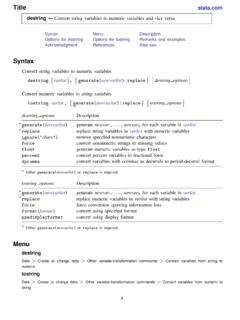
Transcription of import excel — Import and export Excel files
1 Excel Import and export Excel filesDescriptionQuick startMenuSyntaxOptions for Import excelOptions for export excelRemarks and examplesStored resultsReferencesAlso seeDescriptionimport excelloads an Excel file, also known as a workbook, into excelfilename,describelists available sheets and ranges of an Excel excelsaves data in memoryto an Excel file. Excel 1997/2003 (.xls) files and Excel 2007/2010 (.xlsx) files can be imported,exported, and described usingimport Excel , export Excel , andimport Excel , excelandexport excelare supported on Windows, Mac, and excelandexport excellook at the file extension.
2 , to determine whichExcel format to read or performance, Import excelimposes a size limit of 40 MBfor Excel 2007/2010 (.xlsx)files. Be warned that importing can severely affect your machine s Excel autofirst looks then looks notfound in the current default file extension forexport a file extension is not startCheck the contents of Excel importingimport Excel mydata, describeAs above, but Excel , describeLoad data Excel mydataAs above, but load data from cells A1:G10 ofmysheetimport Excel mydata, cellrange(A1.)
3 G10) sheet(mysheet)Read first row as lowercase variable namesimport Excel mydata, firstrow case(lower) Import onlyv1andv2import Excel v1 v2 using mydataSave data in memory Excel mydataAs above, but export variablesv1,v2, andv3export Excel v1 v2 v3 using mydata12 Import Excel Import and export Excel filesMenuimport excelFile> Import > Excel spreadsheet (*.xls;*.xlsx) export excelFile> export >Data to Excel spreadsheet (*.xls;*.xlsx)SyntaxLoad an Excel fileimport Excel [using]filename[,importexceloptions ]Load subset of variables from an Excel fileimport excelextvarlistusingfilename[,importexce loptions]Describe contents of an Excel fileimport Excel [using]filename, describeSave data in memory to an Excel fileexport Excel [using]filename[if][in][,exportexce loptions]Save subset of variables in memory to an Excel fileexport Excel [varlist]usingfilename[if][in][,exp ortexceloptions]importexceloptionsDescri ptionsheet("sheetname")
4 Excel worksheet to loadcellrange([start][:end]) Excel cell range to loadfirstrowtreat first row of Excel data as variable namescase(preserve|lower|upper)preserve the case (the default) or read variable namesas lowercase or uppercase when usingfirstrowallstring[("format")] Import all Excel data as strings; optionally, specify thenumeric display formatclearreplace data in memorylocale("locale")specify the locale used by the workbook; has noeffect on Microsoft Windowsallstring("format")andlocale()do not appear in the dialog Excel Import and export Excel files 3exportexceloptionsDescriptionMainsheet( "sheetname"[, modify|replace])save to Excel worksheetcell(start)start (upper-left) cell in Excel to begin saving tofirstrow(variables|varlabels)
5 Save variable names or variable labels to first rownolabelexport values instead of value labelskeepcellfmtwhen writing data, preserve the cell style andformat of existing worksheetreplaceoverwrite Excel fileAdvanceddatestring("datetimeformat") save dates as strings with adatetimeformatmissing("repval")save missing values asrepvallocale("locale")specify the locale used by the workbook; has noeffect on Microsoft Windowscollectis allowed withimport Excel ; see[U] Prefix ()does not appear in the dialog variable names of imported columns.
6 Anextvarlistis one or more of any of thefollowing:varnamevarname=columnnameEx ample: Import Excel make mpg weight price using , clearimports columnsA, B, C, and D from the Excel : Import Excel make=A mpg=B price=D using , clearimports columnsA, B, and D from the Excel Column C and any columns after D are for Import excelsheet("sheetname")imports the worksheet namedsheetnamein the workbook. The default is toimport the first ([start][:end])specifies a range of cells within the worksheet to specified using standard Excel cell notation, for example,A1,BC2000, that the first row of data in the Excel worksheet consists of variable names.
7 Thisoption cannot be used the first row of the cell range for variablenames ifcellrange()is exceltranslates the names in the first row to validStata variable names. The original names in the first row are stored unmodified as variable (preserve|lower|upper)specifies the case of the variable names read when using thefirstrowoption. The default iscase(preserve), meaning to preserve the variable name theASCII letters in names are changed to lowercase or uppercase. Unicode characters beyondASCII range are not [("format")]forcesimport excelto Import all Excel data as string data.
8 You canspecify the numeric display format used to convert the numeric data to string using the optionalargumentformat. See [D] data in memory before loading data from the Excel Import Excel Import and export Excel filesThe following option is available withimport excelbut is not shown in the dialog box:locale("locale")specifies the locale used by the workbook. You might need this option whenworking with extendedASCII character sets. This option has no effect on Microsoft Windows.
9 Thedefault locale for export Excel Main sheet("sheetname"[, modify|replace])saves to the worksheet namedsheetname. If there is noworksheet namedsheetnamein the workbook, a new sheet namedsheetnameis created. If thisoption is not specified, the first worksheet of the workbook is used. Ifsheetnamedoes exist in theworkbook, you can eithermodifyorreplacethe data to the worksheet without changing the cells outside the exported range. Thisoption cannot be specified withreplace, nor when overwriting the Excel the worksheet before the data are exported to be specifiedwithmodify, nor when overwriting the Excel (start)specifies the start (upper-left) cell in the Excel worksheet to begin saving to.
10 By default, export excelsaves starting in the first row and first column of the (variables|varlabels)specifies that the variable names or the variable labels be savedin the first row in the Excel worksheet. The variable name is used if there is no variable label fora given the underlying numeric values instead of the value that, when writing data, export excelshould preserve the existing worksheet scell style and format. By default, export exceldoes not preserve a cell s style or an existing Excel be specified when modifyingor replacing a given worksheet: export , sheet("", modify)orexport ("", replace).