Example: stock market

HOW TO ACTIVATE MOBILE BANKING - Bank of …

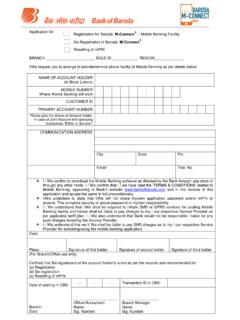
HOW TO ACTIVATE MOBILE BANKING . 1. Through the application:- Download the software (M-Connect app). through respective app stores (for smart phones) and through the link received (for JAVA phones). After the app is downloaded, enter your MOBILE number to receive OTP. Enter this OTP and proceed Create your own login password (4 digit number of your choice) and confirm the same Using the mPIN received through SMS set your own mPIN of 4 digit number. 2. Through USSD (*99#):- Dial *99#. Enter bob' or barb' In main menu, select option 7'.

HOW TO ACTIVATE MOBILE BANKING 1 Through the application:- Download the software (M-Connect app) through respective app store s (for smart

Tags:

  Mobile, Banking, How to activate mobile banking, Activate

Information

Domain:

Source:

Link to this page:

Please notify us if you found a problem with this document:

Other abuse

Advertisement

Transcription of HOW TO ACTIVATE MOBILE BANKING - Bank of …

1 HOW TO ACTIVATE MOBILE BANKING . 1. Through the application:- Download the software (M-Connect app). through respective app stores (for smart phones) and through the link received (for JAVA phones). After the app is downloaded, enter your MOBILE number to receive OTP. Enter this OTP and proceed Create your own login password (4 digit number of your choice) and confirm the same Using the mPIN received through SMS set your own mPIN of 4 digit number. 2. Through USSD (*99#):- Dial *99#. Enter bob' or barb' In main menu, select option 7'.

2 (Change mPIN). Enter mPIN received Enter mPIN of your Re enter mPIN of your through SMS _ give choice (4 digit number) choice (4 digit number). space _ enter last 4. digits of your account number

Related search queries