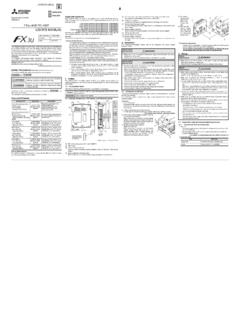
Transcription of -4DA SPECIAL FUNCTION BLOCK USER’S GUIDE
1 user S GUIDEJY992D65901 EThis manual contains text, diagrams and explanations which will GUIDE the reader in the correct installationand operation of the fx2n -4DA SPECIAL FUNCTION BLOCK and should be read and understood beforeattempting to install or use the information can be found in the FX PROGRAMMING MANUAL( ) and FX0N/FX1N/ fx2n /FX2NC/FX3U/FX3UC SERIES HARDWARE for the Safety of the user and Protection of the fx2n -4DA SPECIAL FUNCTION manual should be used by trained and competent personnel. The definition of such a person orpersons is as follows:a) Any engineer using the product associated with this manual, should be of a competent nature,trained and qualified to the local and national standards. These engineers should be fully aware ofall aspects of safety with regards to automated ) Any commissioning or service engineer must be of a competent nature, trained and qualified tothe local and national ) All operators of the completed equipment should be trained to use this product in a safe andcoordinated manner in compliance to established safety.
2 The term completed equipment refers to a third party constructed device which contains or usesthe product associated with this on the Symbols Used in this ManualAt various times throughout this manual certain symbols will be used to highlight points of informationwhich are intended to ensure the users personal safety and protect the integrity of ) Indicates that the identified danger WILL cause physical and property ) Indicates that the identified danger could POSSIBLY cause physical and propertydamage. Under no circumstances will Mitsubishi Electric be liable or responsible for any consequential damagethat may arise as a result of the installation or use of this equipment. All examples and diagrams shown in this manual are intended only as an aid to understanding thetext, not to guarantee operation.
3 Mitsubishi Electric will accept no responsibility for the actual use ofthe product based on these illustrative examples. Owing to the very great variety in possible application for this equipment, you must satisfy yourself asto its suitability for your specific INTRODUCTION The fx2n -4DA analog SPECIAL FUNCTION BLOCK has four analog output channels. The output channelstake a digital value and output an equivalent analog signal. This is known as a D/A conversion. TheFX2N-4DA has a maximum resolution of 12 bits. The selection of voltage or current based input/output is by user wiring. Analog ranges of -10 to 10 VDC (resolution: 5mV), and/or 0 to 20mA (resolution: 20 A) maybe selected independently for eachchannel. The fx2n -4DA can connected to the FX0N/FX1N/ fx2n /FX2NC/FX3U/FX3UC series ProgrammableControllers (PLC).
4 Data transfer between the fx2n -4DA and the main unit is completed buffer memory exchange. Thereare 32 buffer memories (each of 16 bits) in the fx2n -4DA. The fx2n -4DA occupies 8 I/O points on the fx2n expansion bus. The 8 I/O points can be allocatedfrom either inputs or outputs. The fx2n -4DA draws 30mA from the 5V rail of the main unit or poweredextension EXTERNAL DIMENSIONS AND PARTS3. CONNECTION WITH PLCThe fx2n -4DA unit can be connected to the PLCs as follows. Restrictions apply to the maximum numberof connectable units, depending on the DC24V/DC5V Power Supply capacities and the Main Unit/SpecialFunction Unit types. For details, refer to the respective PLC : The maximum connectable units is *1: The maximum connectable units is connect the fx2n -4AD with the FX3UC main unit, FX2NC-CNV-IF or FX3UC-1PS-5V : The maximum connectable units is 4.
5 To connect the fx2n -4DA with the FX2NC main unit, FX2NC-CNV-IF is : The maximum connectable units is : The maximum connectable units is 4. *1 Up to 7 units can be connected to an FX3UC-32MT-LT WIRINGThe terminal layout shown below may differ from the actual layout. For the correct terminal layout, refer tosection 2 External Dimensions and +V+I+VI-CH4CH3CH2CH1V+I+V+I+V+24+24-VI-V I-VI-8914( )255( )90( )87( )55( )80( )9( )765434( )CH1V+24+24-VI-Dimensions: mm (inches) Weight: Approx. kg ( lbs) Accessory: SPECIAL BLOCK number labelcExtension cabledPower indicator lamp (LED) 5 V power is supplied from the programmable controller to light this indicator supply terminals(Screw terminal: M3 ( ))fAnalog output terminals(Screw terminals: M3 ( ))g24V power indicator lamp (LED) 24V DCpower is supplied to the terminals of theFX2N-4DA to light this indicator conversion indicator lamp (LED)Flashes at a high speed if D/A conversionis performing without a for DIN railjGroove for DIN rail mounting(Width of DIN rail: 35 mm ")kHole for direct mounting (2- ) ( ) ( ) or lessFOR M3( )Handling of crimp-style terminal Be sure to use the crimp-style terminals that satisfy thedimensional requirements shown in the left figure.
6 Apply to N m torque to tighten the terminals. Firmlytighten the terminals to prevent abnormal operation.*6DC24V 10%200mA*4D grounding(100 or less)PLCE xtension cable24+24-FX -4DA2 NDC/DCconverterAG+15V+15 VCH1CH2V+I +VI -V+I +VI -*2*5*2 Mixed output from the same channel is not possible.*1*7*3 Inverter, ,etc.*1*1: Use a twisted pair shielded cable for theanalog output. This cable should bewired away from power lines or any otherlines which could induce noise.*2: Apply 1-point grounding at the load sideof the output cable (grounding: 100 orless).*3: If electrical noise or a voltage rippleexists at the output, connect a smoothingcapacitor of to F, 25V.*4: Connect the terminal on the fx2n -4DA withthe terminal on the main unit of the PLC.*5: Shorting the voltage output terminal or connectingthe current output load to the voltage outputterminal may damage the fx2n -4DA.
7 *6: The 24V DC service power of the PLC can also beused.*7: Do not connect any unit to the unused terminal 5. General Performance specification6. ALLOCATION OF BUFFER MEMORIES (BFM)Data is transmitted between the fx2n -4DA and the main unit via buffer memories (16-bit 32-point RAM).Buffer memories marked W canbe written to using the T0instruction in the main status of BFM #0, #5, and #21,(marked E) will be written toEEPROM, therefore the set valueswill be retained even after turningoff the ) [BFM #0] Output mode select: The value of BFM #0 switches the analog output between voltage andcurrent on each channel. It takes the form of a 4 digit hexadecimal number. The first digit will be thecommand for channel 1 (CH1), and the second digit for channel 2 (CH2) etc. The numeric values ofthese four digits respectively represent the following items:O = 0:Sets the voltage output mode (-10 V to +10 V).
8 O = 1:Sets the current output mode (+4 mA to 20 mA).O = 2:Sets the current output mode (0 mA to +20 mA).Switching the output mode resets the I/O characteristics to the factory-default characteristics. Refer to theperformance specifications described in section : H2110CH1: Voltage output (-10 V to +10 V)CH2 and CH3 : Current output (+4 mA to +20 mA)CH4: Current output (0 mA to +20 mA)2) [BFM #1, #2, #3 and #4]: Output data channels CH1, CH2, CH3, and CH4 BFM #1: Output data of CH1 (Initial value: 0)BFM #2: Output data of CH2 (Initial value: 0)BFM #3: Output data of CH3 (Initial value: 0)BFM #4: Output data of CH4 (Initial value: 0)ItemSpecificationGeneral specificationsSame as those for the main unitDielectric withstand voltage500V AC, 1min (between all terminals and ground)ItemCentigradeFahrenheitAnalog output range-10V DC to +10V DC (External load resistance: 2k to 1M ).
9 DC 0mA to +20mA (External load resistance: 500 ).Digital input 16 bits, binary, with sign (Effective bits for numeric value: 11 bits and sign bit (1 bit))16 bits, binary, with sign (Effective bits for numeric value: 10 bits)Resolution5mV (10V 1/2000) 20 A (20mA 1/1000)Total accuracy 1% (at full scale of +10V) 1% (at full scale of +20mA)Conversion for 4 channels (Change in the number of channels used will not change the conversion speed.)IsolationPhoto-coupler isolation between analog and digital converter isolation of power from main isolation between analog power supply 24V DC 10% 200mANumber of occupiedI/O pointsThe analog BLOCK occupies 8 I/O points.(can be either inputs or outputs)Power consumption5V, 30mA (Internal power supply from MPU or powered extension unit)I/O characteristics (Default: mode 0) Follow the procedure described in section 8 to changeMode 0 (Voltage output: -10V to +10V)At load resistance of 10k Mode 1 (Current output: +4mA to +20mA)At load resistance of 250 Mode 2 (Current output: 0mA to +20mA)At load resistance of 250 Command sent from the programmable controller can change the mode.
10 The voltage/current output mode selected will determine the output terminals outputDigital input+10V+ ,000+2, ,048+2,047 Analog output+4mADigital input+20mA0+1,000 Analog outputDigital input+20mA0+1,000 BFMD escriptionW#0 EOutput mode select. Factory setting H0000#1 Output data (Signed 16 bits binary: actual value 11 bits + sign)#1: CH1, #2: CH2, #3: CH3, #4: CH4#2#3#4#5 EData holding mode. Factory setting H0000#6, #7 ReservedCH4 CH3 CH2 CH1 HFX2N-4DA SPECIAL FUNCTION BLOCKUSER S GUIDEJY992D65901 EThis manual contains text, diagrams and explanations which will GUIDE the reader in the correct installationand operation of the fx2n -4DA SPECIAL FUNCTION BLOCK and should be read and understood beforeattempting to install or use the information can be found in the FX PROGRAMMING MANUAL( ) and FX0N/FX1N/ fx2n /FX2NC/FX3U/FX3UC SERIES HARDWARE for the Safety of the user and Protection of the fx2n -4DA SPECIAL FUNCTION manual should be used by trained and competent personnel.