Transcription of 5.3 IR REMOTE - Solid Signal
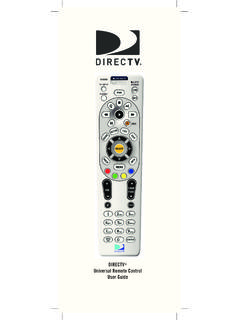
1 IR REMOTE SAT Mode Button Press to control satellite receiver TV Mode Button Press to control TV functions Power Button(s) Turn On/Off the selected mode and a separate quick TV Power button VCR Mode Button Press to control VCR functions Aux Mode Button Press to control Stereo, DVD etc. Page Up/Down Button Use to Page Up or Down in the Program Guide or in the Themes List Guide Button Displays the Program Guide and cycles through the Favorite Lists Up Button Channels up or Moves the cursor up Right/Browse Button Move cursor to the Right or opens the Browse Banner when in Satellite Mode TV/Video Button Press to switch through TV Inputs Menu Button Press to view the Main Menu Volume Button Press to lower or raise the TV sound Mute Button Turns TV sound On/Off Left/Themes Button Moves cursor to the Left or views the Themes Menu when in Satellite Mode Select Button Selects highlighted item on the TV Screen Recall Button Returns to previous channel Cancel Button Cancels the screen currently displayed Down Button Channels down or Moves the cursor down Info Button Displays program information View, View TV Button View the Program Banner while watching programming Skip Forward Button Skips forward 30 seconds in a program when using DVR functions Back.
2 Stop, Pause, Play and Fwd Buttons Functions DVR when in SAT mode, standard operation when in VCR mode dish Button Will access the dish home Interactive TV menu DVR Button To access DVR Events menu Skip Back Button Skips back 10 seconds in a program when using DVR functions Recover Button Allows easy recovery back to dish network programming and toggles through TV inputs PIP Button Used to display Picture in Picture (It is only used when satellite receiver is in Single Mode) Swap Button Used to swap Picture in Picture (It is only used when satellite receiver is in Single Mode) Position Button Used to move the location of the PIP screen (It is only used when satellite receiver is in Single Mode) Number Buttons Used to enter channel numbers, navigating the Interactive Menus, and the letters in Search Menu Pound Button Used in Sat Mode to display the Search screen Star Button Press to backspace without deleting while using the Search feature Identifier Tab Identifies the REMOTE from TV1, TV2, IR, or UHF