Transcription of A4 Printable Ruler - OnlineLabels
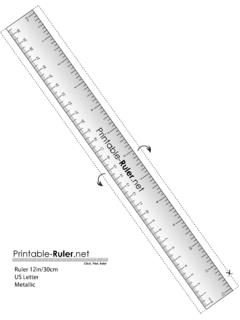
1 Cm12345678910111213141516171819202122232 4252627282930 Ruler 30cm/12in | your Ruler the right size?Place a credit card on top of the image below. Makesure it ts perfectly within the outline to ensure yourruler is printed to this page. In your printer settings,ensure Page Scaling is set to Actual Size or None. Cut out the your desired label area. For itemswith angles or curves, try taping one side ofthe Ruler to keep it in place. If you re creatinga full-wrap label, we recommend adding anoverlap of anduse the page lters to nd a matching label. InstructionsFor more help using the Printable Ruler , call us at0203 051 9664*Measurements taken with this tool should be treated as estimates only.
2 No responsibility for errors thatresult from the printing or use of these 30cm/12in | A4