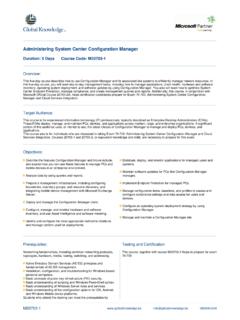
Transcription of Administering System Center 2012 Configuration …
1 Lincoln Land Community College Capital City Training Center 130 West Mason Springfield, IL 62702 217-782-7436 Administering System Center 2012 Configuration manager Course 10747A; 5 Days Course Description This five-day course provides students with the knowledge and skills to configure and manage a System Center 2012 Configuration manager site and its associated site systems in the role of Configuration manager administrators. Prerequisites Before attending this course, students must have System administrator level working knowledge of: Networking fundamentals, including TCP/IP and Domain Name System (DNS). Active Directory principles and management. Windows Server management including Windows Server 2008 and Windows Server 2008 R2. Microsoft Windows client fundamentals.
2 Deployment, Configuration , and troubleshooting for Windows-based personal computers/ Microsoft SQL Server 2008 including Reporting Services. Basic Public Key Infrastructure (PKI) concepts. Desired: Have a base-level understanding of System Center Configuration manager 2007. Course Outline Module 1: Overview of System Center 2012 Configuration manager This module describes the System Center 2012 Configuration manager feature set and explains how to manage sites by using the System Center 2012 Configuration manager Console. Lessons Introduction to System Center 2012 Configuration manager Overview of the System Center 2012 Configuration manager Architecture Overview of the Configuration manager Console Tools for Monitoring and Troubleshooting a Configuration manager Site Lab: Exploring the Configuration manager Console Exploring the Configuration manager Console Searching in the Configuration manager Console Lab: Monitoring and Troubleshooting a Configuration manager Site Configuring Status Summarizers Managing Components by Using Configuration manager Service manager Monitoring Site and Component Status Reviewing Log Files by Using Configuration manager Trace Log Tool After completing this module, students will be able to.
3 Describe the purpose and functionality of System Center 2012 Configuration manager . Describe the System Center 2012 Configuration manager architecture. Identify and locate the management features available in the Configuration manager console. Identify and use the tools available to monitor and troubleshoot a Configuration manager site. Module 2: Discovering and Organizing Resources This module explains how to configure discovery methods, configure boundaries and boundary groups, manage user and device collections, and implement role-based security. Lessons Configuring Resource Discovery Configuring Boundaries and Boundary Groups Configuring User and Device Collections Configuring Role-Based Administration Lab: Configuring Resource Discovery and Boundaries Configuring Active Directory Discovery Methods Configuring Boundaries and Boundary Groups Lab: Configuring User and Device Collections Creating a Device Collection Creating a User Collection Configuring a Maintenance Window Lab: Configuring Role-Based Administration Configuring a New Scope for Toronto Administrators Configuring a New Administrative User After completing this module, students will be able to: Configure resource discovery.
4 Configure boundaries and boundary groups. Configure user and device collections. Configure role-based administration. Module 3: Managing the Configuration manager Client This module explains how to configure client deployment methods, configure client settings, and monitor client status. Lessons Overview of the Configuration manager Client Deploying the Configuration manager Client Managing Client Settings Configuring and Monitoring Client Status Lab: Deploying the Configuration manager Client Preparing the Site for Client Installation Deploying the Configuration manager Client by Using Client Push Installation Deploying the Configuration manager Client by Using Group Policy (Optional) Lab: Managing Client Agent Settings Configuring Client Settings Lab: Configuring and Monitoring Client Status Configuring and Monitoring Client Communication and Health Status After completing this module, students will be able to: Describe the requirements for installing the Configuration manager 2012 client.
5 Describe the site roles and methods used to deploy the Configuration manager client. Describe how to configure the client settings. Describe how to monitor client health. Module 4: Managing Inventory and Software Metering This module explains how to configure and manage hardware and software inventory, monitor inventory data flow, and use Asset Intelligence and software metering. Lessons Overview of Inventory Collection Configuring Hardware Inventory Configuring Software Inventory Managing Inventory Collection Configuring Asset Intelligence Configuring Software Metering Lab: Configuring and Managing Inventory Collection Configuring Hardware Inventory Configuring Software Inventory Lab: Configuring and Managing Asset Intelligence Preparing the Site for Asset Intelligence Configuring Asset Intelligence Customizing Asset Intelligence Viewing Asset Intelligence Reports Lab: Configuring Software Metering Configuring Software Metering After completing this module, students will be able to: Describe inventory collection.
6 Configure and collect hardware inventory. Configure and collect software inventory. Manage inventory collection. Configure Asset Intelligence. Configure software metering. Module 5: Querying and Reporting Data This module explains how to create queries and run reports by using SQL Server Reporting Services. Lessons Introduction to Queries Managing Queries Configuring SQL Server Reporting Services Lab: Creating and Running Queries Creating Data Queries Creating Status Message Queries Lab: Configuring Reporting Configuring a Reporting Services Point After completing this module, students will be able to: Describe data and status message queries. Configure and manage data and status message queries. Configure and manage SQL Server Reporting Services in Configuration manager .
7 Module 6: Managing Software Deployments by Using Packages and Programs This module explains how to create and deploy packages and programs. Lessons Configuring Software Distribution Configuring Packages and Programs Distributing Content to Distribution Points Deploying Programs to Configuration manager Clients Lab: Managing Software Deployment by Using Packages and Programs Preparing the Infrastructure for Software Deployment Creating a Package and Configuring Programs Distributing Content to a Distribution Point Deploying a Program to Configuration manager Clients After completing this module, students will be able to: Describe the software distribution process and configure software distribution settings. Configure packages and programs. Distribute content to distribution points.
8 Deploy programs to Configuration manager clients. Module 7: Creating and Deploying Applications This module explains how to create and deploy applications by using the System Center 2012 Configuration manager application model. Lessons Overview of Application Management Creating Applications Deploying Applications Configuring the Application Catalog Lab: Creating and Deploying an Application Creating and Deploying a Required Application Creating and Deploying an Available Application Lab: Deploying Applications from the Application Catalog Installing and Configuring the Application Catalog Creating and Deploying Applications to the Application Catalog Installing Applications from the Application Catalog After completing this module, students will be able to: Describe application management Configuration manager .
9 Create applications. Deploy applications. Configure the Application Catalog. Module 8: Managing Application Deployment This module explains how to configure application deployment requirements, application supersedence, application un-installation, and multiple deployment types. Lessons Configuring Requirements and Dependencies for Deployment Types Configuring Multiple Deployment Types and User Device Affinity Managing Applications Lab: Advanced Application Deployment Creating User Device Affinity Creating Applications with Requirements Deploying Required Applications to Users Creating an Application with Multiple Deployment Types Lab: Managing Application Supersedence and Removal Using Application Supersedence Uninstalling the Excel Viewer Application After completing this module, students will be able to: Describe the requirements and dependencies for deployment types.
10 Configure multiple deployment types and user device affinity. Manage applications by uninstalling and replacing applications using application supersedence. Module 9: Deploying and Managing Software Updates This module explains how to deploy and manage software updates. Lessons Overview of Software Updates Preparing the Configuration manager Site for Software Updates Managing Software Updates Configuring Automatic Deployment Rules Monitoring and Troubleshooting Software Updates Lab: Configuring the Site for Software Updates Configuring and Synchronizing the Software Update Point Lab: Deploying and Managing Software Updates Determining Software Update Compliance Deploying Software Updates to Clients Configuring Automatic Deployment Rules After completing this module, students will be able to: Describe how the software updates feature integrates with System Center 2012 Configuration manager .