Example: air traffic controller
Alienware m17 R4 Setup and Specifications - Dell
Supports Power Delivery that enables two-way power supply between devices. Provides up to 5 V power output that enables faster charging. NOTE: A USB Type-C to DisplayPort adapter (sold separately) is required to connect a DisplayPort device. 4. External graphics port Connect an Alienware Graphics Amplifier to enhance the graphics performance. 5.
Tags:
Information
Domain:
Source:
Link to this page:
Documents from same domain

Dell Docking Station WD19DCS Dual Cable User Guide
dl.dell.comStation WD19DCS to supported Dell systems, the dock button works like your system's power button and you can use it to power on/sleep/force shutdown the system. NOTE: The dock button is not functional when connected to unsupported Dell systems or non-Dell systems. 4. 8 Identifying Parts and Features

Precision 3560 Setup and Specifications
dl.dell.comS4 (Hibernate) - The computer consumes the least power compared to all other sleep states. The computer is almost at an OFF state, expect for a trickle power. The context data is written to hard drive. S5 (OFF) - The computer is in a shutdown state. 10 Views of Precision 3560

Dell Precision 5560
dl.dell.comConnect the 8K display directly to a Thunderbolt port on your computer. Power on the display and than turn off the power on the display. Daisy chain two 4K monitor via WD19TB series cannot reach 4K resolution. Question. When two 4K display is connected by Daisy chain via WD19TB series docking station, it cannot reach resolution upto 4K *2 @60 ...

Dell Optimizer Version 2.0 User's Guide
dl.dell.comOct 10, 2020 · Dell Optimizer is a software application that intelligently optimizes the performance of your system by using artificial intelligence and machine learning. Dell Optimizer dynamically configures your system settings to optimize the performance of your applications.

Inspiron 15-3505 Laptop Users Guide - Dell
dl.dell.comViews of Inspiron 3505. Right. 1. SD-card slot. Reads from and writes to the SD card. The computer supports the following card types: Secure Digital (SD)

Inspiron 15 7000 Gaming Setup and Specifications
dl.dell.comInspiron 15 7000 Gaming Setup and Specifications Computer Model: Inspiron 15-7567 Regulatory Model: P65F Regulatory Type: P65F001

XPS 13 9310 Re-imaging guide for Windows - Dell
dl.dell.comExpanded compatibility Fixed device issues Support for new features However, if your computer is operating normally and there are no driver issues or updates being prompted by Windows, driver updates may be unnecessary. Updating drivers unnecessarily may create new problems.

XPS 15 9510 Re-imaging guide for Windows - Dell
dl.dell.comExpanded compatibility Fixed device issues Support for new features However, if your computer is operating normally and there are no driver issues or updates being prompted by Windows, driver updates may be unnecessary. Updating drivers unnecessarily may create new problems.

Dell Wyse USB Imaging Tool
dl.dell.comsupport for Windows 10 Enterprise LTSC 2019 (64-bit) on Wyse 5070 Thin Client, Wyse 5470 Thin Client and Wyse 5470 All-in-One Thin Client. Key features USB Imaging Tool has the following key features: Provision to push an Image from a network.

Dell EMC OpenManage Enterprise Release Notes
dl.dell.comOct 01, 2021 · Enterprise's system management and monitoring is best suited for enterprise LANs and is not recommended for usage over WANs. For information about supported browsers, see the OpenManage Enterprise Support Matrix available on the support site. With OpenManage Enterprise, a web-based one‑to‑many systems management application, users can:
Related documents
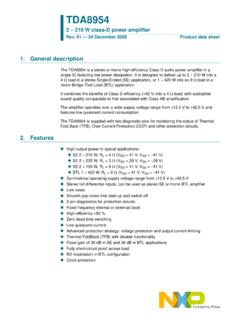
TDA8954 2 × 210 W class-D power amplifier - NXP
www.nxp.comThe TDA8954 is a stereo or mono high-efficiency Class D audio power amplifier in a single IC featuring low power dissipation. It is designed to deliver up to 2 × 210 W into a mono Bridge-Tied Load (BTL) application. sound quality comparable to that associated with Class AB amplification. The amplifier operates over a wide supply voltage range ...

Professional Power Amplifiers - QSC Audio Products
www.qsc.comStereo Mode (both channels driven) Continuous average output power per channel 8Ω / FTC 20 Hz - 20 kHz / 0.1% THD 185 W 260 W 350 W 450 W 800 (650**) W 1050 W 8Ω / EIA 1 kHz / 0.1% THD 200 W 280 W 360 W 500 W 850 W 1100 W
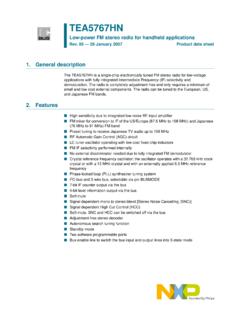
TEA5767HN Low-power FM stereo radio for handheld …
www.sparkfun.com100 kΩ 10 kΩ 47 Ω vcc(vco) 12 Ω 22 nf d1 l3 d2 l2 22 nf level adc if counter limiter demodulator iref resonance amplifier software programmable port mux i2c-bus and 3-wire bus vccd gain stabilization power supply soft mute mpx decoder crystal oscillator tea5767hn vcca 2 n1 1, 10, 20, 21, 30, 31, 40 n.c. 12 busmode pilot mono
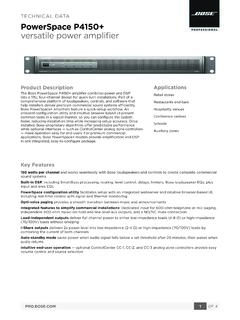
PROFESS IONA L versatile power amplifier
assets.bose.comOutput Limit LED Amber: Amplifier limiting an output. Blinking red: Amplifier muted. Solid red: Amplifier or thermal fault. Controls, Front Panel Power On/Off Controls, Rear Panel RJ-45 remote input for CC-1, CC-2 and CC-3 ControlCenter zone controllers, mute, output attenuators. ELECTRICAL Mains Voltage 100 VAC – 240 VAC (±10%, 50/60 Hz)
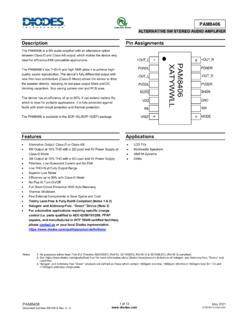
ALTERNATIVE 5W STEREO AUDIO AMPLIFIER
www.diodes.comALTERNATIVE 5W STEREO AUDIO AMPLIFIER Description The PAM8406 is a 5W audio amplifier with an alternative option between Class-D and Class-AB output, which makes the device very ideal for efficiency-EMI compatible applications.

SET UP GUIDE - Mood Media
us.moodmedia.com2 Adjust the volume on your amplifier or amplified speakers down completely. Then turn off your amplifier, old music player, and/or amplified speakers. You’ll be prompted to increase the volume later. 3 Disconnect the power and remove all cables from the old player. 4 Remove the old music player and its power supply.
Inspiron 3580 Setup and Specifications - Dell
dl.dell.com1 Power-adapter port Connect a power adapter to provide power to your computer. 2 HDMI port Connect to a TV or another HDMI-in enabled device. Provides video and audio output. 3 Network port Connect an Ethernet (RJ45) cable from a router or a broadband modem for network or Internet access. 4 USB 3.1 Gen 1 ports (2)

Four ADC, Two DAC, Low Power Codec with Audio DSPs Data ...
www.analog.comFour ADC, Two DAC, Low Power Codec with Audio DSPs Data Sheet ADAU1787 Rev. A Document Feedback Information furnished by Analog …