Transcription of Archer MR200 User Guide - TP-Link
1 1910011340 Archer MR200 user GuideAC750 Wireless dual band 4G LTE RouterContentsAbout This GuideChapter 1. Get to Know About Your 4G LTE Router .. 21. 1. Product Overview .. 31. 2. Main Features.. 41. 3. Panel Layout .. 51. 3. 1. Top View.. 51. 3. 2. The Back Panel .. 6 Chapter 2. Connect the Hardware.. 82. 1. Requirements for Operation .. 92. 2. Position Your 4G LTE Router.. 92. 3. Connect Your 4G LTE Router .. 9 Chapter 3. Log into Your 4G LTE Router.. 12 Chapter 4. Set Up Internet Connections .. 144. 1. Use Quick Setup Wizard .. 154. 2. Create a Connection Profile.. 154. 3. Test Internet Connectivity .. 16 Chapter 5. Bandwidth Control .. 18 Chapter 6. Network Security.. 226. 1. MAC Filtering .. 236.
2 2. Access Control .. 256. 3. IP & MAC Binding.. 27 Chapter 7. Parental Controls.. 29 Chapter 8. SMS .. 338. 1. View Messages.. 348. 2. Edit and Send a New Message .. 348. 3. View Sent Messages.. 358. 4. View Drafts.. 358. 5. SMS Settings.. 36 Chapter 9. Guest Network .. 379. 1. Create a Network for Guests .. 389. 2. Customize Guest Network Options.. 38 Chapter 10. NAT Forwarding.. 4010. 1. Share Local Resources in the Internet by Virtual Server.. 4110. 2. Open Ports Dynamically by Port Triggering.. 4210. 3. Make Applications Free from Port Restriction by DMZ .. 4310. 4. Make Xbox Online Games Run Smoothly by UPnP .. 44 Chapter 11. Specify Your Network Settings .. 4611. 1. PIN Management.. 4711. 2. Data Settings.
3 4811. 3. LAN Settings .. 4911. 3. 1. Change the LAN IP Address .. 4911. 3. 2. Use the 4G LTE Router as a DHCP Server .. 4911. 3. 3. Reserve LAN IP Addresses .. 5011. 4. Wireless Settings .. 5111. 4. 1. Specify Basic Wireless Settings.. 5111. 4. 2. Use WPS for Wireless Connection.. 5311. 4. 3. Schedule Your Wireless Function .. 5511. 4. 4. View Wireless Information.. 5611. 4. 5. Advanced Wireless Settings .. 5711. 5. Set Up a Dynamic DNS Service Account.. 5811. 6. Create Static Routes .. 5911. 7. Set up a VPN Connection .. 61 Chapter 12. Administrate Your Network .. 6612. 1. Set System Time and Region.. 6712. 2. Update the Firmware.. 6812. 3. Back up and Restore Configuration Settings.. 6812. 4. Change the Administrator Account.
4 6912. 5. Local Management.. 7012. 6. Remote Management .. 7012. 7. System Log .. 7112. 8. Monitor the Internet Traffic Statistics.. 7312. 9. CWMP Settings.. 7412. 10. SNMP Settings .. 76 Appendix A: Specifications .. 78 Appendix B: Troubleshooting.. 801 About This GuideThis Guide provides details of each function and shows how to configure the router appropriate to your needs. In addition to this Guide , a Quick Installation Guide is also released with each TP-Link router, you are suggested to configure your router for quick Internet setup by following the published Quick Installation Guide before you get started with a further this Guide the following conventions are used:ConventionDescriptionmodem router/routerStands for AC750 Wireless dual band 4G LTE Router without any provided in the screenshots are just references for setting up the device, which may differ from the actual situation.
5 You can set the parameters according to your demand. screenshots The demonstrated screenshots may look a little different from the actual web page of your device due to the various firmware versions. Please just configure your product based on the actual web ItalicHyperlinks are in blue italic. You can click to redirect to a website or a specific section. BlueContents to be emphasized and texts on the web page are in blue, including the menus, items, buttons, etc.>The menu structures to show the path to load the corresponding page. For example, Advanced > Wireless > MAC Filtering means the MAC Filtering function page is under the Wireless menu that is located in the Advanced :Ignoring this type of note might result in a malfunction or damage to the :Indicates important information that helps you make better use of your on the web page Click to edit the corresponding entry.
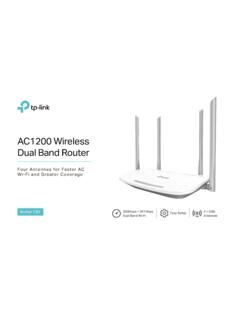
6 Click to delete the corresponding entry. Click to enable or disable the corresponding 1 Get to Know About Your 4G LTE RouterThis chapter introduces what the router can do and shows its main features and appearance. This chapter contains the following sections: Product Overview Main Features Panel Layout3 Chapter 1 Get to Know About Your 4G LTE Router1. 1. Product OverviewWhat This Product DoesThe AC750 Wireless dual band 4G LTE Router, Archer MR200 , shares the latest generation 4G LTE network with multiple Wi-Fi devices, anywhere you want. It creates simultaneous dual band Wi-Fi, with speeds up to 300 Mbps on band and 433 Mbps on 5 GHz band . Also four Ethernet ports add your wired devices to the 4G LTE - The Next Generation of Wi-FiTP-LINK s Archer MR200 comes with the next generation Wi-Fi standard , backward compatible with and 3 times faster than wireless N speeds.
7 With higher power efficiency and robust security, is the perfect way to accelerate a home multimedia network and solve congestion that multiple devices may Concurrent dual band - More Bandwidth, Less InterferenceWith 433 Mbps wireless speeds over the crystal clear 5 GHz band and 300 Mbps over the band , Archer MR200 offers you the flexibility of two dedicated networks and ensures amazing wireless performance. Simple tasks such as sending e-mails or web browsing can be handled by the band while bandwidth intensive tasks like online gaming or HD video streaming can be processed by the 5 GHz band all at the same Wi-Fi Coverage and Targeted ConnectionFeaturing two fixed external antennas and high power amplifiers, Archer MR200 is able to boost Wi-Fi coverage throughout your home.
8 Advanced Beamforming technology enables Archer MR200 to focus Wi-Fi signal to connected devices, delivering a more targeted and highly efficient wireless LAN/WAN Port - Versatile ConnectivityThe Archer MR200 supports 4G LTE or Ethernet WAN connections (EWAN), which allows users to have the flexibility of different Internet connections among LTE, cable or fiber modem using its SIM card slot and interchangeable LAN/WAN port. This unique feature makes it easier when users need to change to fiber or cable services when NetworkGuest Network Access provides secure Wi-Fi access for guests sharing your home or office network in a controlled manner without exposing private Wi-Fi access codes or other personal SupportedArcher MR200 supports IPv6, which is the foundation of the next generation of the Internet and enables a range of new services and improved user 1 Get to Know About Your 4G LTE Router1.
9 2. Main Features Supports 4G/3G/2G networkLTE: Cat4 FDD-LTE: 800 MHz (Band20)/ 900 MHz (Band8)/ 1800 MHz (Band3)/ 2100 MHz (Band1)/ 2600 MHz (Band7)TDD-LTE: 2300 MHz (Band40)/ 2600 MHz (Band38)DC-HSPA+/ HSPA+/HSPA/UMTS: 900/2100 MHzEDGE/GPRS/GSM: 850/900/1800/1900 MHz 4G LTE supported with up to 150 Mbps downloads and 50 Mbps uploads speeds (FDD-LTE) Supports - The next generation of Wi-Fi, compatible with simultaneous dual band , with maximum speed up to 300 Mbps over and 433 Mbps over 5 GHz Ethernet WAN (EWAN) offers another broadband connectivity option for connecting DSL, cable or fiber modems Guest Network Access provides secure Wi-Fi access for guests sharing your home or office network Parental Controls allows parents or administrators to establish restricted access policies for children or staff IP-based Bandwidth Control makes it easier for you to manage the bandwidth of devices connected to the router Easy wireless security encryption at a push of the WPS button IPv6 supported.
10 Meeting the demands for the next generation of Internet Wi-Fi On/Off Button allows users to turn their wireless radio on or off Easy one-touch WPA wireless security encryption with the WPS button WPA-PSK/WPA2-PSK encryptions provide user networks with active defense against security threats Easy Setup Assistant with multi-language support provides a quick & hassle free installation process Supports up to 10 IPSec VPN tunnels simultaneously, offering you the most economical way to connect to the company s central network securely Wireless Schedule lets you to turn the Wi-Fi radio on or off based on a preset timetable SPI and NAT firewall protects end- user devices from potential attacks across the Internet5 Chapter 1 Get to Know About Your 4G LTE Router1.