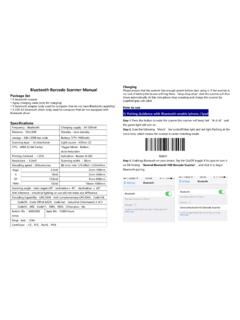
Transcription of Barcode Scanner User Manual
1 Barcode Scanner User Manual right reserved by our company, reprint,copy or sales of this Manual are forbidden without our company ClauseWe are not responsibility for errors,omissions and variation without 1 System SettingEnable/Disable Barcode Programming Programming Barcode Data *Enter SetupExit SetupW010F00W010F012 Scanning the Enter Setup/Exit Setup Barcode can enable Barcode programming. After Barcode programming is enabled, you can scan a number of programming barcodes to configure your programming is on by default. In real application,programming barcodes hardly overlap witnh on- programming barcodes, so it is unnecessary to d isable programming each time you finish the configuration. *Do Not Transmit W060F06W060F00 Programming Barcode DataTransmit Programming Barcode DataFactory DefaultsWFFD980 Restore All Factory Defaults3 Scanning the following Barcode can restore the Scanner to the factory may need to reset your Scanner when:1.
2 Scanner is not properly configured so that it fails to decode barcodes;2. you forget previous configuration and want to avoid its impact;3. functions that are rarely used have been enabled for the time ModeExample: Set the decode session timeout to 5s1. Scan the Enter Setup Scan the Decode Session Timeout Barcode . 3. Scan the numeric Barcode 5 . (See the Digit Barcodes section in Appendix)4. Scan the Save Barcode . (See the Save/Cancel Barcodes section in Appendix)5. Scan the Exit Setup Barcode .* Manual ModeW030000 Decode Session Timeout M00031D4 Decode Session Timeout: This parameter sets the maximum time decode session continues during a scan attempt. It is programmable in 1s increments from 1s to 255s. The default timeout is 15s. If the parameter is set to 0, the decode session timeout is Mode:A trigger pull activates a decode session. The decode session continues until the Barcode is decoded or the trigger is released or the decode session timeout expires.
3 Continuous ModeContinuous ModeContinuous Mode: A trigger press activates the Scanner to scan and decode at user-specified intervals, the timeout between decodes. Each decode session lasts until Barcode is decoded or the decode session timeout expires. To suspend/resume the operation, simply press the trigger. By default, the Scanner rereads same Barcode with no Session Timeout: This parameter sets the maximum time decode session continues during a scan attempt. It is programmable in 1s increments from 1s to 255s. The default timeout is 15s. If the parameter is set to 0, the decode session timeout is : Set the decode session timeout to 5s1. Scan the Enter Setup Scan the Decode Session Timeout Barcode . 3. Scan the numeric Barcode 5 . (See the Digit Barcodes section in Appendix)4. Scan the Save Barcode . (See the Save/Cancel Barcodes section in Appendix)5. Scan the Exit Setup Session TimeoutM00031DW0300025 Timeout between Decodes Timeout between Decodes:This parameter sets the timeout between decode sessions.
4 When a decode session ends, next session will not happen until the timeout between decodes expires. It is programmable in increments from to The default timeout is : Set the timeout between decodes to 5s1. Scan the Enter Setup Scan the Timeout between Decodes Barcode . 3. Scan the numeric barcodes 5 and 0 . (See the Digit Barcodes section in Appendix)4. Scan the Save Barcode . (See the Save/Cancel Barcodes section in Appendix)5. Scan the Exit Setup Delay *Reread Same BarcodeReread Same Barcode with a Delay Reread Delay sets the time period before the Scanner can read the same Barcode a second time. It protects against accidental rereads of the same Barcode . This parameter is programmable in increments from to The default delay is If the parameter is set to 0, the delay is : This parameter only applies when the Reread Same Barcode with a Delay is : Set the reread delay to 5s1. Scan the Enter Setup Scan the Reread Delay Scan the numeric barcodes 5 and 0.
5 (See the Digit Barcodes section in Appendix)4. Scan the Save Barcode . (See the Save/Cancel Barcodes section in Appendix)5. Scan the Exit Setup with No DelayW100A107 Sense ModeDecode Session Timeout Sense ModeSense Mode: The Scanner activates a decode session every time when it detects a change in ambient illumination and meets the requirement of the image stabilization timeout. Decode session continues until Barcode is decoded or the decode session timeout expires. A trigger pull can also activate a decode session. By default, the Scanner rereads same Barcode with no Session Timeout: This parameter sets the maximum time decode session continues during a scan attempt. It is programmable in 1s increments from 1s to 255s. The default timeout is 15s. If the parameter is set to 0, the decode session timeout is : Set the decode session timeout to 5s1. Scan the Enter Setup Scan the Decode Session Timeout Barcode . 3. Scan the numeric Barcode 5.
6 (See the Digit Barcodes section in Appendix)4. Scan the Save Barcode . (See the Save/Cancel Barcodes section in Appendix)5. Scan the Exit Setup Stabilization Image Stabilization Timeout: The Scanner waits for the image stabilization timeout to expire before activating a decode session every time it detects a change in ambient illumination. This parameter is programmable in increments from to The default timeout is : Set the Image Stabilization Timeout to 5s1. Scan the Enter Setup Scan the Image Stabilization Timeout Barcode . 3. Scan the numeric barcodes 5 and 0 . (See the Digit Barcodes section in Appendix)4. Scan the Save Barcode . (See the Save/Cancel Barcodes section in Appendix)5. Scan the Exit Setup Delay sets the time period before the Scanner can read the same Barcode a second time. It protects against accidental rereads of the same Barcode . This parameter is programmable in increments from to The default delay is If the parameter is set to 0, the delay is : This parameter only applies when the Reread Same Barcode with a Delay is Delay M00031 BTimeoutM00031E9*Reread Same Barcode with No Delay Reread Same Barcode with No Delay: The Scanner is allowed to reread same Barcode , ignoring the Reread Same Barcode with a Delay: The Scanner is not allowed to reread same Barcode before the reread delay disable rereads of same Barcode , enable the Reread Same Barcode with a Delay and set the delay to : Set the reread delay to 5s1.
7 Scan the Enter Setup Scan the Reread Delay Scan the numeric barcodes 5 and 0 . (See the Digit Barcodes section in Appendix)4. Scan the Save Barcode . (See the Save/Cancel Barcodes section in Appendix)5. Scan the Exit Setup Barcode . W100A00 Reread Same Barcodewith a DelayW100A1010 Sensitivity: This parameter specifies the degree of acuteness of the Scanner s response to changes in ambient illumination. The higher the sensitivity, the lower requirement in illumination change to trigger the Scanner . You can select an appropriate degree of sensitivity that fits the ambient SensitivityMedium Sensitivity * Low SensitivityCustom SensitivityWFF0305 WFF0310 WFF0330M00031A11 Sensitivity levels range from 0 to 255. The smaller the number, the higher the Trigger ModeCommand Trigger ModeCommand Trigger Mode: Decode session is activated by a host command. The decode session continues until the Barcode is decoded or the decode session time out Session Timeout: This parameter sets the maximum time decode session continues during a scan attempt.
8 It is programmable in 1s increments from 1s to 255s. The default timeout is 15s. If the parameter is set to 0, the decode session timeout is Session TimeoutW030001M00031D12 Security LevelSet Security Level to 0 Set Security Level to 1 Set Security Level to 2 Set Security Level to 3 This parameter specifies the number of times to decode a Barcode during a scan attempt. The higher the security level, the lower the error rate and decoding Read Beep*Good Read Beep OnGood Read Beep OffGood Read Beep Frequency Low *MediumHighW041200W041204 WFF10 DAWFF104 BWFF102514 Good Read Beep Duration40ms*80ms 120msWFF111 FWFF111 EWFF111 DDecode Result Notification*Enable Decode Result Disable Decode Result W203120 NotificationW203100 Notification15 Other SettingsYou can change the following parameter settings temporarily and the changes will be lost when you power down or reboot the Mode On*Silent Mode OffW400000W400040 Note: This feature is only applicable to decode beep and will be automatically disabled when the Scanner is powered down or OnOn When ScanningW0C0000W0C0004W0C000816 Chapter 2 Communication Settings IntroductionRS-232 Interface The Scanner provides an RS-232 interface, a USB interface and a PS/2 interface ( hardware version: V2 or higher) to communicate with the host device.
9 The host device can receive scanned data and send commands to control the Scanner or to access/alter the configuration information of the Scanner via the RS-232 or USB or PS/2 communication interface is usually used to connect the Scanner to a host device (like PC, POS). When the Scanner is connected to a host device through its RS-232 interface, you need to set communication parameters to match the host Rate*9600 WFFD9D3 WFFD9D012002400 WFFD9D11719200 38400 57600144001152004800 WFFD9D2 WFFD9D4 WFFD9D5 WFFD9D6 WFFD9D7 WFFD9D818 Parity CheckStop Bit*Stop Bit2 Stop Bits*NoneEven ParityOdd ParityW062900W062906W062904W012900W01290 119 Data Bit8 Data Bits*8 Data Bits, No Parity,8 Data Bits, Even Parity, 8 Data Bits, Odd Parity, 8 Data Bits,No Parity, 8 Data Bits, Even Parity , W0F290EW0F2908W082908W0F290CW0F2909W0F29 0F 2 Stop Bits2 Stop Bits 1 Stop Bit1 Stop Bit 1 Stop Bit207 Data Bits, Even Parity, 7 Data Bits, Odd Parity, 7 Data Bits, Even Parity, 7 Data Bits, Odd Parity, 8 Data Bits, Odd Parity.
10 7 Data BitsW0F290DW082900W0F2906W0F2904W0F2907W 0F29052 Stop Bits1 Stop Bit1 Stop Bit2 Stop Bits2 Stop Bits21 USB Interface *KBWUSB HID-When the Scanner is connected to a host device through its USB interface, USB HID-KBW is enabled by default. User can switch between options USB DATAPIPE, USB HID-KBW, USB COM Port Emulation and HID-POS, upon actual need.*Standard KeyboardW070901W031A00 Emulate ALT+KeypadWhen Emulate ALT+Keypad is enabled, any ASCII character (0x00 - 0xFF) is sent over the numeric keypad no matter which keyboard type is selected. Since sending a character involves multiple keystroke emulations, this method appears less ALT Make2. Enter the number corresponding to the ASCII character on the ALT BreakW031A03 Emulate ALT+Keypad22 Function Key Mapping Function Key Mapping When Function Key Mapping is enabled, function character (0x00 - 0x1F) are sent as ASCII sequences over the numeric CTRL Make2. Press function key (Refer to the ASCII Function Key Mapping Table on the following page)USB Country Keyboard TypesKeyboard layouts vary from country to country.