Example: bankruptcy
Before initial use, see “Getting Started” - Panasonic
Model No. KX-TG994SK KX-TGF975 Model shown is KX-TG994SK . Before initial use, see “Getting Started” on page 12. Thank you for purchasing a Panasonic product. Please read these operating instructions before using the unit and save them for future reference. Consulte “Guía Rápida Española”, página 100.
Tags:
Information
Domain:
Source:
Link to this page:
Documents from same domain

Operating Instructions (English) - Panasonic
help.panasonic.caOperating Instructions Model No. KX-TG9541 KX-TG9542 2-LINE Cordless Telephone with Link2Cell and Digital Answering Machine KX-TG9551 KX-TG9552 Model shown is KX-TG9541. Before initial use, see “Getting Started” on page 9. Thank you for purchasing a Panasonic product. Please read these operating instructions before using the unit and save ...
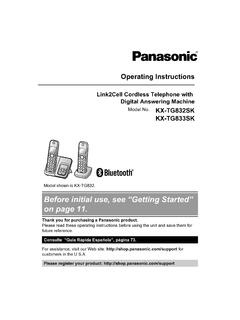
Before initial use, see “Getting Started” on page 11.
help.panasonic.caOperating Instructions Link2Cell Cordless Telephone with Digital Answering Machine Model No. KX-TG832SK KX-TG833SK Model shown is KX-TG832 . Before initial use, see “Getting Started” on page 11. Thank you for purchasing a Panasonic product. Please read these operating instructions before using the unit and save them for future reference.

Before initial use, see “Getting Started” on page 12.
help.panasonic.caModel No. KX-TGF572 KX-TGF573 KX-TGF574 KX-TGF575 KX-TG785SK Model shown is KX-TGF572. Before initial use, see “Getting Started” on page 12. Thank you for purchasing a Panasonic product. Please read these operating instructions before using the unit and save them for future reference. Consulte “Guía Rápida Española”, página 88.

Operating Manual - Panasonic
help.panasonic.calimitations specified in this manual. ROnly use a compatible base unit (or charger) to charge the batteries. Do not tamper with the base unit (or charger). Failure to follow these instructions may cause the batteries to swell or explode. Attention: A nickel metal hydride battery that is recyclable powers the product you have purchased.
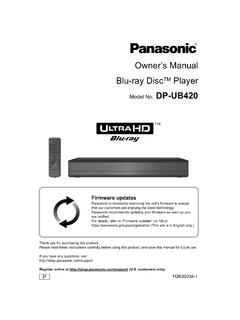
Owner’s Manual Blu-ray DiscTM Player - Panasonic
help.panasonic.caIf you wish to exercise any of the above rights and/or wish to know more about the processing of your personal data in this context, please refer to the full text of ... To enjoy Ultra HD Blu-ray Disc featured with High Dynamic Range (HDR) If you see a message about High Dynamic Range (HDR) compatible issue while an Ultra
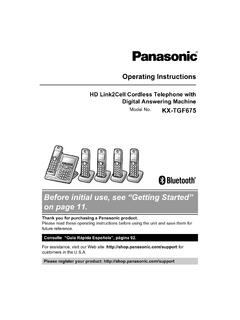
Before initial use, see “Getting Started” on page 11.
help.panasonic.caPlease call 1-800-8-BATTERY (1-800-822-8837) for information on how to recycle this battery. Important safety instructions When using your product, basic safety precautions should always be followed to reduce the risk of fire, electric shock, and injury to persons, including the following: 1. Do not use this product near water for
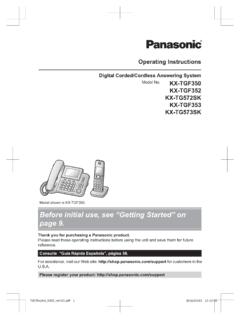
Before initial use, see “Getting Started” on page 9.
help.panasonic.caKey detector KX-TGA20*3 ... This can result in the risk of fire or electric shock. RCompletely insert the AC adaptor/power plug into the ... to overheat and cause burns. RCharge the batteries provided with or identified for use with this product only, in accordance with the

Before initial use, see “Getting Started” on page 10.
help.panasonic.caoperation of your product. WARNING Power connection RUse only the power source marked on the product. RDo not overload power outlets and extension cords. This can result in the risk of fire or electric shock. RCompletely insert the AC adaptor/power plug into the power outlet. Failure to do so may cause electric shock and/or excessive heat ...

Operating Instructions (English) - Panasonic
help.panasonic.ca1.92 GHz to 1.93 GHz, and the RF transmission power is 115 mW (max.).) R Do not use the product in health care facilities if any regulations posted in the area instruct you not to do so. …

Digital Cordless Phone with Answering Machine and ...
help.panasonic.cacommunications, place your base unit: – at a convenient, high, and central location with no obstructions between the handset and base unit in an indoor environment. – away from electronic appliances such as TVs, radios, personal computers, wireless devices, or other phones. – facing away from radio frequency transmitters, such as external ...
Related documents

KX-TGP600/KX-TPA60/KX-TPA65 Operating Instructions
primus.caModel No. KX-TPA60 Model No. KX-TGP600 KX-TPA60 KX-TPA65 SIP Wireless Desk Phone Model No. KX-TPA65 Thank you for purchasing this Panasonic product. Please read this manual carefully before using this product and save this manual for future use. Please use only the batteries provided and charge the batteries for about 6 hours before using
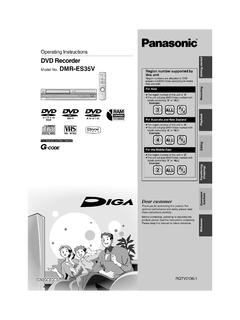
Operating Instructions - Panasonic
panasonic.caModel No. DMR-ES35V Dear customer Thank you for purchasing this product. For optimum performance and safety, please read these instructions carefully. Before connecting, operating or adjusting this product, please read the instructions completely. Please keep this manual for future reference. Region number supported by this unit
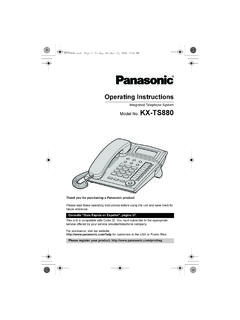
Operating Instructions - Panasonic
panasonic.aeModel No. KX-TS880 Thank you for purchasing a Panasonic product. Please read these operating instructions before using the unit and save them for future reference. This unit is compatible with Caller ID. You must subscribe to the appropriate service offered by your service provider/telephone company. For assistance, visit our website:
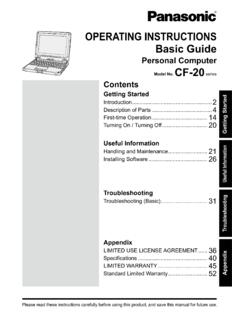
OPERATING INSTRUCTIONS Basic Guide Model No ... - …
na.panasonic.comThank you for purchasing this Panasonic product. For optimum performance and safety, please read these instructions carefully. In these instructions, the names are referred as follows. indicates Windows 10 Operating System. indicates Windows 7 Operating System. n Terms and illustrations in these instructions

Model No. DP-UB420 DP-UB320 - Panasonic
www.panasonic.comModel No. DP-UB420 DP-UB320 Thank you for purchasing this product. Please read these instructions carefully before using this product, and save this manual for future use. Unless otherwise indicated, illustrations in these operating instructions are of DP-UB420. Firmware updates Panasonic is constantly improving the unit’s firmware to ensure
Digital Cordless Phone with Answering Machine ... - Panasonic
help.panasonic.caModel No. KX-TGF372C KX-TGF373C KX-TG175CSK Model shown is KX-TG175SK. Before initial use, see “Getting Started” on page 10. Thank you for purchasing a Panasonic product. Please read these operating instructions before using the unit and save them for future reference. For assistance, please visit our Support page:
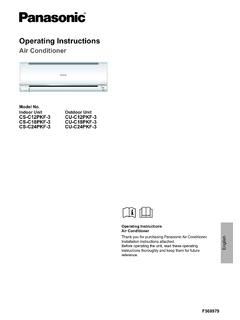
Operating Instructions - Panasonic
panasonic.aeThank you for purchasing Panasonic Air Conditioner. Installation instructions attached. Before operating the unit, read these operating instructions thoroughly and keep them for future reference. Model No. Indoor Unit Outdoor Unit CS-C12PKF-3 CS-C18PKF-3 CS-C24PKF-3 CU-C12PKF-3 CU-C18PKF-3 CU-C24PKF-3

Operating Instructions - Panasonic
www.panasonic.comIntroduction 3 Product information Thank you for purchasing a Panasonic digital cordless phone. Important: L The suffix (AL) in the following model numbers will be …