Transcription of BETTER. FASTER. MODEM UPGRADE
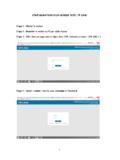
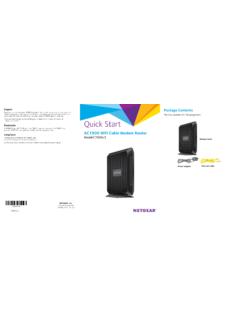
1 better . faster . MODEM UPGRADECONNECTACTIVATEINSIDE THE BOXE thernetPowerMODEM NEED HELP? CALL OR VISIT FOR INSTALLATION TUTORIAL VIDEOS TO HELP INSTALL YOUR NEW EQUIPMENT. Cable WallOutletCable/RF InEthernetCoaxElectricalOutletPowerPower Connect the cable from the cable wall outlet to the cable connection on the new MODEM . Make sure this connection is finger all the cables including the power cord from the back of the current MODEM (if a router is currently connected, unplug the power cord from the router).OnlineFlashing = WaitOnlineSteady = ReadyWait for the online connection light on the front of the MODEM (may be labeled: Online, Sync, Cable or Ready) to stop flashing and remain lit.
2 Once the light is solid, open up a web the Ethernet cable from the computer or router to the Ethernet connection on the MODEM . If connecting to a router, be sure that it is turned off at this the power cord into the MODEM and into an electrical outlet. If a router is connected, connect the power or turn it on as the registration page appears, use the account number from a monthly statement to complete the activation process. To connect to the Wi-Fi network, choose the network name or SSID and enter the pre-shared key or passphrase. This information can be found on the bottom or back of the activate your serviceModemPower CordEthernet CableWiFi@HomeP/N: 1440400002N0CM MAC 788DF7 ABAA50S/N: 24413801914 SSID: : 244138010914S/M MNMAC 788D07AN0