Example: dental hygienist
BLACKWIRE 3200 SERIES - Plantronics
PC audio performance Dynamic EQ, microphone frequency response 100 Hz–10 kHz optimal for PC wideband voice telephony (up to 6,800 Hz), hi-fi stereo (C3220/ C3225). Receive output from 20 Hz–20 kHz, enhanced digital signal processing (DSP), noise-canceling microphone, adjustable audio alerts with Plantronics Hub software (mute/volume)*
Tags:
Information
Domain:
Source:
Link to this page:
Documents from same domain

BLACKWIRE FAMILY COMPARISON GUIDE - Plantronics
www.poly.comto 7 kHz or for multimedia up to 20 Hz to 20 kHz Active noise canceling (ANC), PC wideband, hi-fi stereo Immersive audio (C5220, C5220 USB-C), dynamic EQ, wideband voice, hi-fi stereo, echo cancellation Flexible noise canceling microphone, Dynamic EQ optimized for PC wideband voice telephony up to 6.8 kHz or for multimedia 20 Hz to 20

SEE THE DETAILS POLY G7500 YOU NEVER KNEW EXISTED.
www.poly.com• Bluetooth® remote control • Cable bundle • Bundles available with cameras and touch controller VIDEO STANDARDS AND PROTOCOLS • H.264 AVC, H.264 High Profile, H.265 VIDEO INPUT • 1x HDCI • 1x HDMI • 3x USB • Camera switching via touch interface VIDEO OUT • 2x HDMI • Touch display compatible PEOPLE VIDEO RESOLUTION

User Guide
www.poly.comVoyager Focus UC User Guide PLANTRONICS + POLYCOM. NOW TOGETHER AS . Contents Overview 3 Headset 3 Charge stand* 4 USB Bluetooth adapter 4 Connect and pair 5 Connect to PC 5 Configure USB adapter 5 Pair to mobile device 5 Pair USB adapter again 6 Fit and charge 7 Wear on the right or left 7 Charge your headset 7

Bluetooth headset - Plantronics
www.poly.comBluetooth headset User Guide. Contents Headset overview 3 Be safe 3 USB Bluetooth adapter 4 Charge case overview 5 Charge case to PC or USB wall charger 5 Charge your Headset 6 Check Battery Level 6 Low battery warnings 7 Use charge case 8 Fit 9 9 9 Connect and pair 10 Connect to PC 10

Bluetooth Headset - Plantronics
www.poly.comheadset behavior through advanced settings and options. Pair USB adapter again Typically, your USB adapter is pre-paired to your headset. In the event that your adapter is disconnected or bought separately, you will need to pair the adapter to your headset. 1. Insert the high-fidelity Bluetooth USB adapter into your laptop or computer and wait for

Voyager Legend - poly.com
www.poly.comVoyager Legend supports multipoint technology, which allows you to use one headset with two different Bluetooth mobile phones. To pair your headset to a second phone, see "Pair another

GO PRO WITH POLY VVX 450 BUSINESS IP PHONE TWELVE …
www.poly.com• IETF SIP (RFC 3261 and companion RFCs) • Two-port gigabit Ethernet switch 10/100/1000Base-TX across LAN and PC ports • Conforms to IEEE802.3-2005 (Clause 40) for Physical media attachment • Conforms to IEEE802.3-2002 (Clause 28) for link partner auto-negotiation • Manual or dynamic host configuration protocol (DHCP) network setup

computer and desk phone Wireless DECT headset system for
www.poly.comDECT products should never be used outside the region in which they were originally purchased and intended to be used. The enclosed DECT wireless product uses restricted wireless radio frequencies which vary by country. Use of this DECT product in unauthorised countries is …
Savi 8210/8220 UC - Plantronics
www.poly.comDECT products should never be used outside the region in which they were originally purchased and intended to be used. The enclosed DECT wireless product uses restricted wireless radio frequencies which vary by country. Use of this DECT product in unauthorised countries is …
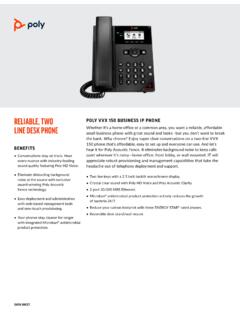
RELIABLE, TWO POLY VVX 150 BUSINESS IP PHONE LINE …
www.poly.com(VLAN), Layer 3 TOS, and DHCP • VLAN—CDP, DHCP VLAN discovery, LLDP-MED for VLAN discovery • Network Address Translation (NAT)— support for static configuration • “Keep-Alive” SIP signaling • RTCP and RTP support • Event logging • Syslog • Hardware diagnostics • Status and statistics reporting • TCP • UDP • DNS-SRV
Related documents

SigmaDSP Stereo, Low Power, 96 kHz, 24-Bit Audio Codec ...
www.analog.comThe ADAU1761 is a low power, stereo audio codec with integrated digital audio processing that supports stereo 48 kHz record and playback at 14 mW from a 1.8 V analog supply. The stereo audio ADCs and DACs support sample rates from 8 kHz to 96 kHz as well as a digital volume control. The SigmaDSP® core features 28-bit processing (56-bit double

Z906 5.1 SURROUND SOUND SPEAKER SYSTEM SYSTÈME DE …
www.logitech.comAdjust the volume by turning the control knob to the left or right 2 You can also adjust the volume on the remote control by pressing the +/- buttons INPUT LEVEL EFFECT MUTE INPUT 2 1 3 4 5 AUX ... When playing stereo audio, you can use the effect select button on the remote control or the control console to choose the type of sound you want to ...
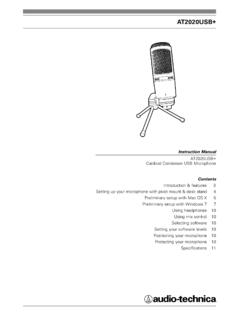
AT2020USB+ - Audio-Technica Corporation
www.audio-technica.com4 1. Capsule — Condenser microphone element with cardioid polar pattern 2. Blue LED — Blue light shows microphone is receiving USB power 3. Headphone Level Control — Dial controls headphone volume 4. Mix Control — Blends microphone and pre-recorded audio 5. Headphone Jack — 1/ 8-inch (3.5 mm) stereo jack for connecting your headphones 6. Metal Construction …
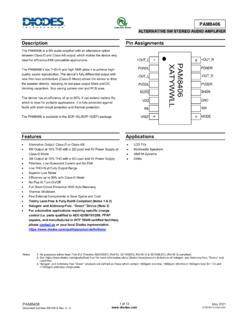
ALTERNATIVE 5W STEREO AUDIO AMPLIFIER
www.diodes.comThe PAM8406 is a 5W audio amplifier with an alternative option between Class-D and Class-AB output, which makes the device very ... control (i.e. parts qualified to AEC-Q100/101/200, PPAP ... A large signal can cause the clipping of output signal when increasing the volume. This will . damage the device from the PAM8406’s big gain.
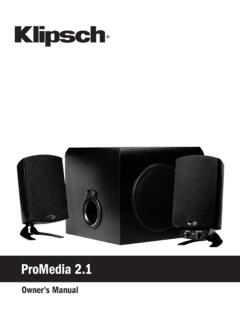
ProMedia 2 - Klipsch Audio Technologies
images.klipsch.com- Main and subwoofer level controls are properly adjusted on control pod - Computer software audio settings are adjusted for proper use - Computer system’s sound (control panel) volume is turned up If the satellites or subwoofer exhibit distortion or buzzing: - Turn down computer’s volume (via control panel), and reduce control pod volume

GMA 340 - Garmin
static.garmin.comAudio level is controlled by the selected COM radio volume control. Selection of either COM 1, COM 2, or COM 3 (13) for both MIC and audio source is accomplished by pressing either COM 1 MIC, COM 2 MIC, or COM 3 MIC (14). The active com audio is always heard on the headphones.

ES9038Q2M 32-Bit Stereo Low Power Audio DAC Analog ...
www.esstech.comThe ES9038Q2M SABRE32 Reference DAC is a very high-performance, 32-bit, stereo audio D/A converter designed for: audiophile-grade power sensitive applications such as digital music players, Blu-ray players, audio pre-amplifiers and A/V receivers, and professional applications such as recording systems, mixer consoles and digital audio workstations.