Transcription of Business Ready Configurations - Dell
1 Business Ready Configurations : Reference Architecture for VMware vSphere 4 with PowerEdge Blade Servers and dell / emc cx4 Fibre Channel Storage April 2010 Sitha Bhagvat; Balasubramanian Chandrasekaran dell Virtualization Solutions Engineering Reference Architecture for VMware vSphere 4 with PowerEdge Blade Servers and dell / emc cx4 dell Inc 2 Information in this document is subject to change without notice. Copyright 2010 dell Inc. All rights reserved. Reproduction in any manner whatsoever without the written permission of dell Inc. is strictly forbidden. This white paper is for informational purposes only and may contain typographical errors or technical inaccuracies. The content is provided as is, without express or implied warranties of any kind. dell , the dell logo, PowerEdge, PowerConnect, and OpenManage are trademarks of dell Inc.
2 Microsoft is a registered trademark of Microsoft Corporation; VMware, vSphere, vCenter, and VMotion are registered trademarks or trademarks (the "Marks") of VMware, Inc. in the United States and/or other jurisdictions. Other trademarks and trade names may be used in this document to refer to either the entities claiming the marks and names or their products. dell disclaims proprietary interest in the marks and names of others. Reference Architecture for VMware vSphere 4 with PowerEdge Blade Servers and dell / emc cx4 dell Inc 3 Table of Contents 1 Introduction 5 2 Audience and Scope 5 3 Overview 5 VMware vSphere 4 6 dell PowerEdge Blade Servers 7 dell / emc cx4 -120 Fibre Channel Arrays 8 4 Specification 10 5 Reference Architecture 12 6 Understanding the dell Blade Architecture 13 7 Network Architecture 15 Traffic Isolation using VLANs 15 Load Balancing and Failover 16 Uplinks 17 Inter Switch Links 17 vNetwork Distributed Switch 17 VMware Traffic Shaping in Virtual Switches 17 VMware Fault Tolerance 18 8 Storage Architecture 18 Storage Connectivity 18 PowerPath/VE Multipath Plugin 19 Volume Size Considerations 20 Array RAID configuration 20 9 Scalability 21 Scaling Compute Resources 21
3 Scaling Storage Resources 21 10 Management 21 Virtualization Management 22 Systems Management 23 Storage Management 24 Switch Management 24 11 Deploying and Configuring the Solution 24 12 References 27 13 Feedback 27 Reference Architecture for VMware vSphere 4 with PowerEdge Blade Servers and dell / emc cx4 dell Inc 4 Table of Figures Figure 1: Overview of dell Blade Server, dell /EMC SAN, and VMware vSphere 6 Figure 2: CX4-120 Physical View 9 Figure 3: Reference Architecture for a Large configuration 13 Figure 4: Adapter and I/O Modules Connections in Chassis for M610 14 Figure 5: Overview of Network configuration 14 Figure 6: LAN configuration 15 Figure 7: Storage Connectivity 19 Figure 8: Management Components 22 Figure 9: VMware vCenter (High Availability) configuration 23 Reference Architecture for VMware vSphere 4 with PowerEdge Blade Servers and dell / emc cx4 dell Inc 5 1 Introduction Business Ready Configurations for Virtualization are pre-configured, easy to order, bundled solutions that include dell PowerEdge servers, storage and networking combined with industry leading hypervisors.
4 This white paper provides a detailed reference architecture for VMware vSphere 4 ESXi with dell PowerEdge blade servers, dell / emc cx4 Storage array, Brocade Fibre Channel switches and PowerConnect network switches. Based on extensive engineering work in architectural design and certification, customers can quickly and confidently deploy these engineering proven architectures into production environments, thereby helping to eliminate much of the costly and time consuming trial and error often encountered during complex infrastructure design and implementation. This solution provides scalability and manageability with no single point-of-failure. Network architectures, storage Configurations , and best practices necessary for deploying and configuring vSphere are discussed in detail. 2 Audience and Scope The intended audience for this white paper is IT administrators, IT managers, and channel partners who are planning to deploy VMware virtualization using dell PowerEdge 610 blade servers, dell / emc cx4 Storage Arrays and 10Gb Ethernet network environments.
5 This white paper provides an overview of the recommended servers, storage, networking, software, and services. It can be used to plan, scope, and procure the required components to set up a virtualization infrastructure. Based on customer requirements, further customization of the recommended architecture may be required. 3 Overview Figure 1 provides a high-level product overview of VMware vSphere, dell PowerEdge blade servers, and dell / emc cx4 arrays. Reference Architecture for VMware vSphere 4 with PowerEdge Blade Servers and dell / emc cx4 dell Inc 6 Figure 1: Overview of dell Blade Server, dell /EMC SAN, and VMware vSphere VMware vSphere 4 VMware vSphere 4 includes the hypervisor (either ESX or ESXi) as well as an optional vCenter Server which is responsible for configuring, deploying, and managing VMware hosts.
6 Capabilities for the ESX/ESXi Enterprise Plus license level include: VMware VMotion: VMware VMotion technology provides real-time migration of running virtual machines from one server to another with no disruption or downtime. VMotion can be used to achieve manual load balancing and near-zero downtime maintenance. VMware Distributed Resource Scheduler (DRS): VMware DRS technology enables VMotion to automatically achieve load balancing according to resource requirements. VMware Distributed Power Management (DPM): When virtual machines in a DRS cluster need fewer resources, such as during nights and weekends, DPM consolidates workloads onto fewer servers and powers off the rest to reduce power consumption. When virtual machine resource requirements increase (such as when users log into applications in the morning), DPM brings powered-down hosts back online to ensure service levels are met.
7 VMware High Availability (HA): VMware HA provides high availability at the virtual machine level. Upon server failure, VMware HA automatically re-starts virtual machines on other physical servers. Reference Architecture for VMware vSphere 4 with PowerEdge Blade Servers and dell / emc cx4 dell Inc 7 VMware Fault Tolerance: VMware Fault Tolerance provides continuous availability for applications in the event of server failures by creating a live shadow instance of a virtual machine that is in virtual lockstep with the primary instance. VMware vNetwork Distributed Switch: VMware s vNetwork Distributed Switch spans many ESX/ESXi hosts and aggregates networking to a centralized cluster level. The vNetwork Distributed Switch abstracts configuration of individual virtual switches and enables centralized provisioning, administration and monitoring through VMware vCenter Server.
8 VMware Update Manager: VMware Update Manager automates patch management; enforcing compliance to patch standards for VMware ESX/ESXi hosts, as well as Microsoft or Linux virtual machines. Secure patching of offline virtual machines, as well as automated snapshots and rollback capabilities, helps to reduce risk. Integration with DRS allows for non-disruptive VMware ESX/ESXi patching with little-to-no administrative overhead. VMware Storage VMotion: VMware Storage VMotion enables real-time migration of running virtual machine disks from one storage array to another with no disruption or downtime. It minimizes service disruptions due to planned storage downtime previously incurred for rebalancing or retiring storage arrays. Host Profiles: Host Profiles standardize and simplify the deployment and management of VMware ESX host Configurations .
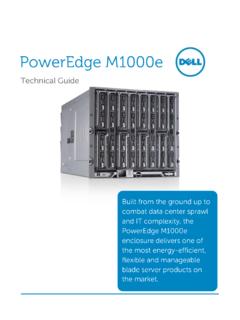
9 It captures and stores validated Configurations including networking, storage and security settings. It also makes it easy to monitor host compliance. For more information on VMware vSphere, see dell PowerEdge Blade Servers Blade Modular Enclosure: The dell PowerEdge M1000e is a high-density, energy-efficient blade chassis that supports up to sixteen half-height blade servers, or eight full-height blade servers, and six I/O modules. A high-speed passive mid-plane connects the server modules to the I/O modules, management, and power in the rear of the chassis. The enclosure includes a flip-out LCD screen (for local configuration ), six hot-pluggable/redundant power supplies, and nine hot-pluggable N+1 redundant fan modules. Blade Servers: dell s embedded management houses the tools and enablement pieces for management directly on the server, allowing administrators to perform a complete set of provisioning functions from a single, intuitive interface.
10 Zero-media low-touch deployment capabilities enable IT administrators to provision workloads in an efficient, secure, and user-friendly manner. I/O Modules: The enclosure provides three redundant fabrics using six I/O modules. The modules can be populated with Cisco Catalyst blade switches, dell PowerConnect switches, and pass-through modules. Fibre Channel and InfiniBand switch modules are also supported. Chassis Management: The dell PowerEdge M1000e blade enclosure features an embedded Chassis Management Controller (CMC) module enabling IT administrators to manage multiple enclosures from a single console. It is one of the only blade solutions to include an integrated KVM switch enabling easy setup and deployment. Through the CMC, the enclosure supports FlexAddress technology which enables the blade enclosure to lock the World Wide Names (WWN) of the Fibre Channel controllers and Media Access Control (MAC) addresses of the Ethernet controllers to specific Reference Architecture for VMware vSphere 4 with PowerEdge Blade Servers and dell / emc cx4 dell Inc 8 blade slots.