Example: confidence
CINEMATE - Bose
control conforms to the RTTE Directi ve 99/5/EC (R+TTED).The complete Declaration of Conformity can be found on <www.bose.com>. Additional safety information See the additional instructions on the Important Safety Information sheet enclosed in the shipping carton.
Tags:
Information
Domain:
Source:
Link to this page:
Documents from same domain
WAVE MUSIC SYSTEM SOUNDLINK - Bose Corporation
products.bose.com©2009 Bose Corporation, The Mountain, ... 00_SoundLink_book.book Page ii Tuesday, July 7, 2009 9:58 AM. iii English TAB 2 TAB 3 8 B A 6T B A 4T B A T TAB 5 TAB 7 IMPORTANT SAFETY INSTRUCTIONS 1. Read these instructions – for all components before using this product. 2. Keep these instructions – for future reference.
The Bose Wave Radio
products.bose.comThe Wave® radio’s 9 volt battery maintains the memory and backup alarm system for up to three days during a power failure, or while the radio is unplugged. Operating without this

5IJT 1%' JODMVEFT CPUI UIF &OHMJTI BOE UIF 'SFODI …
products.bose.comOwner’s Guide 00.SoundDock_CoverA.fm Page 1 Friday, June 1, 2007 4:18 PM ... triangle alerts the user to the presence of uninsulated, dangerous voltage within the system enclosure that may be of sufficient ... • Make sure your iPod is removed and the dock on the front is closed.
SOUNDLINK WIRELESS MUSIC SYSTEM - Bose Corporation
products.bose.comSoundLink and the distinctive design of the SoundLink system are trade- Please keep your sales receipt with this owner’s guide. marks of Bose Corporation in the U.S. and other countries. PharosOG.book Page iv Thursday, May 21, 2009 10:09 AM
The Bose Wave Radio
products.bose.comThe Bose® Wave® radio is carefully engineered to provide sound quality far beyond other radios. This guide will help you set up and operate your radio properly. ... AM antenna • One (1) AM antenna clip • One (1) peel-and-stick tape • One (1) remote control • One (1) lithium battery AA batteries Lithium battery

AVIATION HEADSET - Bose Worldwide
products.bose.com1 English Tab 2, 10 Tab 3, 11 Tab 4, 12 Tab 5, 13 Tab 6, 14 Tab 7, 15 Tab 8, 16 ADVISORIES Operational advisory The Bose® A20® Aviation Headset incorporates Acoustic Noise Cancelling® technology. As with any complex electronic device, it is possible for this
The Bose Wave Radio
products.bose.com6 Setting Up Installing the battery The Wave® radio’s 9 volt battery maintains the memory and backup alarm system for up to three days during a power failure, or while the radio is unplugged. Operating without this battery leaves the memory unprotected, but will not harm the radio.
Bose 3•2•1 Advanced Remote Control
products.bose.com4 Preparing for Use English Installing remote control batteries 1. On the back of the remote, slide open the battery compartment (Figure 1). 2. Insert the two supplied AA (IEC-R6) 1.5V
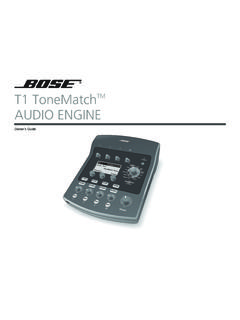
T1 ToneMatchTM AUDIO ENGINE - products.bose.com
products.bose.comii Svenska Nederlands Italiano Français Español Deutsch Dansk English QUICK PATH TO MAKING MUSIC To get sound right away 1. Remove your new T1 ToneMatch TM …
Wave Music System Multi-CD Changer - Bose
products.bose.com4 Français Español English Setup Updating your Wave® music system IMPORTANT! Your Wave® music system requires updating before it can operate the Multi-CD Changer. Be sure to use the Wave® music system UPDATE DISC supplied with your Multi-CD Changer before setting up and attempting to operate the Wave ® music system with the Multi-CD changer.
Related documents

Installation Manual: Micro Motion F-Series Coriolis Flow ...
www.emerson.cominstructions in this manual. Refer to the EU declaration of conformity for directives that apply to this product. The EU declaration of conformity, with all applicable European directives, and the complete ATEX Installation Drawings and Instructions are available on the internet at www.emerson.com or through your local Micro Motion support center.

Operating Instructions Manual Solenoid Dosing Pump Beta ...
prominent.usThe product specific operating instructions manual and the “General Operating Instructions ProMinent ... 2.4 EC Declaration of Conformity BA_BE_021_07_08_GB2.p65 6 17.07.2008, 14:35 …
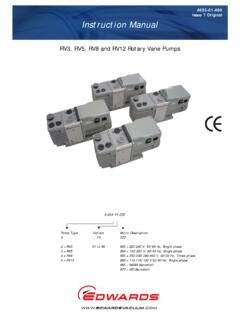
Issue T Original Instruction Manual
s3.wp.wsu.eduDeclaration of Conformity We, Edwards, Manor Royal, Crawley, ... This manual provides installation, operation and maintenance instructions for the Edwards RV3, RV5, RV8 and RV12 Rotary Vane Pumps. You must use your pump as specified in this manual.
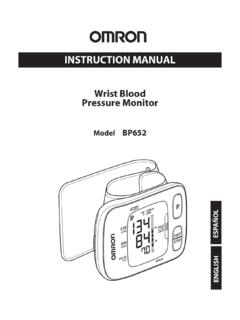
INSTRUCTION MANUAL
omronhealthcare.comGuidance and manufacturer’s declaration .....31 TABLE OF CONTENTS. 3 INTRODUCTION The monitor is compact and easy-to-use at home, at work, and during travel. ... Please read this instruction manual thoroughly before using the unit. Please ... instructions of your physician or licensed healthcare provider.
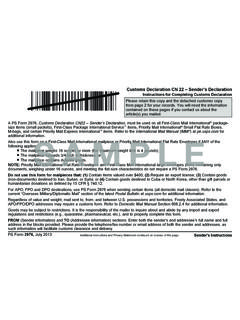
pe.usps.com SAMPLE
about.usps.comPS Form 2976, uly 2013 Customs Declaration CN 22 – Sender’s Declaration Instructions for Completing Customs Declaration A PS Form 2976, Customs Declaration CN22 – Sender’s Declaration, must be used on all First-Class Mail International® package- size items (small packets), First-Class Package International Service™ items, Priority Mail International® Small Flat Rate Boxes,

Operating Instructions Deltabar S FMD77, FMD78, PMD75
portal.endress.com3.4 CE mark, Declaration of Conformity . . . . . . . . . . 10 ... These Operating Instructions contain all the information that is required in various phases of the life cycle of the device : from product identification, in coming acceptance and storage, to mounting, connection, operation and commissioning through to troubleshooting, ...

7 series Blood Pressure Monitor o, Kyoto, 617-0002 JAPÓN ...
omronhealthcare.com9. Guidance and Manufacturer’s Declaration.. 27 Please read this instruction manual thoroughly before using the device. Please keep for future reference. For specific information about your own blood pressure, CONSULT YOUR PHYSICIAN.

Jabra Evolve 75 User Manual
www.jabra.com11 ENGLISH Jabra Evolve 75 4. How to charge 4.1 Using the charging stand Plug the charging stand into a powered USB port on your PC, docking station, or wall