Example: barber
CINEMATE - Bose
8-foot power cord* 15-foot speaker cable Speakers Large rubber feet Small rubber feet Interface module 6-foot stereo cable * The appropriate power cord for your region is …
Tags:
Information
Domain:
Source:
Link to this page:
Documents from same domain
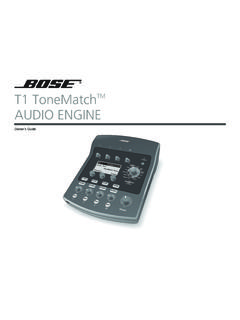
T1 ToneMatchTM AUDIO ENGINE - products.bose.com
products.bose.comii Svenska Nederlands Italiano Français Español Deutsch Dansk English QUICK PATH TO MAKING MUSIC To get sound right away 1. Remove your new T1 ToneMatch TM …
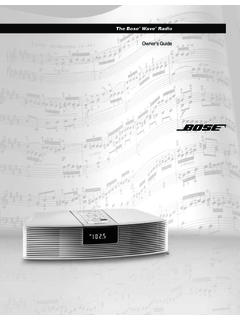
The Bose Wave Radio
products.bose.comThe Wave® radio’s 9 volt battery maintains the memory and backup alarm system for up to three days during a power failure, or while the radio is unplugged. Operating without this
5IJT 1%' JODMVEFT CPUI UIF &OHMJTI BOE UIF 'SFODI …
products.bose.comOwner’s Guide 00.SoundDock_CoverA.fm Page 1 Friday, June 1, 2007 4:18 PM ... triangle alerts the user to the presence of uninsulated, dangerous voltage within the system enclosure that may be of sufficient ... • Make sure your iPod is removed and the dock on the front is closed.
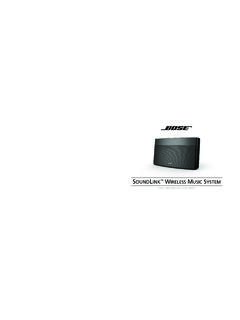
SOUNDLINK WIRELESS MUSIC SYSTEM - Bose Corporation
products.bose.comSoundLink and the distinctive design of the SoundLink system are trade- Please keep your sales receipt with this owner’s guide. marks of Bose Corporation in the U.S. and other countries. PharosOG.book Page iv Thursday, May 21, 2009 10:09 AM
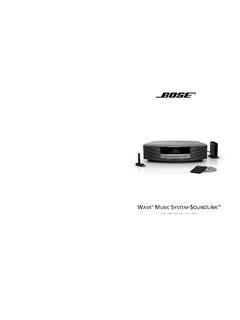
WAVE MUSIC SYSTEM SOUNDLINK - Bose Corporation
products.bose.com©2009 Bose Corporation, The Mountain, ... 00_SoundLink_book.book Page ii Tuesday, July 7, 2009 9:58 AM. iii English TAB 2 TAB 3 8 B A 6T B A 4T B A T TAB 5 TAB 7 IMPORTANT SAFETY INSTRUCTIONS 1. Read these instructions – for all components before using this product. 2. Keep these instructions – for future reference.
The Bose Wave Radio
products.bose.comThe Bose® Wave® radio is carefully engineered to provide sound quality far beyond other radios. This guide will help you set up and operate your radio properly. ... AM antenna • One (1) AM antenna clip • One (1) peel-and-stick tape • One (1) remote control • One (1) lithium battery AA batteries Lithium battery
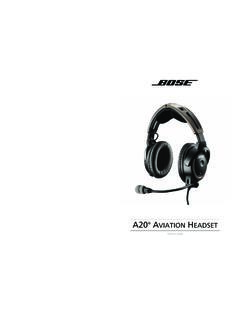
AVIATION HEADSET - Bose Worldwide
products.bose.com1 English Tab 2, 10 Tab 3, 11 Tab 4, 12 Tab 5, 13 Tab 6, 14 Tab 7, 15 Tab 8, 16 ADVISORIES Operational advisory The Bose® A20® Aviation Headset incorporates Acoustic Noise Cancelling® technology. As with any complex electronic device, it is possible for this
The Bose Wave Radio
products.bose.com6 Setting Up Installing the battery The Wave® radio’s 9 volt battery maintains the memory and backup alarm system for up to three days during a power failure, or while the radio is unplugged. Operating without this battery leaves the memory unprotected, but will not harm the radio.
Bose 3•2•1 Advanced Remote Control
products.bose.com4 Preparing for Use English Installing remote control batteries 1. On the back of the remote, slide open the battery compartment (Figure 1). 2. Insert the two supplied AA (IEC-R6) 1.5V
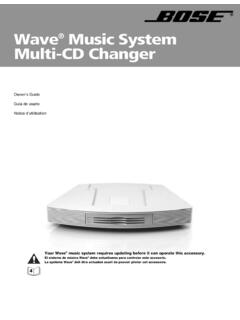
Wave Music System Multi-CD Changer - Bose
products.bose.com4 Français Español English Setup Updating your Wave® music system IMPORTANT! Your Wave® music system requires updating before it can operate the Multi-CD Changer. Be sure to use the Wave® music system UPDATE DISC supplied with your Multi-CD Changer before setting up and attempting to operate the Wave ® music system with the Multi-CD changer.
Related documents

Portable Air Conditioner User Manual - Consumer Products
www.honeywellstore.comPlug the unit into a properly grounded circuit. DO NOT plug into an extension cord. USER TIPS To ensure optimal efficiency of the product, keep doors and windows closed when it is used as an air conditioner or dehumidifier. If the product is being used with the fan function only, an open window could improve air circulation.

HP Stream Notebook PC
h10032.www1.hp.comRubber Kit (includes computer feet, rubber screw covers, and display bezel screw covers) 784533-001 Screw Kit 783046-001 Sequential part number listing Spare part number Description 539614-001 HP RJ45-to-USB adapter 701943-001 HP HDMI-to-VGA adapter 714657-001 65-W HP Smart AC adapter (non-PFC, RC, 4.5-mm)

COMPANION 3 Series II - Bose
products.bose.comInformation about products that generate electrical noise If applicable, this equipment has been tested and found to com-ply with the limits for a Class B digital device, pursuant to Part 15 of the FCC rules. These limits are designed to provide reasonable protection against harmful interference in a residential installa-tion.