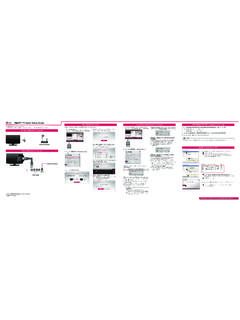
Transcription of Commercial Mode Setup Guide - LG Electronics
1 LG Setup Wizardpages 12 13 Custom Master TV Setuppages 40 42 Cloning Procedurespages 43 46 EXPERIENCED INSTALLERC ommercial Mode Setup Guide Note: Selected features shown in this Guide may not be available on all Grade Interactive Pro:Centric TVs Copyright 2015 LG Electronics , : 206-4281 (Rev A) 22LX570M28LX570M32LX570M43LX570M2206-428 1 MODEL and SERIAL NUMBERThe model and serial numbers of this TV are located on the back of the cabinet. For future reference, LG suggests that you record those numbers here: Model Serial : TO REDUCE THE RISK OF ELECTRIC SHOCK DO NOT REMOVE COVER (OR BACK). NO USER-SERVICEABLE PARTS INSIDE. REFER TO QUALIFIED SERVICE PERSONNEL. The lightning flash with arrowhead symbol, within an equilateral triangle, is intended to alert the user to the presence of uninsulated dangerous voltage within the product s enclosure that may be of sufficient magnitude to constitute a risk of electric shock to persons.
2 The exclamation point within an equilateral triangle is intended to alert the user to the presence of important operating and maintenance (servicing) instructions in the literature accompanying the :TO PREVENT FIRE OR SHOCK HAZARDS, DO NOT EXPOSE THIS PRODUCT TO RAIN OR :This product contains chemicals known to the State of California to cause cancer and birth defects or other reproductive harm. Wash hands after CORD POLARIZATION:This product is equipped with a 3-wire grounding-type alternating current power plug. This plug will fit into the power outlet only one way. This is a safety feature. If you are unable to insert the plug fully into the outlet, contact your electrician to replace your obsolete outlet.
3 Do not defeat the safety purpose of the 3-wire grounding-type TO CABLE/TV INSTALLER: This reminder is provided to call the cable TV system installer s attention to Article 820-40 of the National Electrical Code ( ). The code provides guidelines for proper grounding and, in particular, specifies that the cable ground shall be connected to the grounding system of the building, as close to the point of the cable entry as INFORMATION:This equipment has been tested and found to comply with the limits for a Class B digital device, pursuant to Part 15 of the FCC Rules. These limits are designed to provide reasonable protection against harmful interference when the equipment is operated in a residential installation. This equipment generates, uses and can radiate radio frequency energy and, if not installed and used in accordance with the instruction manual, may cause harmful interference to radio communications.
4 However, there is no guarantee that interference will not occur in a particular installation. If this equipment does cause harmful interference to radio or television reception, which can be determined by turning the equipment off and on, the user is encouraged to try to correct the interference by one or more of the following measures: Reorient or relocate the receiving antenna. Increase the separation between the equipment and receiver. Connect the equipment to an outlet on a circuit different from that to which the receiver is connected. Consult the dealer or an experienced radio/TV technician for : Do not attempt to modify this product in any way without written authorization from LG Electronics , Inc. Unauthorized modification could void the user s authority to operate this : The responsible party for this product s compliance is: LG Electronics , Inc.
5 1000 Sylvan Avenue, Englewood Cliffs, NJ 07632, USA Phone: 1-201-816-2000 WARNINGRISK OF ELECTRIC SHOCKDO NOT OPENFor Customer Support/Service, please call: 1-888-865-3026 The latest product information and documentation is available online at: and Distributed in the United States by LG Electronics , Sylvan Avenue, Englewood Cliffs, NJ 07632 Copyright 2015 LG Electronics , Read these Keep these Heed all Follow all Do not use this apparatus near Clean only with dry cloth. 7. Do not block any ventilation openings. Install in accor-dance with the manufacturer s Do not install near any heat sources, such as radiators, heat registers, stoves, or other apparatus (including amplifiers) that produce Do not defeat the safety purpose of the polarized or grounding-type plug.
6 A polarized plug has two blades with one wider than the other. A grounding-type plug has two blades and a third grounding prong. The wide blade or the third prong are provided for your safety. If the provided plug does not fit into your outlet, consult an electrician for replacement of the obsolete Protect the power cord from being walked on or pinched, particularly at plugs, convenience receptacles, and the point where it exits from the Only use attachments/accessories specified by the Use only with the cart, stand, tripod, bracket, or table specified by the manufacturer or sold with the apparatus. When a cart is used, use caution when moving the cart/apparatus combination in order to avoid injury from Refer all servicing to qualified service personnel.
7 Servicing is required when the apparatus has been damaged in any way, such as power-supply cord or plug is damaged, liquid has been spilled or objects have fallen into the apparatus, the apparatus has been exposed to rain or moisture, does not operate normally, or has been Never touch this apparatus or antenna during a thunder or lightning storm. 15. When mounting a TV on the wall, make sure not to install the TV by the hanging power and signal cables on the back of the Do not allow an impact shock or any objects to fall into the product, and do not drop objects onto the Power Cord Caution: It is recommended that appliances be placed upon a dedicated circuit; that is, a single outlet circuit which powers only that appliance and has no additional outlets or branch circuits.
8 Check the TV specifications. Periodically examine the cord of your appliance, and if its appearance indicates damage or deterioration, unplug it, discontinue use of the appliance, and have the cord replaced with an exact replacement part by an authorized servicer. Protect the power cord from physical or mechanical abuse, such as twisting, kinking, or pinching or being closed in a door or walked upon. Pay particular attention to plugs, wall outlets, and the point where the cord exits the appliance. Do not use a damaged or loose power cord. Be sure to grasp the plug when unplugging the power cord. Do not pull on the power cord to unplug the TV. 18. Overloading Do not connect too many appliances to the same AC power outlet as this could result in fire or electric shock.
9 Do not overload wall outlets. Overloaded wall outlets, loose or damaged wall outlets, extension cords, frayed power cords, or damaged or cracked wire insulation are dangerous. Any of these conditions could result in fire or electric shock. 19. Outdoor Use/Wet Location Warning: To reduce the risk of fire or electrical shock, do not expose this product to rain, moisture or other liquids. Do not touch the TV with wet hands. Do not install this product near flammable objects such as gasoline or candles or expose the TV to direct air conditioning. Do not expose to dripping or splashing and do not place objects filled with liquids, such as vases, cups, etc., on or over the apparatus ( , on shelves above the unit).20. Grounding Ensure that you connect the earth ground wire to prevent possible electric shock ( , a TV with a three-prong grounded AC plug must be connected to a three-prong grounded AC outlet).
10 If grounding methods are not possible, have a qualified electrician install a separate circuit breaker. Do not try to ground the unit by connecting it to telephone wires, lightning rods, or gas Disconnect Device The mains plug is the disconnecting device. The plug must remain readily operable. As long as this unit is connected to the AC wall outlet, it is not disconnected from the AC power source even if you turn off this unit by SWITCH.(Continued on next page)IMPORTANT SAFETY INSTRUCTIONSPORTABLE CART WARNING4206-4281(Continued from previous page)22. Outdoor Antenna Grounding If an outside antenna or cable system is connected to the product, follow the precautions below. An outdoor antenna system should not be located in the vicinity of overhead power lines or other electric light or power circuits or where it can come into contact with such power lines or circuits as death or serious injury can occur.