Example: barber
Control4 System Quick Start Guide
account and register your controller before you can use your new system (2) If your dealer has already set up a Control4 account for you, make sure you get your login (your email address) and password from your dealer for your new account The first time you access your account at customer.control4.com, you’ll need to accept the “Terms of
Tags:
Information
Domain:
Source:
Link to this page:
Documents from same domain
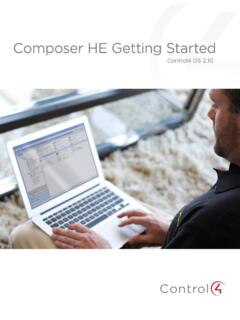
Composer HE Getting Started Guide - Control4
www.control4.comComposer HE 2.9.0 Getting Started Guide Legal notices . 2. Legal notices . Control4 disclaimer . Control4 ® makes no representations or warranties with respect to this publication, and specifically disclaims any express or implied
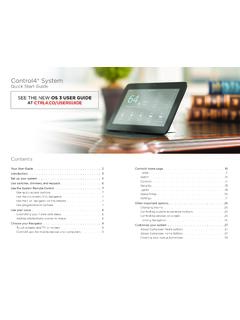
Control4 System Quick Start Guide
www.control4.comUse a dimmer 1 To use a dimmer, press and hold the top of the dimmer to slowly brighten the light, and press and hold the bottom to slowly dim it That’s all there is to it! 2 You can also use it like an on/off switch, if you’d like Press and release the top of the dimmer to ramp the light up to full brightness Press and release
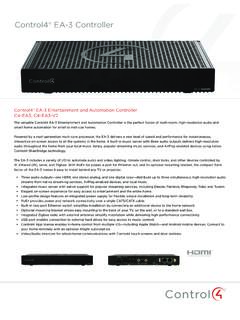
Control4® EA-3 Controller
www.control4.comControl4® EA-3 Controller The versatile Control4 EA-3 Entertainment and Automation Controller is the perfect fusion of multi-room, high-resolution audio and
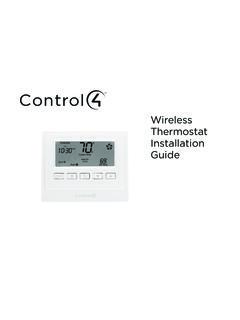
Wireless Thermostat Installation Guide - Control4
www.control4.comSupported Model CCZ-T1-W Wireless Thermostat - White WARNING! Install in accordance with all national and local electrical codes. WARNING! This product is not intended for use with line-voltage baseboard heaters.

SR-260 System Remote Control Data Sheet
www.control4.comControl4® System Remote Control SR-260 Control4 System Remote Control SR-260 (C4-SR260, C4-SR260-I) The Control4 SR-260 and SR-260-I remotes are …
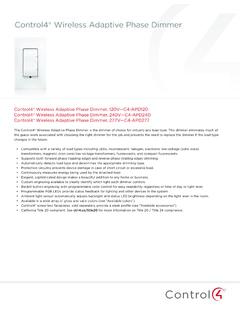
Wireless Adaptive Phase Dimmer Data Sheet
www.control4.comControl4® Wireless Adaptive Phase Dimmer The Control4® Wireless Adaptive Phase Dimmer is the dimmer of choice for virtually any load type. This dimmer eliminates much of the guess-work associated with choosing the right dimmer for the job and prevents the need to replace the dimmer if the load type changes in the future.

CONTROL4® CHIME VIDEO DOORBELL
www.control4.comChime is the first video doorbell designed for the Control4 smart home. Chime allows homeowners to see and talk to visitors while controlling the most important smart home features. Customers can see and hear who’s at the door through the Control4 mobile app or touchscreen, and a 5MP camera with a 180-degree

Control4® Wireless Switch
www.control4.comControl4® Wireless Switch The Control4® Wireless Switch provides on/off control for a variety of load types. With its robust relay and high amperage rating, the Switch can handle even high in-rush loads such as fountain pumps or large banks of fluorescent lights. It can even be used to switch wall outlets.
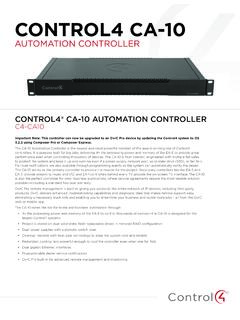
CONTROL4 CA-10
www.control4.com• 4× the processing power and memory of the EA-5 to control thousands of devices—the CA-10 is designed for the largest Control4 systems • Project is stored on dual solid-state, field-replaceable drives in mirrored RAID configuration • Dual power supplies with automatic switch-over
DUAL-WAN GIGABIT VPN ROUTER USER INTERFACE MANUAL
www.control4.comUser Interface Manual About this Manual About this Manual This manual provides installers and end users with current information regarding the installation, setup, use, and maintenance of the product. The symbols below identify important information: Pro Tip – Pro tips provide extra value, utility, or ease of use. Pro tips may also link to extra
Related documents

UniFi Cloud Key UCK-G2 Quick Start Guide
dl.ubnt.comThis Quick Start Guide is designed to guide you through installation and also includes warranty terms. ... On the Controller Access screen, create an admin account ... click Register Now and follow the on-screen prompts to create one. Accessing UniFi SDN

Designing a Divider
bwrcs.eecs.berkeley.edu1. Subtract the Divisor register from the Remainder register, and place the result in the Remainder register. 2a. Shift the Quotient register to the left setting the new rightmost bit to 1. 3. Shift the Divisor register right1 bit. Done Yes: n+1 repetitions (n = 4 here) Start: Place Dividend in Remainder n+1 repetition? No: < n+1 repetitions

HP 12c Financial Calculator Quick Start Guide
www.hp.comthe X-register. 5R6; Enters the numbers and operation from the second set of parentheses. The sum, 11, is stored in the X-register and displayed, and 7 moves up to the Y-register. * Finishes the operation and displays the results. Stores 77 in the X-register.
DCPS CAC-enabled Guide - DISA Multi-Host Internet Access ...
miap.csd.disa.milInstructions to register your DCPS Account . Note: Only one login ID can be registered with a CAC, users with multiple login IDs may elect to register the account used most often. Defense Finance and Accounting Service, March 2018

AWC03F Quick Start Guide 100220 ENGLISH - Aluratek
aluratek.com4. Locate the app(s) you want to enable camera access for and check the box alongside that app name to enable camera access for that application. To see an image from the camera in Photo Booth, you may need to select the camera from the list of attached devices in the app.

User Administration Console (UAC) Quick Start Guide
medi-calrx.dhcs.ca.govOct 21, 2020 · DHCS – UAC Quick Start Guide 6 12/20/2021 Check the box next to the desired role. Click the Save button to save your changes. Repeat steps 4-9 for each application and NPI. You will now be able to access the application(s). 4.0 Adding Additional NPIs to Your Account To add additional NPIs to your existing account, please use the following steps: