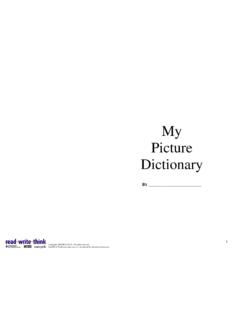
Transcription of Create Your Own Customized Picture Dictionary
1 Create your Own Customized Picture DictionaryKurzweil 3000 comes with the Kurzweil 3000 Picture Dictionary in English and Spanish of over 1300 illustrations and photos, as well as a sample set from the Mayercreate your own Picture Dictionary with your own pictures including the following formats: .bmp, .gif, .ico, .jpg or .jpeg, .tiff and wmf. 1. Create a folder with pictures . Make sure the pictures are named so that when the student highlights a name in a document the Picture will appear as a choice. Or locate a file of pictures you already own: ASL or Mayer Johnson PCS Open the Picture Dictionaries dialog box and click New. (References->Select Dictionary > Picture Dictionary -> Setup).
2 3. Click New. 4. Click Browse and navigate to your folder with pictures . (This could be a folder of your own pictures , the Mayer-Johnson Picture symbol folder, the Vcom3d Animated ALS gif folder, ANY folder of pictures .) 5. Name the folder Click OK. 6. Click OK to close the window. 7. In your document, select a word, click on the Picture button, a window will appear with pictures . Create your Own Customized Picture DictionaryKurzweil 3000 comes with the Kurzweil 3000 Picture Dictionary in English and Spanish of over 1300 illustrations and photos, as well as a sample set from the Mayer-Johnson PCS library. Follow these Create your own Picture Dictionary with your own pictures including the following formats.
3 Bmp, .gif, .ico, .jpg Create a folder with pictures . Make sure the pictures are named so that when the n a document the Picture will appear as a choice. Or locate a file of pictures you already own: ASL or Mayer Johnson PCS the Picture Dictionaries t Dictionary - and navigate to your (This could be a folder of your own Johnson Picture Animated ALS gif folder, ANY folder 7. In your document, select a word, Create your Own Customized Picture Dictionary Kurzweil 3000 comes with the Kurzweil 3000 Picture Dictionary in English and Spanish of over 1300 Johnson PCS library. Follow these steps to Create your own Picture Dictionary with your own pictures including the following formats.)
4 Bmp, .gif, .ico, .jpg Create a folder with pictures . Make sure the pictures are named so that when the n a document the Picture will appear as a choice. Or locate a file of pictures you already own: ASL or Mayer Johnson PCS Symbols.