Example: confidence
Creating a SAW Account
Creating a SAW Account. New User Login Instructions . Follow each step. First-time users must start by creating an account with SecureAccess Washington (SAW). Note: Contact Consolidated Technology Services (24 hours) at 888-241-7597 or email them at servicedesk@cts.wa.gov. if you experience problems with the SAW website. Step 1: Get started at
Tags:
Information
Domain:
Source:
Link to this page:
Documents from same domain
Calibration and Calibration Verification Requirements
www.doh.wa.gov2 Calibration verification means the testing of materials of known concentration in the same manner as patient samples to assure the test system is …
Home Care Aide Certification Application Packet
www.doh.wa.govYou must hand write in English all information clearly in ink. It is your responsibility to submit the required forms to the department. F Application and Examination Fees.
Water System Design Manual - Home :: …
www.doh.wa.govWater System Design Manual December 2009 For more information or additional copies of this publication contact: Office of Drinking Water Constituent Services Section
Washington State Retail Food Code
www.doh.wa.govPage 4 Washington State Retail Food Code (i) Allows effective removal of soil by normal cleaning methods; (ii) Is dependent on the …
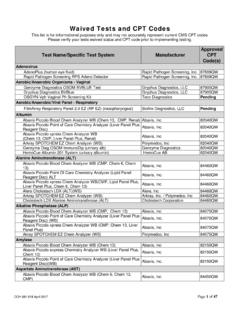
CLIA Waived Tests and CPT Codes
www.doh.wa.govAbaxis Piccolo Point Of Care Chemistry Analyzer (Lipid Panel Reagent Disc) ALT Abaxis, Inc. 84460QW . Abaxis Piccolo xpress Chem Analyzer …
Continuing Education Requirements
www.doh.wa.govOffice of Customer Service PO Box 47865 Olympia WA, 98504-7865 360-236-4700 Continuing Education Requirements Name of …
Medical Assistant-Phlebotomist Certification …
www.doh.wa.govMedical Assistant-Phlebotomist Certification Application Packet ... provide a certified copy of each certificate. ... Medical Assistant-Phlebotomist Certification ...
Medical Assistant Certified or Interim Application …
www.doh.wa.govMedical Assistant-Certified or Interim Application ... Certified Medical Assistant Examination through the American ... Medical Assistant-Certified or Interim ...

Nursing Care Quality Assurance Commission …
www.doh.wa.govNCQAC Advisory Opinion 6.0 Standing Orders and Verbal Orders Page 1 of 4 For persons with disabilities, this document is available on request in other formats.
CLIA Waived Tests and CPT Codes
www.doh.wa.govWaived Tests and CPT Codes . This list is for informational purposes only and may not accurately represent current ... Test Name/Specific Test System Manufacturer ...
Related documents

Instructions for Creating and Registering your Kroger Plus ...
www.newmoontheatre.orgyou must have an email address. STEP 1: Creating an Online Kroger Account **NOTE: If you already have an online Kroger account, skip to #2 *Go to www.krogercommunityrewards.com *Select Create an Account . *Under Sign-In information, enter your email and create a password. (write down your email & password will need it in step 2)

Patient Guide: Creating a MyChart Account
info.myconnectnyc.orgCreating a MyChart Account Using a COMPUTER OR MOBILE DEVICE with an activation link received via email or text message 1. Click on the hyperlink found in the email or text message • The email will come from donotreply@myconnectnyc.org • The link is valid for 24 hours. If you do not sign up within 24 hours
A Guide to Creating an Account in STEERS E-Permitting
www.tceq.texas.govCreating a STEERS account is your first step in submitting an online notification, registration, or certification. The account that you create will be for you as an individual user, not for your facility or entity. To create your account you must have a personal unique email address that is not associated with any other STEERS account.

Creating and Distributing a Single Survey in REDCap How …
www.ctsi.ufl.eduThe survey-specific email field is similar to the project-level email invitation field except that it is employed only for the survey where it has been enabled. In this way, the survey-level email can override an existing email address originally entered into the Participant List or the project-level email field (if used).

Creating a MyQuest account
myquest.questdiagnostics.com6 If a reCAPTCHA window appears, select the specified items and click Verify; otherwise, continue with the next step. 7 Access the email account that you entered in step 4 and open the “Registration Email Confirmation” email from Services@QuestDiagnostics.com, which might be in your spam folder. 8 Click the Account Confirmation page link to verify your email

Creating and Using the FSA ID - Student Aid
studentaid.gov: A Social Security number, email address, and mobile phone number can only be associated with one FSA ID. If you share an email address with someone else, then only one of you will be able to use that email address to create an FSA ID. FSA ID Tips • If you need to provide information about your parents on the FAFSA ®

Google Forms: Creating, Editing, and Distributing
www.uww.eduJun 16, 2020 · Creating a New Form from Template or by using a Blank form Step 1. The Template gallery General tab offers a number of form templates. Or, simply click on Blank form to start from scratch. Editing your form Step 1. Name the Form. Click the “Untitled Form” name in the top left corner of the screen, then enter the form’s name. Hit the ...