Example: air traffic controller
Creating Charts and Graphs - LibreOffice
LibreOffice Calc offers a variety of different chart and graph formats for your data. Using Calc, you can customize charts and graphs to a considerable extent. Many of these options enable you to present your information in the best and clearest manner.
Tags:
Information
Domain:
Source:
Link to this page:
Documents from same domain
Chapter 12 Calc Macros - LibreOffice
documentation.libreoffice.orgIntroduction A macro is a saved sequence of commands or keystrokes that are stored for later use. An example of a simple macro is one that “types” your address. The LibreOffice macro language is very flexible, allowing automation of both simple and complex tasks. Macros are especially useful to repeat a task the same way over and over again.

Adding and Formatting Text - LibreOffice
documentation.libreoffice.orgbulleted lists, tables, fields, and hyperlinks. Using the text tool To activate the text tool, click the Text icon for horizontal text or the Vertical Text icon for vertical text on the Drawing toolbar. If the Vertical Text icon is not visible, first select the option Show UI elements for East Asian

Formulas and Functions - LibreOffice
documentation.libreoffice.orgIntroduction In previous chapters, we have been entering one of two basic types of data into each cell: numbers and text. However, we will not always know what the contents should be. Often the contents of one cell depends on the contents of other cells. To handle this situation, we use a third type of data: the formula. Formulas are equations ...
Working with Images - LibreOffice
documentation.libreoffice.orgIf color images are to be printed in grayscale, check that any adjacent colors have good contrast and print dark enough. Test by printing on a black-and-white printer using a grayscale setting. Better still: change the “mode” of the image to grayscale, either in a photo editor or in Writer itself (see “Graphics mode” on page 11).
Base Handbook - LibreOffice
documentation.libreoffice.orgdatabase programs, including Microsoft Access, MySQL, Oracle, and PostgreSQL. Base includes additional functionality that allows you to create full data-driven applications. This book introduces the features and functions of Base, using two example databases. • Creating a database • Accessing external databases
LibreOffice Math Guide Version 7
documentation.libreoffice.orggiving a brief explanation of the function for that icon. For a more detailed explanation, select Help > What's This? on the main menu bar and hover the pointer over the icon. Free online support The LibreOffice community not only develops software, but provides free, volunteer-based ... free tips and tutorials. This forum provides support for ...

LibreOffice 4.3 Draw Guide
documentation.libreoffice.orgA few examples of the drawing functions are: layer management, snap functions and grid-point system, dimensions and measurement display, connectors for making organization charts, 3D functions that enable small three-dimensional drawings to be created (with texture and lighting effects), drawing and page-style integration, and Bézier curves.
LibreOffice 3.5 Guida a Draw
documentation.libreoffice.orgAlcuni esempi delle funzioni di disegno sono: gestione dei livelli, griglia magnetica, visualizzazione di dimensioni e misure, connettori per creare organigrammi, funzioni 3D per creare piccoli disegni tridimensionali (con trame ed effetti di luce), integrazione di disegni e stili di pagina, e le curve di Bézier.
LibreOffice 7.2 Math Guide
documentation.libreoffice.orgFor quick tips when a toolbar is visible, place the mouse pointer over any of the icons to see a small box (“tooltip”) with a brief explanation of the icon’s function. For a more detailed explanation, select Help > What's This? and hold the pointer over the icon. In addition, you can choose whether to activate Extended Tips using Tools >

Form Letters, Mailing Labels, and Envelopes
documentation.libreoffice.org2) How to create and print form letters, mailing labels, and envelopes. 3) Optionally, how to save the output in an editable file instead of printing it directly. Creating and registering the data source A data source is a database containing the name and address records (and optionally other information) from which a mailing list may be derived.
Related documents

A very quick guide to getting started with Texmaker
www.cs.bham.ac.ukLibreOffice 3.4 F*fOffice LibreOffice 3.4 Base Programming LibreOffice 3.4 Calc System Tools LibreOffice 3.4 Draw Xtras LibreOffice 3.4 Impress Places LibreOffice 3.4 Math System LibreOffice 3.4 Printer Administration Lock Screen LibreOffice 3.4 Writer Logout pjh... Shut Down. Project Planner 3- Home. [BBC - Radio 3 - HD so... 1202 Research Skills

Fiche Méthode Réaliser un diaporama - ac-grenoble.fr
www.ac-grenoble.frOuvrez LibreOffice. 2. Cliquez sur présentation. 3. Vous obtenez l'écran suivant avec : ~ En haut, la barre d'outils ; ~ A gauche, la liste des diapos (en cliquant dessus, vous jonglez d'une diapo à l'autre) ; ~ Au centre, la diapo en cours de réalisation (sur laquelle vous allez travailler) ; ~ A droite, la colonne des tâches. 4.
LibreOffice Calc - The Document Foundation
wiki.documentfoundation.orgThis guide is intended for LibreOffice Calc users, who wants to use conditional for-matting in their work. All name of menu, toolbars, tooltips, dialogue, button and any other elements of GUI are from LibreOffice Calc 6.0.3. When I wrote this guide, I found some bugs in GUI and in execution of conditional formatting in LibreOffice Calc 6.0.3.
LibreOffice Writer 使い方マニュアル
kg-sps.jpLibreOffice. はまだまだ日本ではシェアが少なく、広く使用されている. Microsoft Office との互換性が重要となってきますが、その点では高い精度の互換性は維持されていると感 じます。また、ポータブル版を用いて外出先でもLibreOffice を直接編集することが可能で
LibreOffice - Présentation - Diaporama
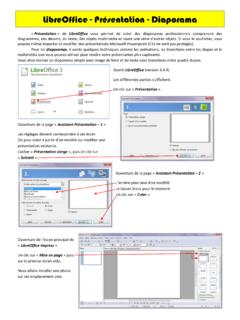
doc.lagout.orgLibreOffice - Présentation - Diaporama « Présentation » de LibreOffice vous permet de créer des diaporamas professionnels comprenant des diagrammes, des dessins, du texte, des objets multimédia et toute une série d'autres objets. Si vous le souhaitez, vous
LibreOffice 7.2 Math Guide
documentation.libreoffice.orgLibreOffice Math is a formula (equation) editor that is an integral part of LibreOffice. Anyone who wants to learn how to insert formulas and equations using Math will find this guide valuable.

LibreOffice 3 Calc-Handbuch - The Document Foundation
wiki.documentfoundation.orgLibreOffice Voreinstellungen Der Zugriff auf Einrichtungsoptio-nen Rechtsklick Strg+klicken Sie auf Öffnet das Kontext-Menü Ctrl (Strg) Control+ klicken Benutzt mit anderen Tasten F5 Umschalttaste+z+F5 Öffnet den Navigator F11 z+T Öffnet das Vorlagen- & Formatie-rungs-Fenster Libre Office: Calc-Handbuch 5
LibreOffice Baseマニュアル(入門編)
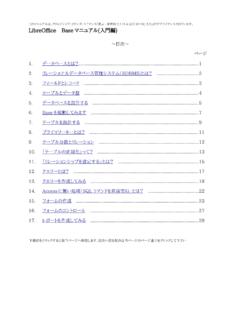
www.ja-fukuoka.or.jp※LibreOffice-Baseの場合、レポートで宛名ラベルは作成できません。(Writerの差込印刷を使っ て作成します) 1 顧客名簿 商品台帳 売上管理 データベースソフトウェア 売上一覧表 売上集計表 宛名ラベル 各種分析資料 紙orデータ
LibreOffice Baseマニュアル(実践編)
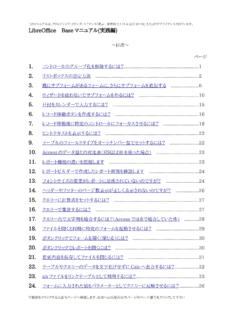
www.ja-fukuoka.or.jpこのマニュアルは、クリエイティブ・コモンズ・ライセンス「表示 - 非営利 2.1 日本 (cc by-nc 2.1)」の下でライセンスされています。