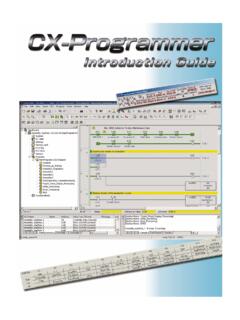
Transcription of CX-Programmer User Manual - myOMRON
1 OMRON CHAPTER 1 Technical Specification Revision 1 CX-Programmer User Manual VVeerrssiioonn OMRON CX-Programmer - User Manual Revision 2 Notice OMRON products are manufactured for use according to proper procedures by a qualified operator and only for the purposes described in this Manual . The following conventions are used to indicate and classify precautions in this Manual . Always heed the information provided in them. Failure to heed precautions can result in injury to people or damage to the product. DANGER! Indicates information that, if not heeded, is likely to result in loss of life or serious injury. WARNING Indicates information that, if not heeded, could possibly result in loss of life or serious injury. Caution Indicates information that, if not heeded, could result in relatively serious or minor injury, damage to the product, or faulty operation.
2 OMRON Product References All OMRON products are capitalised in this Manual . The word Unit is also capitalised when it refers to an OMRON product, regardless of whether or not it appears in the proper name of the product. The abbreviation PLC means Programmable Logic Controller and is not used as an abbreviation for anything else. OMRON CX-Programmer - User Manual Revision 3 Visual Aids The following headings appear in the left column of the Manual to help you locate different types of information. Indicates information of particular interest for efficient and convenient operation of the product. 1, 2, Indicates lists of one sort or another, such as procedures, checklists etc. Represents a shortcut on the Toolbar to one of the options available on the menu of the same window. OMRON, 2002 All rights reserved. No part of this publication may be reproduced, stored in a retrieval system, or transmitted, in any form, or by any means, mechanical, electronic, photocopying, recording, or otherwise, without the prior written permission of OMRON.
3 All copyright and trademarks acknowledged. No patent liability is assumed with respect to the use of the information contained herein. Moreover, because OMRON is constantly striving to improve its high-quality products, the information contained in this Manual is subject to change without notice. Every precaution has been taken in the preparation of this Manual . Nevertheless, OMRON assumes no responsibility for errors or omissions. Neither is any liability assumed for damages resulting from the use of the information contained in this publication. OMRON CX-Programmer - User Manual Revision 4 About this Manual This Manual describes the CX-Programmer application and its ability to create and maintain programs for use with OMRON SYSMAC CS, CV and C PLCs. It does not provide detailed information concerning the PLCs themselves, for this information the commercial Manual for the device must be consulted.
4 This Manual contains the following chapters: Chapter 1 Introduction. This chapter describes the CX-Programmer software in general terms and also provides details of the operating environment and minimum configuration necessary for the satisfactory operation of CX-Programmer . Chapter 2 Quick Start Guide. This chapter describes the basic features of CX-Programmer together with a simple tutorial for familiarisation purposes. Chapter 3 Project reference . This describes the features common to two or more parts of CX-Programmer . Chapter 4 reference . This chapter introduces the features contained in the Project workspace and discusses their associated commands and features. Chapter 5 Advanced Topics. This chapter discusses the more advanced topics in relation to CX-Programmer . Appendix A Toolbars and Keyboard Shortcuts. This appendix summarises the toolbar and keyboard shortcuts available from CX-Programmer .
5 A Glossary of Terms and Index are also provided. Warning: Failure to read and understand the information provided in this Manual may result in personal injury or death, damage to the product, or product failure. Please read each chapter in its entirety and be sure you understand the information provided in the chapter and related chapters before attempting any of the procedures or operations given. OMRON CX-Programmer - User Manual Revision 5 Table of Contents CX-Programmer User Chapter 1 - Technical Specification .. 7 OMRON CX-Programmer .. 7 About this 7 CX-Programmer Features .. 9 System 11 Installation .. 12 Help and How to Access 13 Technical Support .. 16 Chapter 2 - Quick Start Guide .. 17 Starting CX-Programmer .. 17 18 Introducing CX-Programmer Projects .. 18 The CX-Programmer 21 Using CX-Programmer .. 27 Summary .. 38 Chapter 3 - Project reference .
6 39 Project Workspace .. 39 Program Sections .. 40 Cross- reference Report .. 42 Address reference 43 Output 45 Watch Window .. 45 Options and 47 Finding and Replacing Text .. 53 Properties .. 59 Using Microsoft Windows Features in CX-Programmer .. 61 Chapter 4 - reference .. 77 PLCs and Projects .. 77 Symbols .. 78 Program Editing .. 89 Mnemonics Program Editing .. 100 Working On-Line .. 101 Flash ROM 114 Data Trace/Time Chart Monitoring .. 115 CX-Net Network Configuration Tool .. 115 IO Table .. 116 OMRON CX-Programmer - User Manual Revision 6 Table of Contents continued Page Chapter 5 - Advanced 117 Writing More Maintainable Programs .. 117 Copying Information between 118 Using CX-Programmer with Other Applications .. 118 Converting Programs to PLC Types .. 122 Applying a Password to the PLC 123 Appendix A - Toolbar and Keyboard 125 Standard 125 Diagrams Toolbar .. 126 Symbol Table Toolbar.
7 126 Insert 127 PLC Toolbar .. 127 Program Toolbar .. 128 Views 128 Keyboard 129 Default Keyboard Mapping .. 129 Default SYSMAC Keyboard Mapping .. 132 Glossary of Terms .. 135 OMRON CHAPTER 1 Technical Specification Page 7 CHAPTER 1 Technical Specification This chapter describes the CX-Programmer software in general terms and provides details of the operating environment and minimum configuration necessary for the satisfactory operation of CX-Programmer . CX-Programmer Software CX-Programmer is a PLC programming tool for the creation, testing and maintenance of programs associated with Omron CS/CJ-series PLCs, CV-series PLCs and C-series PLCs. It provides facilities for the support of PLC device and address information and for communications with OMRON PLCs and their supported network types. CX-Programmer operates on IBM compatible personal computers with Pentium or better central processors, including Pentium II.
8 It runs in a Microsoft Windows environment (Microsoft Windows 95, 98, Millennium, 2000 or XP and with Service Pack 5 or later). About this Manual This User Manual acts as a reference for CX-Programmer by describing its various concepts and abilities, and by leading the user through the basics of CX-Programmer programming. It also provides a detailed reference for all of the CX-Programmer functions. Separate OMRON manuals describe the PLC programming structure and instruction set in detail. A separate OMRON Manual describes the common features to PLC programming used by software other than CX-Programmer . CX-Programmer comes with a context sensitive on-line help system which is designed to complement this Manual and to provide a quick reference at any point while using CX-Programmer when the Manual is not to hand. This general help system uses a fast hypertext system which allows progressively more information about any topic to be obtained by selecting keywords within the descriptive text.
9 Throughout this Manual it is assumed that the reader has a working knowledge of Microsoft Windows, and knows how to: Use the keyboard and mouse. Select options from Microsoft Windows menus. Operate dialogue boxes. Locate, open and save data files. Edit, cut and paste text. Use the Microsoft Windows desktop environment. OMRON CX-Programmer - User Manual Revision 8 If Microsoft Windows has not been used before, it is recommended that the reader spends some time working with it using the Microsoft documentation before using CX-Programmer . This Manual also assumes that a working knowledge of OMRON PLC devices has been obtained. CX-Programmer Features CX-Programmer is a support tool for the programming of OMRON PLCs and for maintenance of their device settings. It supersedes the OMRON applications SYSWIN and SYSMAC-CPT. The following list describes important features that were present in CX-Programmer Support for new PLCs Full support has been added for the, CS1G-H, CS1H-H and CJ1G, CJ1G-H, CJ1H-H series PLCs and the D/S Gateway PLC (CPM2*-S*).
10 Flash ROM backup Flash ROM backup is supported for the PLCs incorporating this feature. Find and Replace Enhanced and extended Find and Replace functionality. The GUI has been enhanced to include the scope of the search whether the Section, Global symbol and/or the Local symbol will be affected by the search. Upload/Download The Upload/Download functionality has been updated to include the CV/CVM1, CS1/CJ1, CJ1H/H-H and CS1G/H-H PLCs to avoid searching section markers on the initial dialog Upload. The range of the Send/Rec. instruction has been extended to include the PLCs CS1/CJ1, CS1G/H-H and CJ1G/H-H Operation The levels of operation have been extended to include Junior, Demo and Trial versions of the product. Symbol Sorting The symbol sort for number data types has been enhanced and is now sorted separately from other data types in the symbol table view.