Example: bankruptcy
Data Sheet SAMSUNG PROPRIETARY 요기에 Samsung V …
Data Sheet SAMSUNG PROPRIETARY Revision 1.1 4 TECHNICAL SPECIFICATIONS Samsung SSD 980 Usage Application Client PCs Interface PCIe Gen 3.0 x4, NVMe 1.4 Hardware Information Capacity1) 250GB 500GB 1TB Controller Samsung in-house Controller NAND Flash Memory Samsung V-NAND 3bit MLC
Tags:
Information
Domain:
Source:
Link to this page:
Documents from same domain

SAMSUNG PROPRIETARY Samsung Portable SSD macOS ...
s3.ap-northeast-2.amazonaws.comRe-connect your Portable SSD to your device and execute the Samsung Portable SSD Software. 3. If the problem continues, delete and re-install the Samsung Portable SSD Software. 4. If the issue persists after you have followed the above troubleshooting guidelines, please contact an authorized Samsung service center.
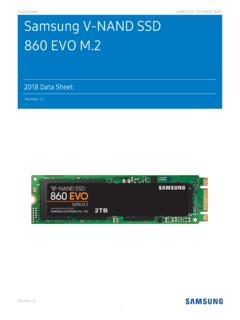
Data Sheet SAMSUNG PROPRIETARY Samsung V-NAND …
s3.ap-northeast-2.amazonaws.comData Sheet SAMSUNG PROPRIETARY Revision 1.0 4 THE SAMSUNG SSD 860 EVO The Samsung SSD 860 EVO Series is the newest of Samsung’s Client-PC SATA SSDs, specially designed for ... performance for SATA SSDs, offering improvements in speed, reliability, compatibility and capacity. The 860 EVO ... Please check the specification of your motherboard

Samsung SSD 870 EVO Data Sheet Rev1.1 - Amazon S3
s3.ap-northeast-2.amazonaws.comData Sheet SAMSUNG PROPRIETARY Revision 1.1 2 LEGAL DISCLAIMER SAMSUNG ELECTRONICS CO., LTD. RESERVES THE RIGHT TO CHANGE PRODUCTS, INFORMATION AND SPECIFICATIONS WITHOUT NOTICE. Products and specifications discussed herein are provided for reference purposes only. All information
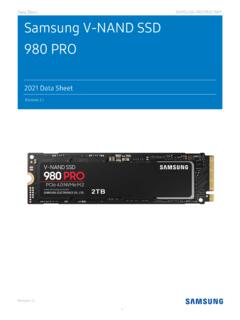
Samsung NVMe SSD 980 PRO Data Sheet Rev.2.1
s3.ap-northeast-2.amazonaws.comSamsung SSD 980 PRO 1TB Warranty Statement MZ -V8P 1T0BW MZ-V8P1T0B/AM 2TB (2,000GB*) MZ-V8P2T0 Samsung SSD 980 PRO 2 TB Warranty Statement MZ -V8P 2T0 BW MZ-V8P2T0B/AM * GB: 1GB = 1,000,000,000 bytes. The actual usable capacity may be less than the labeled capacity. For more information, including but not limited to the warranty provided …

PCIe Gen 3.0 x4, NVMe 1.3 Unreal Performance, Realized.
s3.ap-northeast-2.amazonaws.comThe top level 970 PRO | EVO Plus NVMe SSDs achieve unmatched performance with Samsung's latest V-NAND technology and proven Samsung in-house controller for tech enthusiasts, hardcore gamers, and professionals. Accelerate your computing with superior reliability, and best-in-class capacity for intensive workloads on PCs and workstations. The ...
Samsung NVM Express Driver v3 - Amazon S3
s3.ap-northeast-2.amazonaws.comend user license agreement (eula) please carefully read the following terms and conditions before using the samsung software provided by samsung electronics co., ltd. (“samsung”) if you do not agree to the terms and conditions of this samsung software license agreement (“agreement”), do not use the software. 1.

Samsung V-NAND SSD 870 QVO - Amazon S3
s3.ap-northeast-2.amazonaws.comMZ-77Q1T0BW MZ-77Q1T0B/AM MZ-77Q1T0B/CN 2TB (2,000GB*) MZ-77Q2T0 Samsung SSD 870 QVO 2TB Warranty Statement MZ-77Q2T0BW MZ-77Q2T0B/AM MZ-77Q2T0B/CN 4TB (4,000GB*) MZ-77Q4T0 Samsung SSD 870 QVO 4TB Warranty Statement MZ-77Q4T0BW MZ-77Q4T0B/AM MZ-77Q4T0B/CN 8TB (8,000GB*) MZ-77Q8T0 Samsung SSD 870 QVO 8TB …
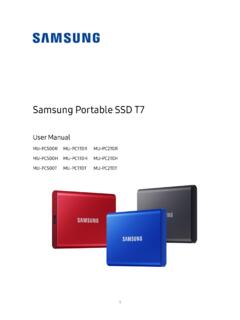
Samsung Portable SSD T7
s3.ap-northeast-2.amazonaws.comBuilt strong and safe SSD stands for Solid State Drive, which means it’s built with no moving parts. A sturdy metal body encases the immobile hardware, keeping your data intact from falls of up to 2 meters. And the T7 is confidently backed by a 3-year limited warranty. * The internal free fall shock test was conducted under controlled conditions.

Samsung V-NAND SSD 970 EVO Plus
s3.ap-northeast-2.amazonaws.compopular form factor, which is 22mm x 80mm (i.e., 2280), for the convenience of customers. 3) Sequential and random performance measurements are based on IOmeter1.1.0. Performance may vary based on SSD’s firmware version, system hardware & configuration.

1.0. Abstract / Intro 3 - s3.ap-northeast-2.amazonaws.com
s3.ap-northeast-2.amazonaws.comDespite the emerging market, there is a global trend of reduced growth in the insurance industry. This is mainly due to stagnancy in advanced markets such as the US and other developed countries including Germany, UK, and Australia, which are expected to see less than 1.5%
Related documents

Samsung Galaxy S7 G930A User Manual - AT&T
www.att.comLegal Notices iv Full written terms and detailed information about the warranty and obtaining service are available on the device at: Settings > System > About device > Legal information > Samsung legal or you may access the online version of the Health/Safety and

For the year ended December - Samsung us
images.samsung.comSamsung Electronics Business Report 1 / 263 SAMSUNG ELECTRONICS Co., Ltd. 2020 Business Report For the year ended December 31, 2020 Certain statements in the document, other than purely historical information, including estimates, projections, statements relating to …

Samsung Galaxy A50 A505U User Manual - VZW
ss7.vzw.comFor more information, see . Factory Reset Protection on page 133. Add a Samsung account: Sign in to your Samsung account to access exclusive Samsung content and make full use of Samsung apps. 1. From Settings, tap Accounts and backup > Accounts. 2. Tap Add account > Samsung account. TIP To quickly access your Samsung account, from Settings tap

Samsung PM983 NGSFF NVMe™ SSD
www.samsung.comSamsung Electronics Co., Ltd. 129 Samsung-ro, Yeongtong-gu, Suwon-si, Gyeonggi-do 16677, Korea www.samsung.com 2018-09 Demonstrated performance Using the Samsung PM983 16TB NGSFF SSD instead of 4TB M.2 drives in a 1U server can increase the storage capacity of the system by four times. In fact, Samsung has demonstrated a reference server system
Samsung Galaxy A51|A71 5G A516U|A716U User Manual
www.sprint.com1. From a Home screen, touch and hold the screen, and then tap Wallpaper. 2. Tap one of the following menus for available wallpapers: •My wallpapers: Choose from …
Samsung Galaxy A32 5G User Manual - Sprint
www.sprint.com3. Tap a picture or video to choose it. •If choosing a single picture, choose which screen or screens you want to apply the wallpaper to. •Videos and multiple pictures can only be applied to the Lock screen.